


Best HVAC invoicing software in 2026: 6 apps compared
You fix HVAC systems. We researched the software that handles the rest – invoicing, scheduling, and getting you paid faster.



You fix HVAC systems. You shouldn't have to fight your invoicing software too. We compared six HVAC invoice software tools that handle billing, estimates, and payments for contractors, from solo techs to enterprise operations.
Whether you're looking for a simple HVAC invoice app to send bills from the field or a full HVAC billing software platform for a growing team, this guide covers real pricing, actual features, and which tool fits which business size.
Looking for a broader overview of field service tools beyond invoicing? Check out our complete guide to the best field service management software in 2026.
Quick comparison: HVAC invoicing software at a glance
| Software | Best for | Starting price | Free trial | Mobile app |
|---|---|---|---|---|
| Tofu | Solo HVAC pros and small crews | $15/month (annual) | 7 days | iOS and Web |
| Jobber | Small crews (1–10 people) | $49/month | 14 days | iOS and Android |
| Housecall Pro | Growing mid-sized businesses | $59/month (annual) | 14 days | iOS and Android |
| Joist | Budget-conscious solo contractors | $8/month | Free tier available | iOS and Android |
| ServiceTitan | Enterprise HVAC operations (20+ techs) | ~$245/tech/month | No | iOS and Android |
| ServiceTrade | Commercial HVAC service contracts | Custom pricing | Demo available | iOS and Android |
Tofu in 30 seconds. Tofu is field service software for contractors and crews up to 10: scheduling, jobs, invoices, estimates, CRM. Plans start at $29/mo ($15/mo billed annually), it runs on iOS and Web, and the 7-day free trial needs a card on file but charges nothing upfront. Start a free trial.
“Tofu is simple, clear and fairly priced.” HVAC business owner, App Store
1. Tofu: best for independent HVAC pros who want invoicing inside the job workflow
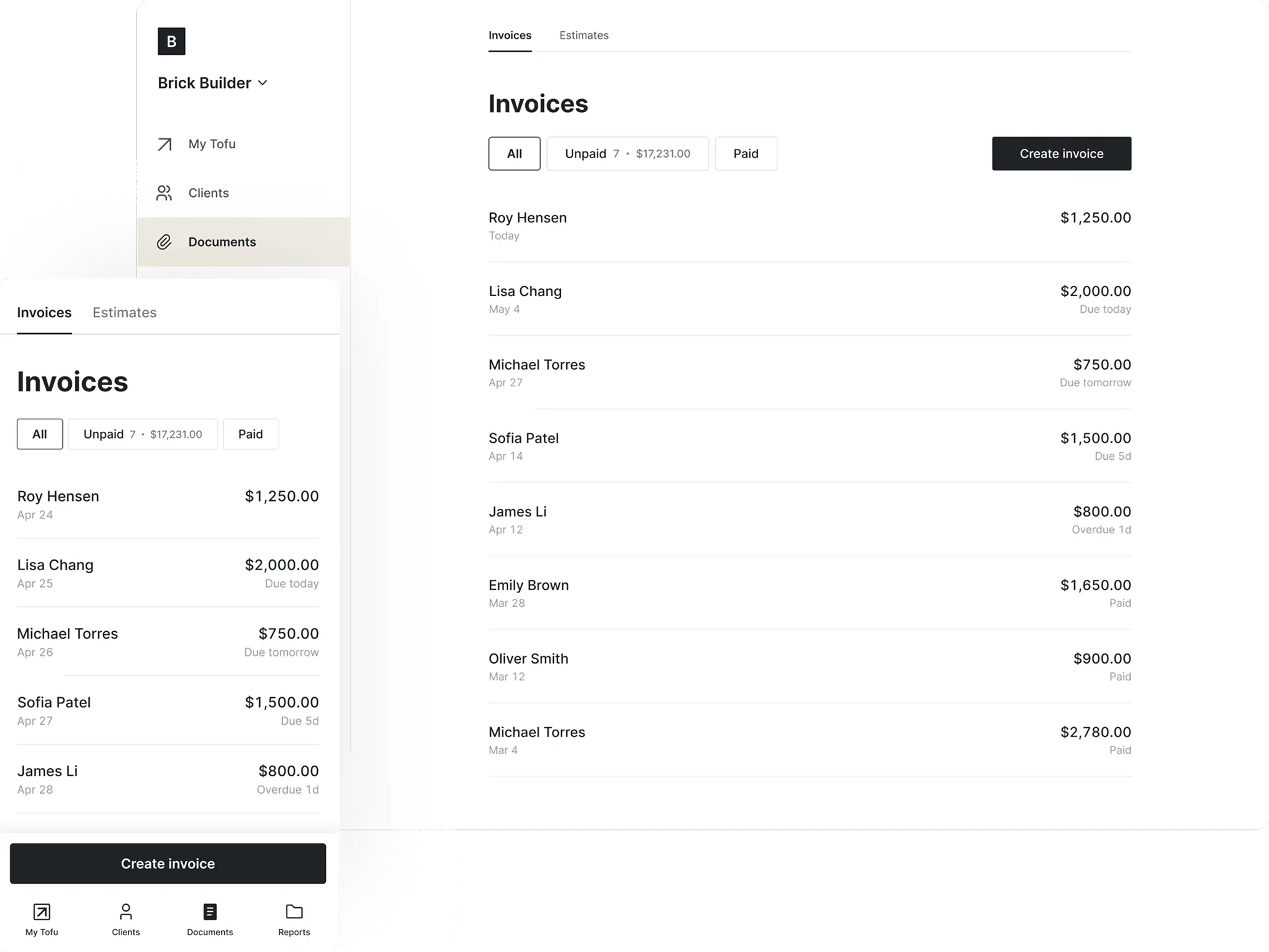
Tofu Field Service is field service management software built for HVAC pros who close out the job between service calls, not after hours at a desk. Schedule the call, send the estimate, and when the work is done build the invoice on your phone in under a minute, send it, and accept payment on the spot with Stripe tap-to-pay.
Unlike full-scale FSM platforms, Tofu doesn't try to be everything. It focuses on what solo HVAC contractors and small crews actually use daily: invoices, estimates, payments, job scheduling, and a simple CRM. The web version gives you desktop access when you want it, but the mobile app is where Tofu works best.
The app also performs reliably in low-signal areas (basements, mechanical rooms, rooftops) and autosaves your progress, so you won't lose an invoice mid-job.
Key features:
- Mobile-first invoicing with clean, branded templates
- Stripe integration with tap-to-pay for on-site payments
- Estimates that convert to invoices in one tap
- Job scheduling with dates, times, addresses, and team notes
- Price book for consistent, fast line-item entry
- Web app for desktop access when needed
Pricing:
- Solo: $29/month ($15/month billed annually), 1 user
- Team: $79/month ($50/month billed annually), up to 5 workers
- Business: $149/month ($100/month billed annually), up to 10 workers
- 7-day free trial on all plans, no payment upfront
Pros: Extremely fast invoice creation. Built specifically for trades. Reliable in the field. Clean, professional templates without setup. Affordable for solo operators.
Cons: Not designed for enterprise-level operations with 20+ technicians. No QuickBooks integration yet.
Best for: Independent HVAC techs, freelancers, and crews of 1–5 who want fast, professional invoicing without learning complex software.
Need a one-off invoice right now?
Use Tofu's free invoice template generator, no download or signup required.
2. Jobber: best all-in-one platform for small HVAC crews
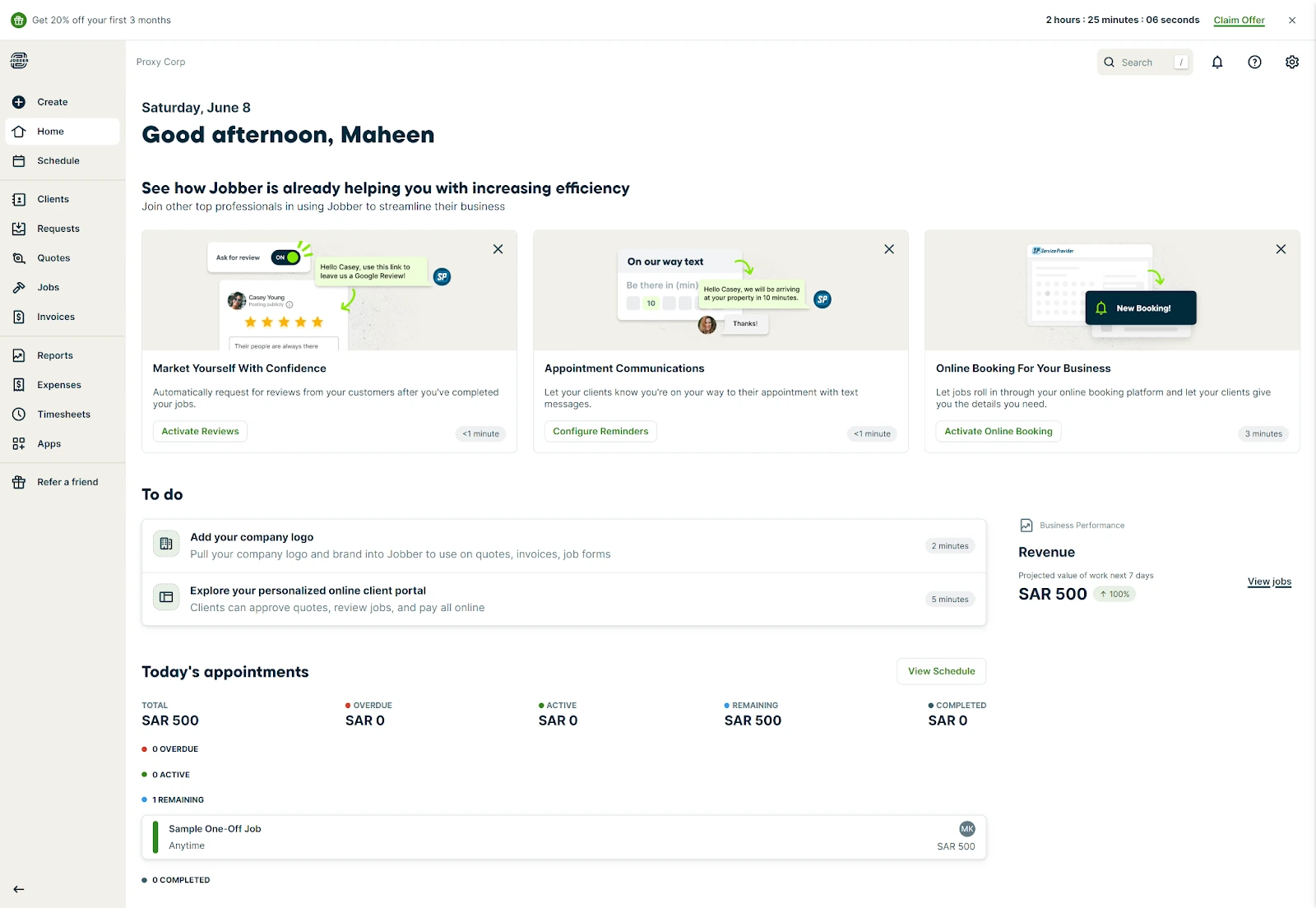
Jobber is one of the most popular HVAC invoice software platforms for small home service businesses, and for good reason. It combines quoting, invoicing, scheduling, CRM, and online payments into a single system that's genuinely easy to use.
For HVAC contractors managing a small crew, Jobber handles the full workflow: a client requests service, you send a quote, schedule the job, dispatch a tech, then convert the quote to an invoice and collect payment. QuickBooks Online sync is available starting from the Connect plan.
The trade-off is price. The Core plan ($49/month for one user) covers the basics, but most growing businesses end up on Connect or Grow, where costs climb quickly, especially with per-user fees ($29/month per additional user on team plans).
Key features:
- Professional quoting and invoicing with online payment collection
- Client hub where customers can approve quotes and pay invoices
- Scheduling, dispatching, and route optimization
- QuickBooks Online sync (Connect plan and above)
- Automated follow-ups and payment reminders
- Two-way text messaging with clients (Connect plan and above)
Pricing (monthly, no commitment):
- Core: $49/month (1 user)
- Connect: $139/month (1 user) or $199/month (up to 5 users)
- Grow: $199/month (1 user) or $399/month (up to 10 users)
- Annual billing saves up to 35% (Core from $29/month, Connect from $99/month)
- Additional users: $29/month each
Pros: Polished client-facing experience (client hub for quote approvals and payments). Strong quoting-to-invoice workflow. Excellent mobile app. Route optimization saves drive time. Many HVAC contractors pick Jobber over ServiceTitan for the balance of power and simplicity.
Cons: QuickBooks sync is the #1 complaint across review platforms: users report dropped transactions and weekly manual reconciliation. Gets expensive fast once you add staff ($29/user adds up). Offline mode is limited: you can view existing jobs but can't create new ones or process payments without signal. Invoice templates offer little customization. Reports lack depth for real business decisions.
Best for: HVAC businesses with 2–10 people who want a single platform for quoting, invoicing, scheduling, and client management.
3. Housecall Pro: best for growing mid-sized HVAC businesses
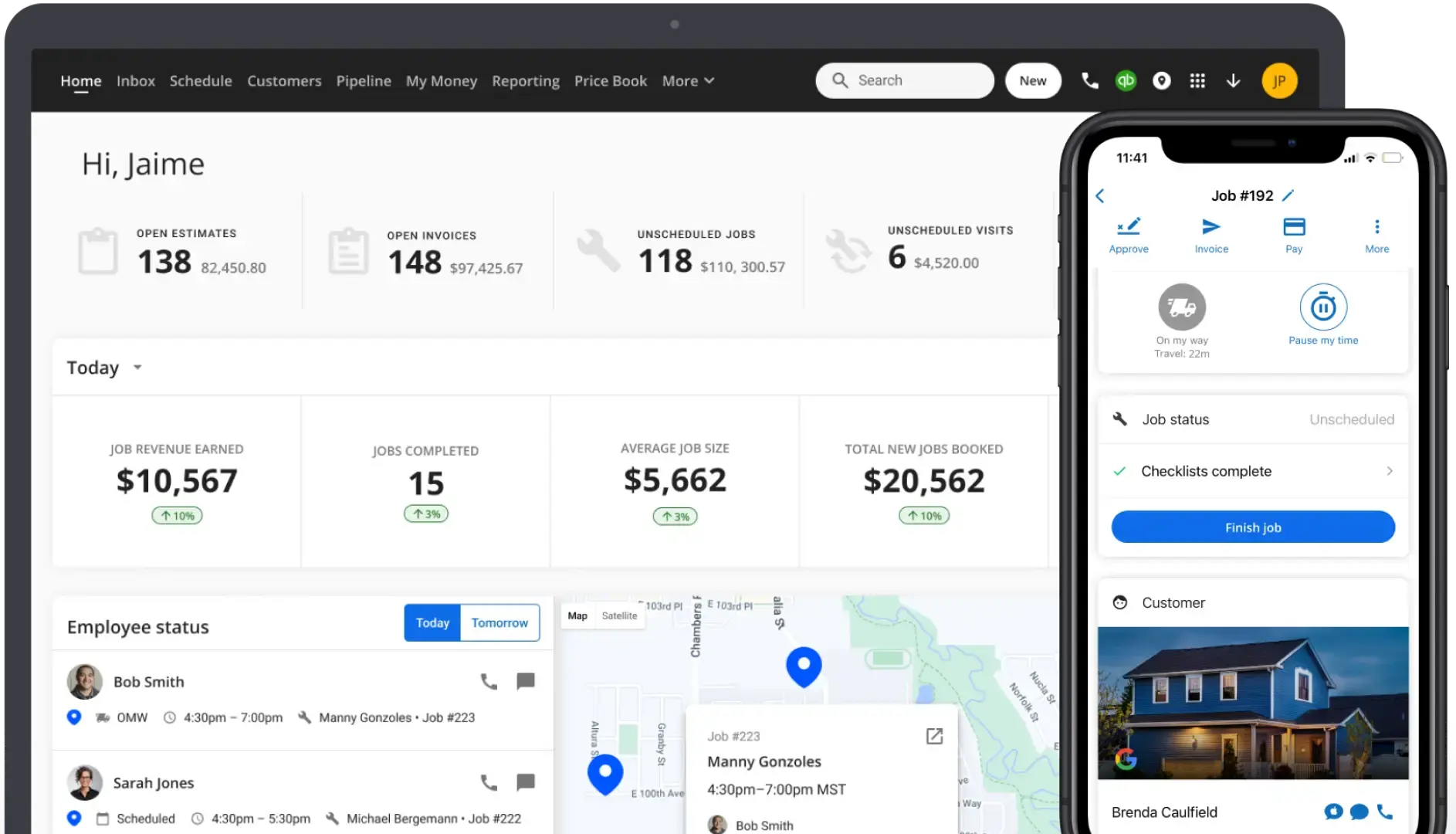
Housecall Pro is an HVAC billing software platform that targets home service businesses that have outgrown basic invoicing apps and need dispatching, online booking, and marketing tools alongside their billing workflow.
The platform covers scheduling, estimates, invoicing, online payments, and customer communication. It also includes features like a consumer-facing booking page and built-in review generation that help HVAC businesses grow their online presence.
That said, the practical starting price is higher than advertised. The Basic plan ($59–79/month) limits you to one user and excludes GPS tracking, QuickBooks integration, and phone support. Most HVAC businesses with employees end up on Essentials ($149–189/month) at minimum, and add-ons like Sales Proposals ($40/month) and Vehicle GPS ($20/vehicle/month) increase the bill further.
Key features:
- Estimates, invoicing, and online payment processing
- Drag-and-drop scheduling and dispatching
- Online booking page for customers
- QuickBooks sync (Essentials plan and above)
- Automated review requests and marketing tools
- GPS tracking (Essentials plan and above)
Pricing:
- Basic: $59/month annual, $79/month monthly (1 user)
- Essentials: $149/month annual, $189/month monthly (up to 5 users)
- MAX: custom pricing (additional users $35/month each)
- 14-day free trial, no credit card required
Pros: Scheduling and dispatching work well day-to-day (consistently praised in reviews). Built-in review generation and marketing tools that competitors charge extra for. Consumer-facing booking page drives inbound jobs. Intuitive drag-and-drop calendar.
Cons: Cost creep from add-ons is the #1 complaint: users sign up at $59, then gradually add Pipeline, Campaigns, Voice, and GPS until the bill doubles. Basic plan is too limited for most real businesses (no QuickBooks sync, no GPS, no phone support). Contractors report difficulty canceling and getting locked into contracts. No keyword search for jobs and clients on the main dashboard. No route optimization on any plan.
Best for: HVAC companies with 5–15 employees that need dispatching, online booking, and marketing tools alongside invoicing.
4. Joist: cheapest invoicing app for HVAC contractors
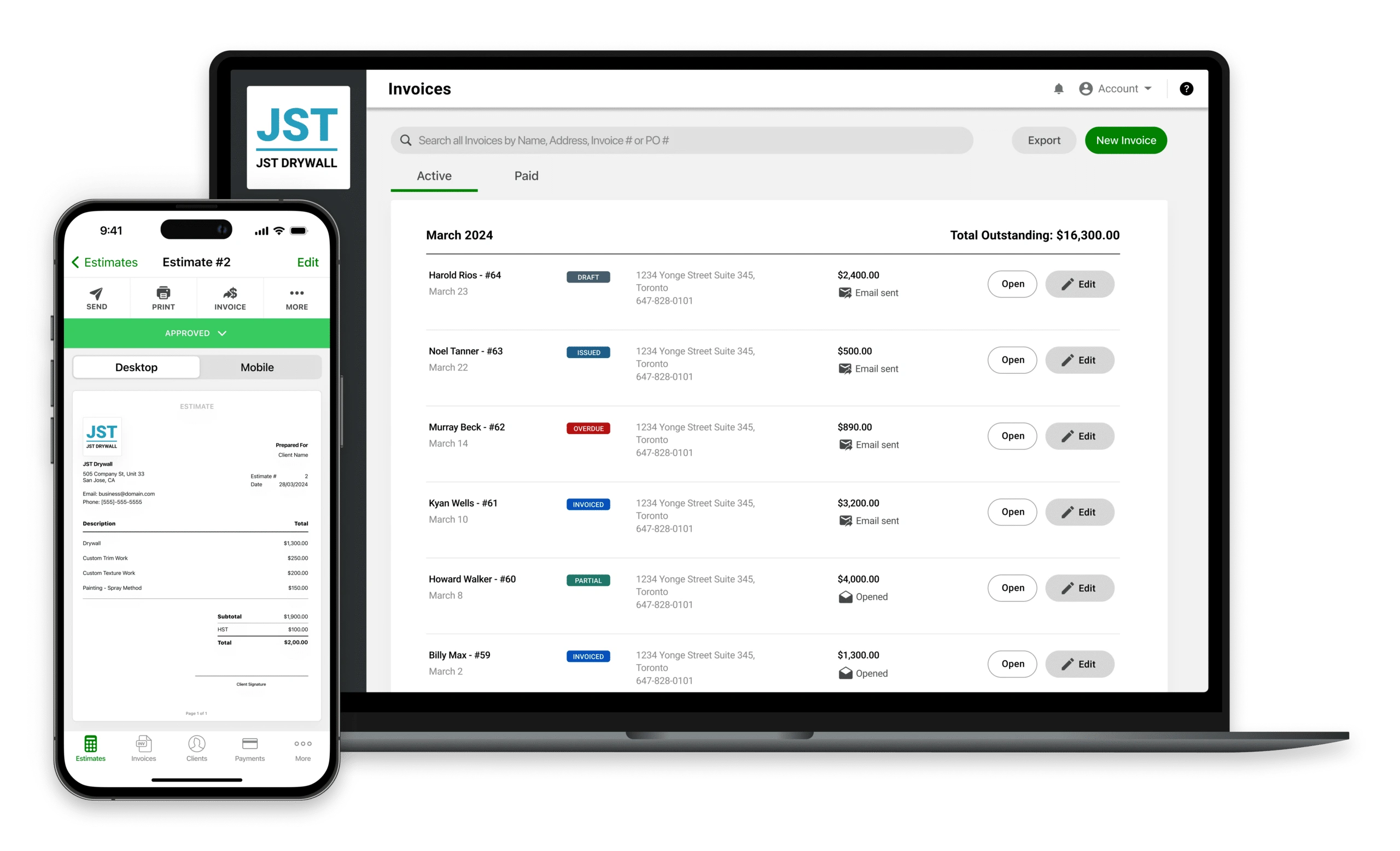
Joist is a mobile-first estimating and invoicing app built for trade contractors who need something simple and cheap. At $8/month for the Basics plan, it's the most affordable option on this list.
The app does what it says: you create estimates, send them to clients, convert them to invoices, and collect payment through the platform. The interface is clean, the mobile app is fast, and the learning curve is close to zero. Over a million contractors use it, and most reviews highlight how quickly you can go from installing it to sending your first invoice.
The downsides become visible as your business grows. Reporting is shallow, customization is limited, and the QuickBooks sync has friction. Joist doesn't offer scheduling, dispatching, or CRM features. If you manage a crew or need job tracking beyond invoicing, you'll outgrow Joist quickly.
Key features:
- Fast estimate and invoice creation from your phone
- In-app payment collection
- Change order management (Elite plan)
- Client database with job history
- Photo attachments on estimates and invoices
- QuickBooks integration
Pricing:
- Basics: $8/month (limited to 5 documents/month)
- Pro: $16/month (unlimited documents)
- Elite: $32/month (change orders, advanced reporting)
Pros: Extremely affordable. Fast and simple to use: contractors say it "greatly improved my appearance as a business" from day one. Good mobile experience. Low learning curve, especially for trades people who aren't tech-savvy.
Cons: Reliability is a real concern: multiple Capterra reviewers report the app being unavailable for days, blocking their ability to send invoices and collect payments. Payment processing delays and high fees frustrate users. No phone support (chat only). Sync between the mobile app and desktop version breaks frequently. Can't auto-sequence invoice numbers. No scheduling, dispatching, or CRM. Five-document cap on Basics makes it impractical for active contractors.
Best for: Solo HVAC contractors or startup businesses who need basic invoicing at the lowest possible price and don't need scheduling or job management.
5. ServiceTitan: best for enterprise HVAC operations
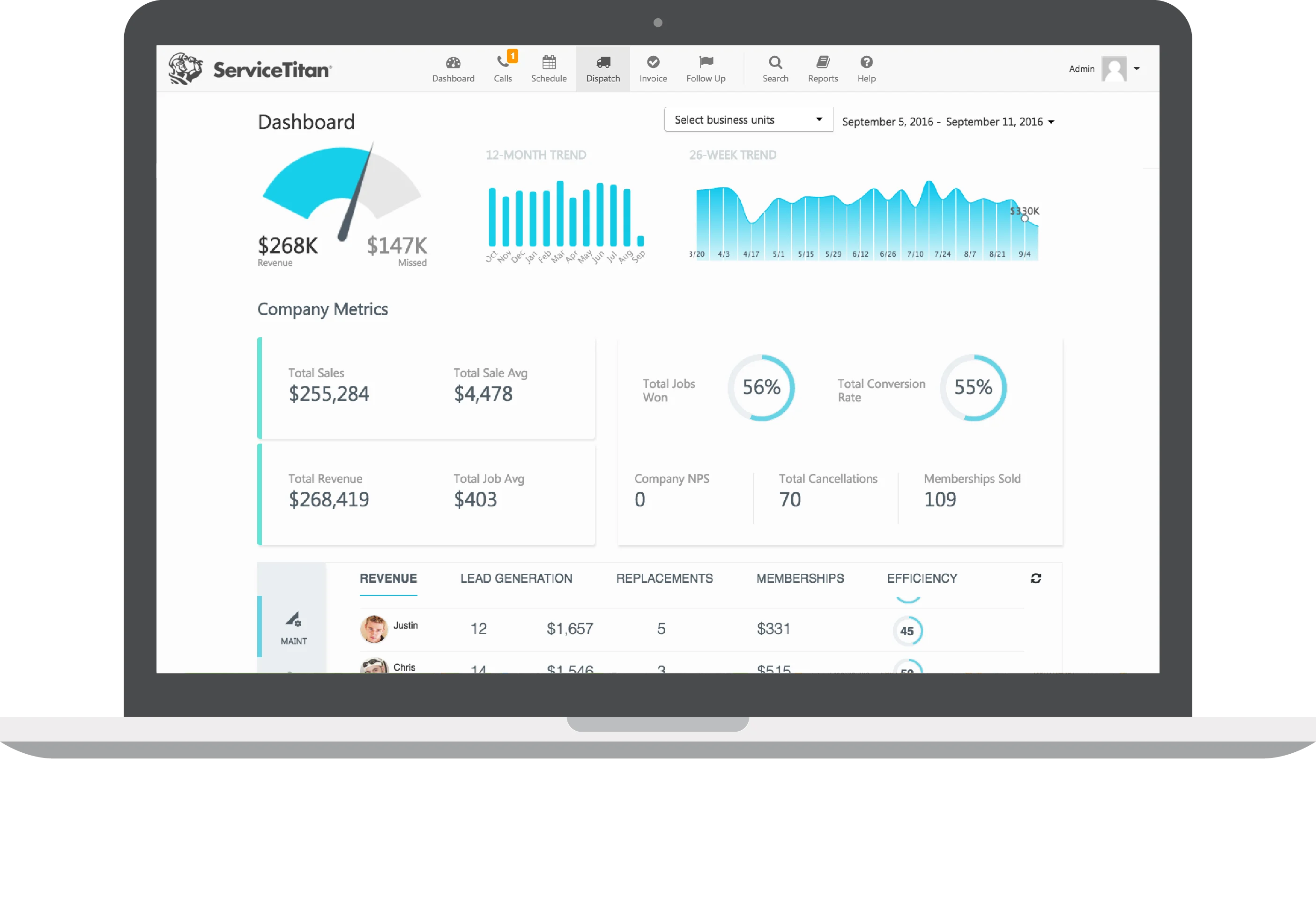
ServiceTitan is the industry standard for large HVAC, plumbing, and electrical companies. It's a full enterprise platform covering dispatching, invoicing, CRM, marketing, payroll integration, reporting, and customer financing.
The reporting and analytics alone justify the cost for data-driven operations: technician performance scorecards, revenue by department, call conversion rates, and custom KPI dashboards. If you're running 20+ technicians across multiple service areas, ServiceTitan provides the operational visibility that smaller tools can't match.
The flip side is cost and complexity. ServiceTitan doesn't publish pricing, but based on industry reports, expect $245–$500 per technician per month. Implementation fees range from $5,000 to $50,000+, and the onboarding process takes 3–6 months. There's no free trial. For businesses under 10 technicians, ServiceTitan is almost always overkill.
Key features:
- Advanced dispatching with real-time technician tracking
- Comprehensive invoicing, billing, and customer financing
- Detailed reporting and KPI dashboards
- Marketing automation and call tracking
- Pricebook management
- Extensive third-party integrations (QuickBooks, marketing platforms, payroll)
Pricing:
- Starter: ~$245–$300/tech/month
- Essentials: ~$300–$400/tech/month
- The Works: ~$400–$500/tech/month
- Implementation fee: $5,000–$50,000+
- Annual contracts required, no free trial
Pros: Enterprise-grade reporting and analytics that no smaller tool matches. Marketing Pro tracks exactly which ad dollars produce revenue (call tracking, campaign ROI). Powerful dispatching and pricebook management. Strong ecosystem of integrations.
Cons: Implementation is the biggest pain point: BBB complaints include contractors who paid for a full year without ever being fully onboarded. A Reddit user summed it up: "it's almost like it's too big to where my people are scared to dive in and learn." Contracts run 2-3 years with limited exit options. Multiple users report difficulty exporting their own data when leaving. Customer support response times frustrate even paying customers. Extremely expensive for businesses under 20 technicians.
Best for: HVAC companies with 20+ technicians, dedicated office staff, and the budget for enterprise software.
6. ServiceTrade: best for commercial HVAC service contracts
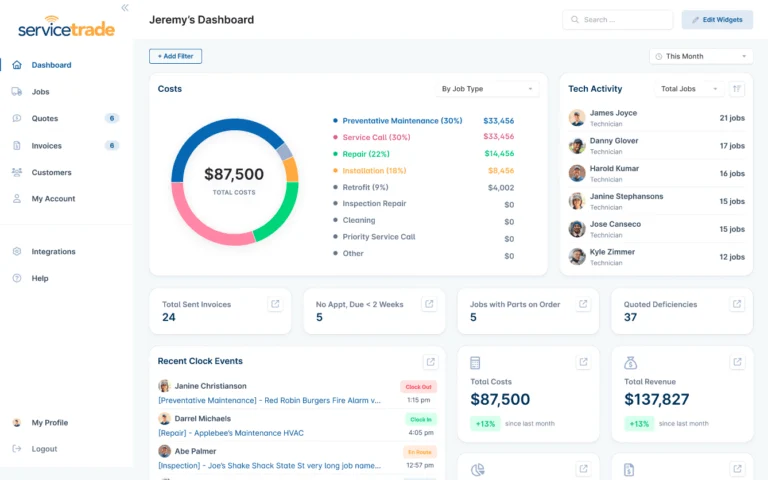
ServiceTrade is built for commercial HVAC contractors who manage long-term service agreements and need to keep clients informed throughout the service process. Its standout strength is customer communication: detailed job histories with photos, videos, and audio notes, plus a customer portal where clients can approve quotes, review service records, and track upcoming appointments.
This makes ServiceTrade especially valuable for commercial teams that manage recurring maintenance contracts and need to demonstrate value to property managers and facility directors.
The invoicing and scheduling tools are solid, and the QuickBooks integration eliminates double data entry. However, the platform is designed for commercial operations, not residential, and its feature depth may be more than independent HVAC contractors need.
Key features:
- Customer portal with service history, quote approval, and appointment tracking
- Media-rich service records (photos, videos, audio notes)
- Map-based scheduling and route optimization
- QuickBooks integration
- Recurring service agreement management
- Detailed reporting on technician productivity and financials
Pricing:
- Custom pricing (contact for a quote)
- Demo available on request
Pros: Customer communication tools that genuinely impress clients: contractors on Capterra say it "impresses customers with the technology they expect, even from their HVAC service provider." 4.6/5 on Capterra with consistently praised customer support. QuickBooks integration. Dispatch board and efficiency tools that users credit with increasing profits.
Cons: Capterra reviewers note it's "too restrictive for any work other than service work," so don't expect it to handle project-based or install jobs. Limited customization for service types. Platform favors US-based companies (Canadian users report issues). Pricing not publicly available, which makes budgeting harder. Not built for residential HVAC or quick invoicing needs.
Best for: Commercial HVAC contractors managing multi-site service agreements who need to deliver transparent, well-documented service to their clients.
Done chasing payments?
Consider Tofu and get paid on-site with tap-to-pay.
How to choose the right HVAC invoicing tool
The right tool depends on where your business is today and where it's headed.
If you work solo or with 1–3 people, you need a fast, mobile HVAC billing app that doesn't require training. Tofu and Joist are built for this: open the app, create an invoice, send it, get paid. Tofu is the better choice if you want the whole job in one app: scheduling, estimates, the invoice, and on-site payment.
If you're managing a small crew (3–10 people), you need scheduling and dispatching alongside invoicing. Jobber is the strongest option here: it handles the full workflow from quote to payment, the mobile app is excellent, and QuickBooks sync keeps your accounting clean.
If you're a growing mid-sized business (10–20 people), you need marketing tools, online booking, and more advanced dispatching. Housecall Pro covers this range well, though watch the add-on costs.
If you're an enterprise operation (20+ technicians), ServiceTitan is the industry standard, assuming you have the budget and the patience for a multi-month implementation.
If you run commercial HVAC contracts, ServiceTrade's customer portal and service documentation tools are purpose-built for keeping property managers and facility directors informed.
For a deeper comparison of field service management platforms across all trades, see our complete FSM software guide.




