Best Invoicing and Field Service Management Software: A 2026 Guide

This guide reviews top field service management and invoicing apps in 2026, helping businesses choose the right tools to improve efficiency and cash flow.

A field service professional using a laptop

Looking for the best field service management (FSM) and invoicing software? We compare top platforms built for service-based businesses, from dispatch to processing payments and reporting.

Whether you're managing technicians, sending invoices from the field, or tracking jobs in real time, the right FSM software can save hours of admin work and help you get paid faster.

Without modern tools, late payments, missed appointments, and manual paperwork pile up, draining your time, profits, and customer trust. Mobile-first FSM platforms simplify daily operations so you can focus on delivering great service, not chasing details.

Key Takeaways:

  • Choosing the right field service software improves efficiency, customer satisfaction, and cash flow.
  • Tofu is ideal for small field service businesses needing fast, mobile and web invoicing without complex FSM features.
  • Key software features to consider include creating estimates, invoicing, and payment integrations.
  • Matching software to your business size and needs ensures smoother operations and supports growth.

Which Field Service Pros Is This Guide For?

You’ll find this guide especially useful if you’re:

  • Still relying on paper or spreadsheets for scheduling and invoicing.
  • Struggling with manual processes or inconsistent communication.
  • Looking to grow your business without adding more admin overhead.

We’ll cover the top invoicing software for small businesses and FSM across different service industries. Plus, we’ll highlight commonchallenges and how the right tools can help tackle them.

Business Type Common Challenges What the Right FSM Software Delivers
Small to Medium-Sized Businesses Limited resources, manual invoicing, inconsistent workflows Value for money, optimized invoicing, and better team coordination
Contractors & Freelancers Faulty estimates, payment delays, and managing jobs on the go Mobile and web-friendly invoicing, estimates, and faster payments.
Large Field Service Teams Complex logistics, multi-team coordination, and high customer volume Enterprise-level FSM solutions, analytics, and job performance tracking

Best Invoicing and Field Service Management Software Platforms

Let’s explore the top FSM software that makes it easier for businesses to run smoothly, work smarter, and get paid more accurately.

1. Tofu – Best Mobile and Web Invoicing App for Field Service Pros

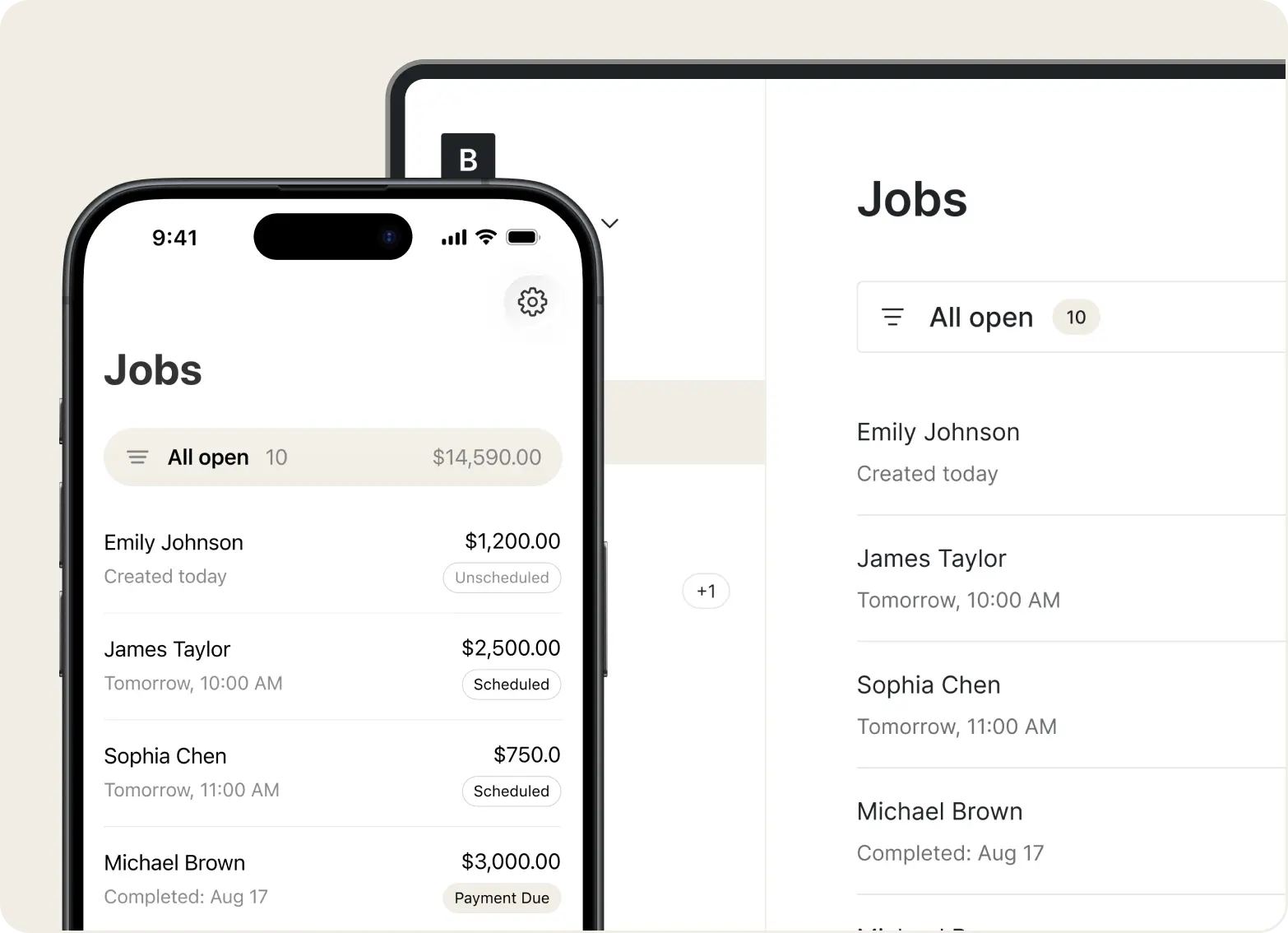
Tofu is a simple, fast invoicing app built for field service professionals (including electricians, plumbers,contractors, auto repair techs, freelancers and more). Unlike bulky FSM platforms, Tofu focuses on one key goal: helping you get paid quickly, without the hassle of spreadsheets or desktop-only tools.

With both mobile and web access, Tofu lets you create, send, and manage professional invoices from anywhere, whether you’re in the field or at your desk. Its clean interface and ready-made templates make it easy to stay organized, bill clients on the spot, and spend less time chasing payments.

Key Features:

  • Mobile & Web Invoicing: Create, edit, and send invoices from your phone or desktop, whichever works best for you.
  • Professional Templates: Pre-built designs help you generate clean, branded invoices that make a strong impression.
  • Estimates That Convert: Send polished estimates that clearly outline your pricing and services, then convert approved estimates into invoices with a single tap.
  • Easy Workflow: A clean, intuitive interface designed for fast billing; no bloated features or distractions
  • Multiple Payment Options: Accept payments via Stripe, including credit cards and tap-to-pay in the field, helping you get paid faster.
  • Built-in CRM: Manage client relationships with a dedicated Clients section. Each profile displays related invoices, estimates, contact info, and address, and lets you create new estimates or invoices directly from the client view.
  • Price Book: Save time with a categorized Price Book for Services, Materials, and Other items. Instead of retyping details, just select from your saved list when building estimates or invoices.

Best For:

  • Direct Client Billing: Ideal for contractors, freelancers, and small businesses that invoice clients directly.
  • Mobile-First Workflows: Great for field service pros who prefer using their phones over spreadsheets or desktop tools.
  • Simplified Invoicing Needs: Suited for those who don’t require full FSM suites but want to move beyond manual processes.

Pricing:

  • Plus Plan: $9.99/week
  • Premium Plan: $17.99/month

Tip: Tofu also offers free resources for occasional or one-off invoice needs:

Pros Cons
✅ Mobile-first and super easy to use ❌ Not set up specifically for enterprise businesses
✅ Fast invoice creation and sending
✅ Free tools and templates included
✅ Designed specifically for field service professionals
✅ Stripe integration for easy payments, including tap-to-pay in the field
✅ Web version available for quick access on popular devices

Simplify Your Invoicing — Wherever You Work

From the field or the office, Tofu keeps your billing organized and professional. See Plans & Pricing.

See Plans & Pricing

2. Salesforce Field Service – Best for Enterprises Using Salesforce CRM

Salesforce Field Service is an advanced field service management solution built to extend the capabilities of the Salesforce ecosystem. It offers robust tools for technician scheduling, dispatch, work order management, asset tracking, and real-time communication, all fully integrated within Salesforce CRM.

These features are designed to support large-scale operations and improve coordination across teams.

This platform is best suited for larger organizations with in-house IT support and an existing Salesforce setup. Smaller teams or independent contractors may find it more complex than necessary for basic invoicing and scheduling needs.

Key Features:

  • Work Order Management: Create and manage service requests tied directly to customer records in Salesforce.
  • Scheduling & Dispatching: Uses AI-driven tools to assign jobs based on technician skills, availability, and proximity.
  • Mobile App: Field technicians can access job details, log time, and update work status from the field (online or offline).
  • Asset & Inventory Tracking: Supports complex service needs like equipment tracking and maintenance scheduling.
  • CRM Integration: Full access to customer history and service records within the Salesforce platform

Best For:

  • Complex Field Operations: Designed for large field service teams with many technicians, managers, and layered workflows.
  • Salesforce Users: Ideal for enterprises already integrated with Salesforce CRM or Service Cloud.
  • Custom Workflow Needs: Best suited for organizations needing deep customization and equipped with IT support.

Pricing:

  • Starter Suite: $25/month
  • Pro Suite: $100/month
  • Enterprise Plan: $165/month
Pros Cons
✅ Powerful CRM integration ❌ High learning curve and complexity
✅ AI-powered scheduling and dispatch ❌ Expensive and resource-intensive
✅ Strong offline capabilities for technicians ❌ Overkill for small or mid-sized businesses

3. ServiceTitan – Best for Large or Growing Field Service Companies

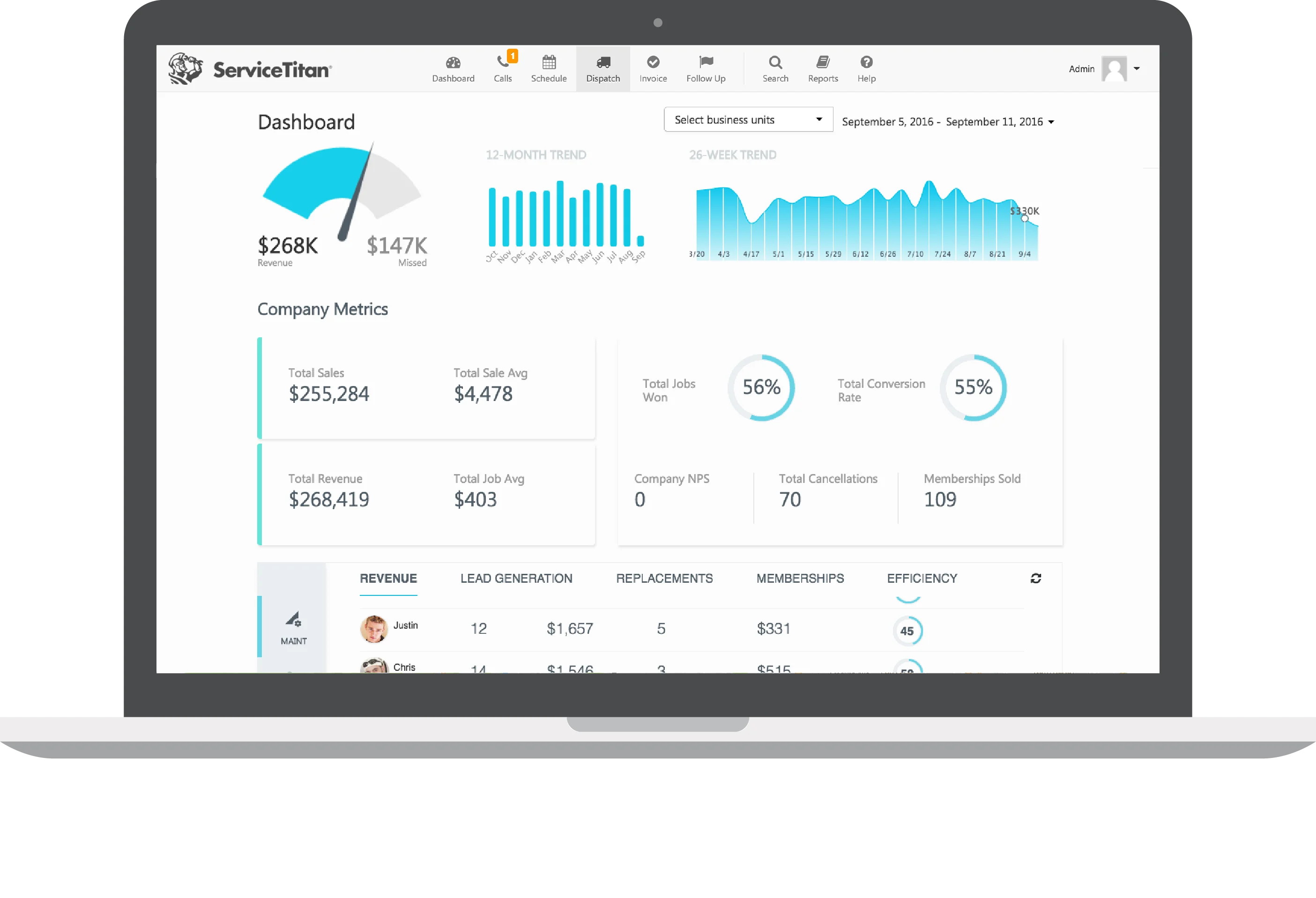
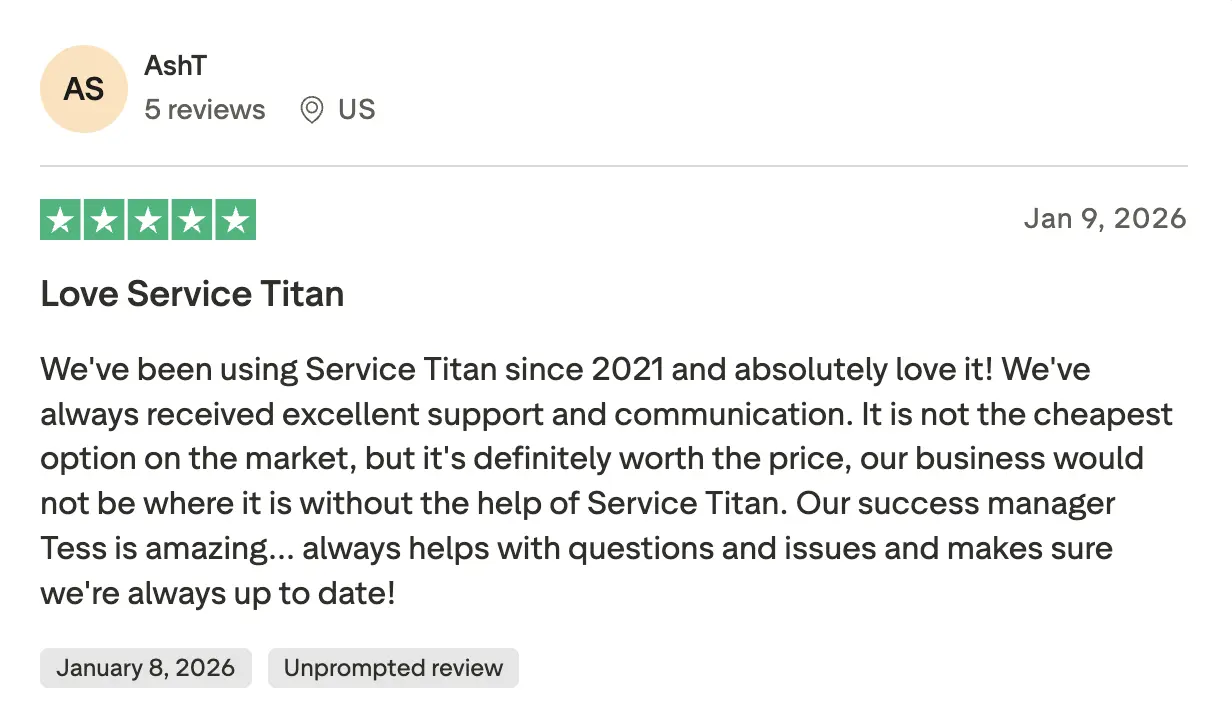
ServiceTitan is a comprehensive field service management platform designed for growing trades businesses. It brings scheduling, invoicing, dispatching, customer communication, and analytics together into one unified system. The platform also offers tools for estimating, mobile access for field teams, and real-time job tracking, all built to reduce admin work and improve efficiency.

It’s especially well-suited for HVAC, plumbing, electrical, and other home service companies that need to coordinate complex operations across teams, jobs, and locations.

Key Features:

  • Intelligent Scheduling & Dispatch: Drag-and-drop scheduling, real-time technician tracking, and route optimization to improve field efficiency.
  • Mobile App for Technicians: Enables on-site access to customer history, estimate tools, job forms, and in-app invoicing. Working offline is supported too
  • Job Costing & Reporting: Compare budgets vs actuals, track KPIs (gross profit, ticket size) with customizable dashboards.
  • Inventory Management: Track equipment, parts usage, and stock levels per job or technician.

Best For:

  • Multi-Tech Teams: Suitable for businesses managing multiple technicians and complex job pipelines.
  • End-to-End FSM Management: Perfect for those investing in a comprehensive platform to handle all aspects of field service.
  • Data-Driven Teams: Great for businesses that require advanced job costing, performance reporting, and CRM integrations.

Pricing:

Tiered paid plans, pricing available upon request.

Pros Cons
✅ Comprehensive all-in-one FSM features ❌ Complex features that are overkill for smaller teams
✅ Excellent job costing and reporting ❌ Onboarding requires technical expertise
✅ Offline mobile app access

4. Zuper – Best for Field Teams Needing Workflow Automation

Zuper stands out for its focus on automating complex field workflows and providing real-time visibility across teams. Rather than relying on manual scheduling or status updates, businesses can use Zuper to assign jobs automatically, track technician progress live, and generate performance insights, all from a centralized platform.

This makes it especially valuable for teams looking to reduce admin load, improve coordination, and deliver consistent service at scale.

Key Features:

  • Automated Scheduling & Dispatch: Simplifies assigning and rescheduling jobs automatically based on technician availability and priorities.
  • Work Order Management: Create, assign, and track work orders with real-time updates from the field.
  • Analytics & Reporting: Offers insights into team performance, job completion rates, and operational efficiency.
  • Mobile App: Provides technicians with access to job details, checklists, and the ability to update job status on the go.

Best For:

  • Repetitive Task Automation: Reduces manual work for field service teams by automating scheduling and dispatch.
  • Operational Efficiency: Supports businesses aiming to increase productivity and scheduling accuracy.
  • Live Operational Visibility: Ideal for teams needing real-time updates and oversight of jobs and technicians.

Pricing:

  • Starter Plan: $65/month
  • Core Plan: $85/month
  • Premium Plan: $105/month
Pros Cons
✅ Strong workflow automation and task tracking ❌ Limited customization and CRM depth
✅ Real-time updates and technician visibility ❌ Onboarding is complex and technical
✅ Modern mobile app and dashboards

5. Simpro – Best for Project‑Based Field Service Businesses

Simpro is a field service management platform built for trade contractors handling complex, multi-stage projects. It offers tools for detailed quoting, phased invoicing, progress billing, job costing, and ongoing maintenance management. The platform also includes scheduling, inventory tracking, and reporting features to keep operations organized from start to finish.

Simpro is a strong fit for electrical, plumbing, HVAC, and construction teams that manage long-term projects, recurring service work, or jobs with multiple billing milestones.

Key Features:

  • Project Estimating & Takeoffs: Estimate labor, materials, and overheads with precision. Use digital takeoff tools and supplier catalog integration for improved quoting.
  • Progress & Stage Billing: Invoice for deposits, progress claims, and final payments across multi-phase projects to improve cash flow.
  • Work Order & Scheduling: Assign and track work orders via mobile, create Gantt views, bulk‑schedule teams and equipment.
  • Simpro Mobile & Portals: Field staff can clock in and out, update jobs, send invoices, process payments, and upload photos or audits. Portals make it easy to share documents with clients and teams.

Best For:

  • Phased Projects: Tailored for businesses managing multi-stage or recurring field service work.
  • Detailed Financial Tracking: Best for teams requiring precise project costing, progress billing, and inventory control.
  • Structured Setup Needs: Great for companies that can commit to implementation time and ongoing support.

Pricing:

Tiered paid plans, pricing available upon request.

Pros Cons
✅ Excellent for project estimating and stage-based billing ❌ Requires training and setup support
✅ Great for recurring and multi-phase jobs ❌ Not ideal for one-off service jobs
✅ Supports complex inventory and job costing

6. Service Fusion – Best for Dispatching and Fleet Management

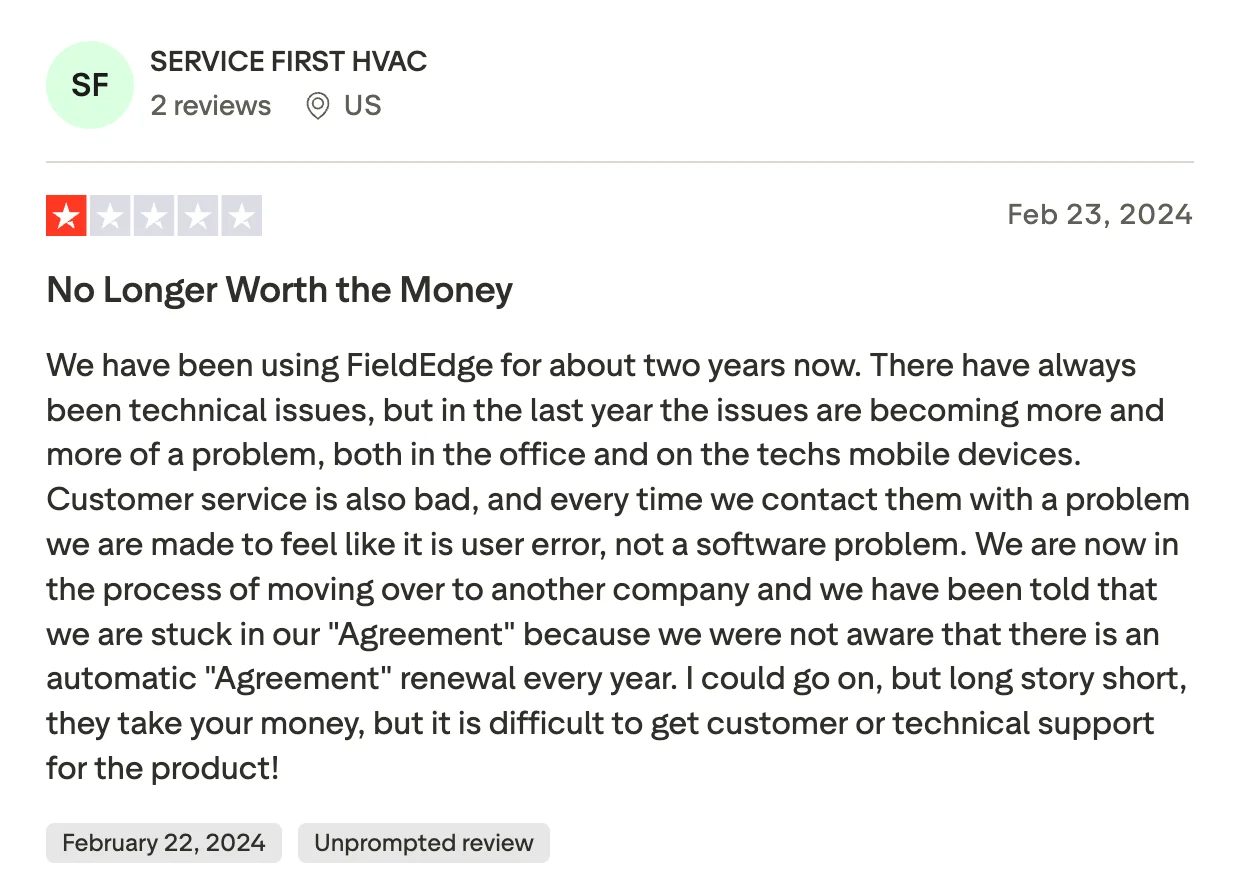
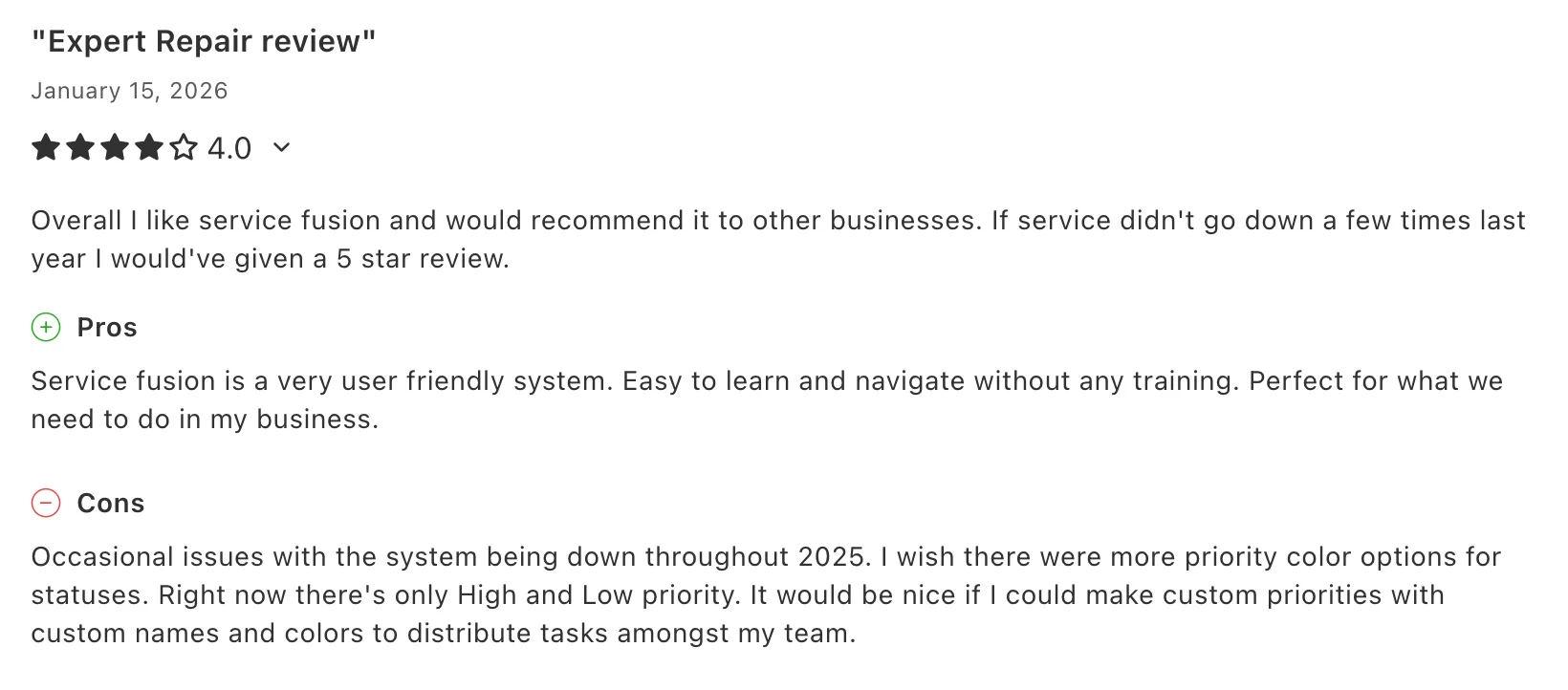
Service Fusion, now part of EverCommerce, is a cloud-based field service management solution for dispatching, scheduling, and fleet operations. It’s particularly effective for service businesses with multiple technicians on the road and a need for real-time coordination between the office and the field.

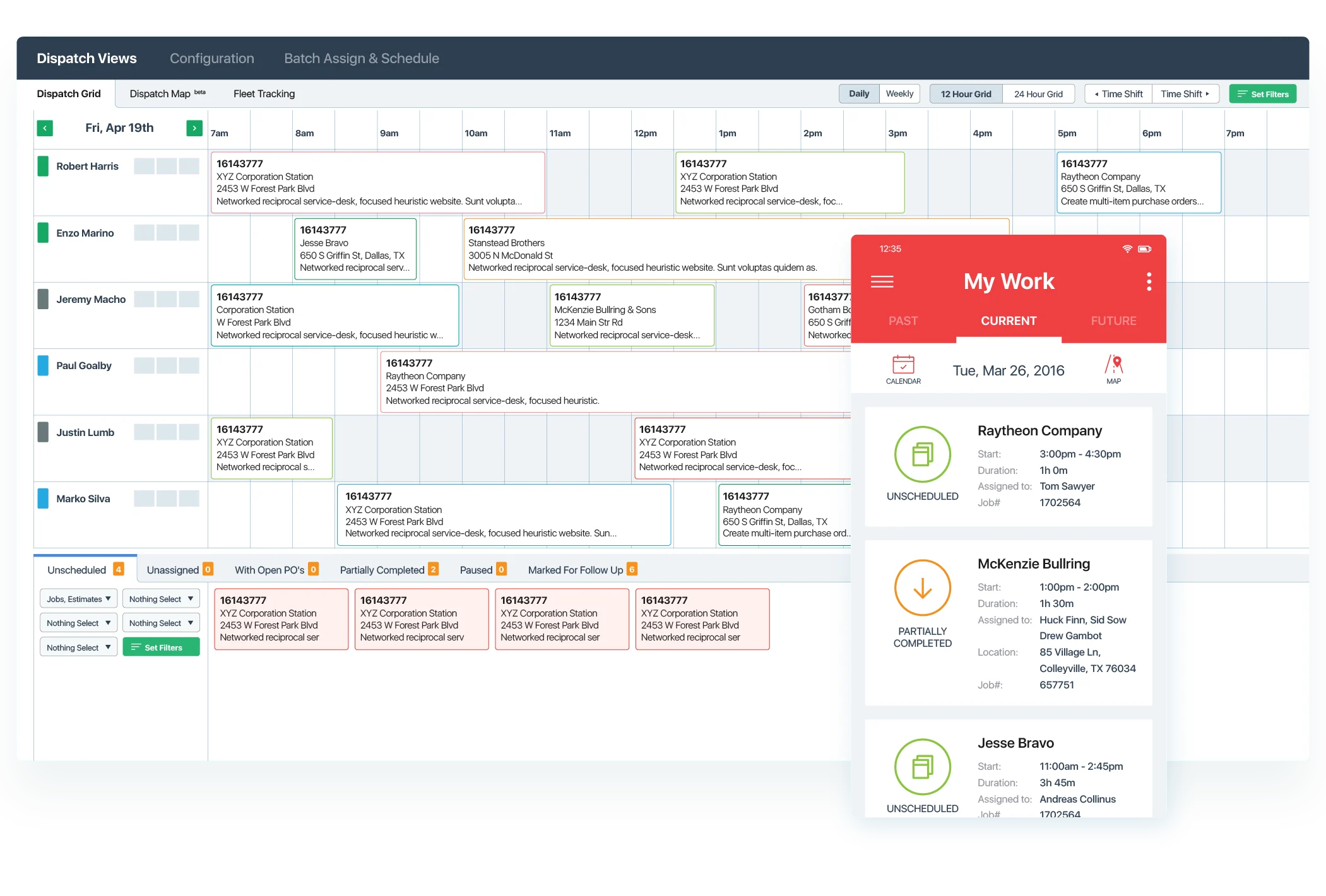
This is facilitated by Service Fusion's built-in GPS fleet tracking and integrated communication tools. These make it easy to assign jobs, monitor technician locations, and keep customers informed.

Key Features:

  • Advanced Scheduling & Dispatch: Drag-and-drop job assignment with route optimization by traffic, capacity, and technician availability.
  • GPS Fleet Tracking: Live monitoring of vehicles, including location, distance, engine status, and idle time, to improve route planning and safety.
  • Invoicing & Payments: Generate invoices from completed jobs, capture payments in the field, and sync with QuickBooks.
  • Mobile Technician App: Field teams can view schedules, update jobs, add photos, accept payments, collect signatures, and receive real-time notifications.

Best For:

  • Fleet-Heavy Operations: Designed for businesses managing multiple vehicles and mobile technicians.
  • Live Technician Coordination: Useful for teams that depend on real-time GPS tracking and efficient dispatching.
  • Field Payment Processing: Ideal for companies completing high volumes of jobs with on-site invoicing and payments.

Pricing:

Tiered paid plans, pricing available upon request.

Pros

Cons

✅ Real-time GPS fleet tracking

❌ Limited customization options for workflows and the user interface

✅ Invoicing and payments from the field

❌ Reporting tools lack advanced analytics and detailed filtering

✅ Strong QuickBooks integration

7. Workiz – Best for Scheduling and Phone Call Management

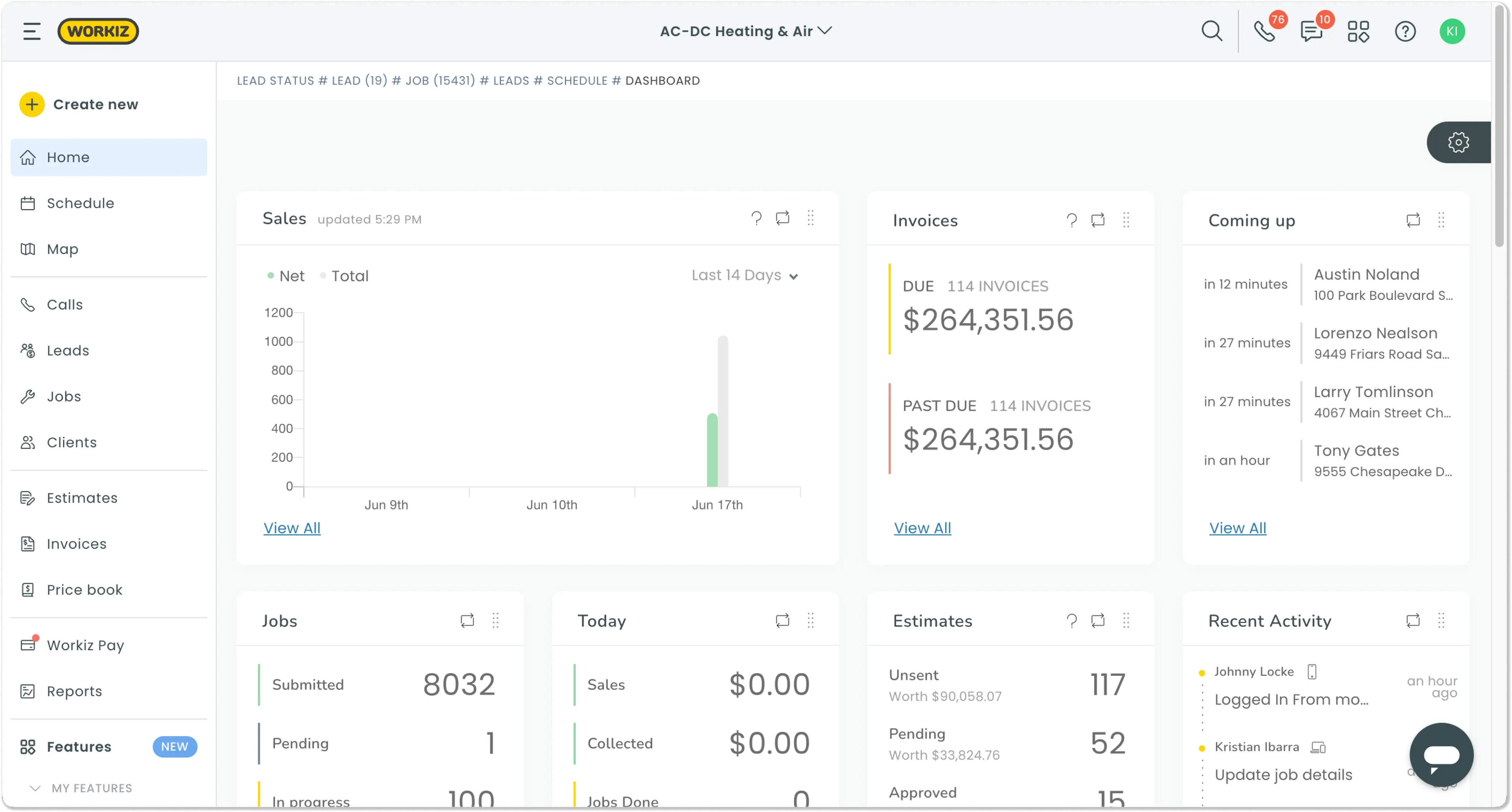
Workiz is a field service management platform designed for service businesses that rely heavily on phone-based communication. It offers core features like job scheduling, invoicing, and dispatching, plus a built-in VoIP phone and messaging system.

Teams can track, record, and manage calls directly within the platform, keeping everything in one place. Workiz is especially useful for locksmiths, appliance repair companies, junk removal teams, and other service pros who book and manage most of their jobs by phone.

Key Features:

  • Scheduling & Dispatch: Drag-and-drop job scheduling with mobile and web synchronization, ideal for coordinating technicians and managing availability.
  • Mobile App for Technicians: Technicians can view jobs, access call history, update statuses, upload photos, collect signatures, and take payments, all in real time from their mobile devices.
  • Invoicing & Payments: Issue branded invoices, accept payments in the field, and automate overdue reminders to fix cash flow.
  • Automations & Messaging: Send automatic appointment reminders, follow-ups, and review requests via SMS/email. Includes integrated messaging tools for text and email communications with customers and teams.

Best For:

  • Call-Driven Workflows: Perfect for businesses handling a large number of inbound service calls.
  • Integrated Scheduling + Comms: Useful for teams that need scheduling tools and phone management in one platform.
  • Insight-Driven Communication: Great for companies leveraging call data and marketing integrations for growth.

Pricing:

  • Kickstart Plan: $225/month
  • Standard Plan: $275/month
  • Pro Plan: $325/month
Pros Cons
✅ Integrated phone system with call tracking ❌ CRM capabilities are limited compared to other dedicated CRM platforms.
✅ Smart scheduling and mobile access ❌ Heavy focus on call management may not suit teams needing broader FSM features.
✅ Automated reminders and payment tools

Turn Estimates Into Invoices in One Tap

Ditch the spreadsheets. Create, send, and track invoices from anywhere with Tofu’s simple, powerful tools.

Get Started

Comparison Table: Field Service Software Features at a Glance

Choosing the right field service software depends on your business size, needs, and whether you want a full FSM solution or just fast and simple invoicing. The table below compares key features across top platforms to help you find the best fit.

Platform Key Features Starting Price Customization Ease of Use
Tofu
  • Mobile and web invoicing
  • Field service-ready
  • Easy estimates
  • Payment integrations
$9.99/week ✅ Built for trades, no setup needed ✅ Fast, clean design built for use in the field ✅ Extremely easy to use; especially appreciated by field service pros for on-the-go invoicing.
Salesforce FSM
  • Invoicing via Salesforce ecosystem.
  • AI dispatching, asset tracking, and full CRM.
  • High IT involvement.
 $25/month ✅ Highly customizable with dev support. ⚠️ Requires IT assistance for full utilization
ServiceTitan
  • In-app invoicing, CRM, and inventory.
  • Job costing, offline mobile, and detailed reports.
  • Complex onboarding.
Pricing available upon request. ✅ Deep customization with setup. ⚠️Steep learning curve; onboarding required
Zuper
  • Built-in invoicing.
  • Automated scheduling, analytics, and mobile app.
  • Limited CRM capabilities.
 $65/month ⚠️ Some workflow customization ✅Easy to use; mobile access available
Simpro
  • Progress invoicing, takeoffs, and estimating.
  • Gantt scheduling, mobile tools, and inventory.
  • Setup and training needed.
Pricing available upon request. ✅ Customizable for complex workflows ⚠️Moderate; training recommended
Service Fusion
  • Invoicing and payments in the field.
  • Fleet tracking, scheduling, and QuickBooks sync.
  • Less adaptable for custom workflows.
Pricing available upon request. ⚠️ Basic customization only ⚠️Fairly intuitive; not ideal for complex needs
Workiz
  • Branded invoices, online payments.
  • Call tracking, SMS/email automations.
  • Basic CRM and reporting.
$225/month ⚠️ Limited customization in UI/tools ✅ Simple interface; limited configurability

Why Choosing the Right FSM and Invoicing Software Matters

The right FSM and invoicing platform improves efficiency, cuts costs, and enhances customer experience. Across the industry, FSM tools can increase productivity up to 50%, cut travel time by 37%, and lower service costs as much as half.

The best FSM tools let you deliver better customer service with on-time appointments, real-time updates, and smoother communication. In fact, 75% of companies using mobile FSM tools report higher staff productivity alongside stronger customer engagement.

With these tools, you can:

  • Deliver better customer service through better communication and clear invoicing.
  • Manage daily operations through automating scheduling, dispatch, invoicing, payment integrations, and reducing costly manual errors.
  • Improve cash flow with built-in invoicing tools and faster, more consistent billing cycles.

Automated workflows alone can eliminate up to 75% of paperwork time, while overtime hours often fall by 20 to 30%, and invoice corrections become significantly less frequent.

Whether you're scaling your team or simply trying to reduce admin overhead, the right platform gives you the visibility and control you need to grow profitably.

What to Look for in Invoicing and Field Service Management Apps

Not all field service apps are the same. Theright one for you will depend on your business size, workflows, and invoicingneeds.

For example, if you’re comparing invoicing software built forcontractors, you’ll want to prioritize tools that support on-site billing andclient communication. Freelancers, on the other hand, may prefer lightweight invoicing platforms for soloservice providers. These platforms are built for mobility and ease of use.

However, if you manage a growing team, it maybe worth considering an all-in-one fieldservice management solution for small businesses. These are the go-to tools ifyou require more than just invoicing, such as estimating or CRM features.

Here are the essential features to prioritize:

  • Invoicing Capabilities: Choose software that lets you create professional, branded invoices quickly, ideally with mobile and web access, and easy tax inclusion.
  • Estimate to Invoice Conversion: Look for tools that let you create clean, detailed estimates and turn them into invoices with one tap once approved.
  • Customer Communication: Clear, professional invoices and estimates help you set expectations, build trust, and reduce back-and-forth with clients.
  • Mobile & Web Access: Make sure the platform is intuitive on both phone and desktop, so you can send invoices or estimates from anywhere.
  • Simple Organization: Keeping all your invoices and estimates in one place makes it easier to stay on top of billing, follow up promptly, and maintain cash flow.

Pro Tip: If you're managing multiple technicians or service types, prioritize platforms with strong automation and integrated invoicing to reduce admin work.

How to Choose the Right Field Service Software for Your Business

Finding the right field service software goes beyond just features. It means picking a solution that fits your daily workflows, meets customer expectations, and supports your long-term growth. The best tool adapts to your current needs and scales as your business grows.

Key Factors to Consider

Before choosing an invoicing or FSM platform, keep these key factors in mind to ensure it fits your business and grows with you.

Feature Why It Matters What to Look For
Business Fit Every business operates differently; your software should match how you work. Choose tools designed for your industry, team size, and invoicing complexity.
Scalability As your team grows, so will your scheduling, invoicing, and reporting needs. Look for platforms that support multi-user access, job volume growth, and expansion.
Integration Disconnected tools slow you down and increase errors. Prioritize software that connects with your CRM, accounting tools, and payment apps if needed.
Customer Experience Your software should support clear and professional communication. Features like branded invoices, payment integrations, and quick estimates add value.
Ease of Use If it’s hard to learn, your team won’t use it. Look for intuitive mobile apps and simple dashboards, especially for field teams.
Customization You may need features tailored to your workflow. Check whether forms, templates, and job types can be modified.

Final Thoughts: What’s the Best Field Service and Invoicing App in 2026?

In 2026, the right invoicing and field service software keeps you organized, keeps customers happy, and makes sure your business gets paid on time. It should fit your business size, work smoothly with your existing tools, and be easy for your field team to use.

For contractors, freelancers, and small businesses seeking a fast, simple, and mobile and web-friendly invoicing solution without unnecessary complexity, Tofu stands out.

Its intuitive app is built specifically for field pros who want to get paid faster and spend less time on paperwork. With professional templates and easy invoice management all on your phone or desktop, Tofu makes billing straightforward and efficient.

Ready to simplify your invoicing process? Get started with the Tofu Invoicing App on your phone or try the web version by visiting our pricing page to sign up and start billing professionally, no matter where you work.

FAQ

What is a field service management software?

Field service management (FSM) software helps businesses manage and coordinate work done by technicians or service professionals outside the office, like electricians, plumbers, HVAC techs, and contractors. It typically includes tools for scheduling, dispatching, invoicing, and managing customer information, all in one place. Some platforms also support mobile access, estimates, and real-time job updates to keep teams and clients aligned.

What is the best invoicing software for small field service businesses?

The best invoicing software for small field service businesses is one that is mobile-friendly, easy to use, and tailored to contractors and freelancers. Tofu is an excellent choice because it offers fast mobile invoicing with professional templates designed specifically for field pros.

How much does field service software cost?

Field service software pricing varies based on features, number of users, and complexity. Basic invoicing and scheduling apps typically start around $10 to $30 per user per month, while more comprehensive FSM platforms with advanced dispatch, reporting, and integration capabilities can cost anywhere from $50 to over $150 per user per month. Tofu offers a straightforward mobile invoicing solution for just $9.99 per week, making it an affordable choice for small businesses and freelancers.

How big is the field service management software market?

The global field service management software market was valued at approximately $3.5 billion in 2023 and is expected to grow to over $10 billion by 2030. This growth is driven by increasing demand for digital tools that help service businesses operate more efficiently, reduce manual administrative work, and improve customer experience.

Can I use field service software to manage invoicing for contractors and freelancers?

Yes, many field service software platforms include invoicing features suited for contractors and freelancers. Tofu, for example, specializes in invoicing for small businesses and freelancers, making it easy to create, send, and manage invoices on the go.

What features should I look for in field service software for small to medium-sized businesses?

Key features include mobile invoicing, scheduling and dispatch tools, customer communication options, payment tracking, and workflow automation. Integration with accounting software and scalability to grow with your business are also important.

Start Billing Smarter - Try Tofu Today

Get paid faster with mobile and web invoicing built for field service pros. Sign up now and send your first invoice in minutes.

Try Tofu Today