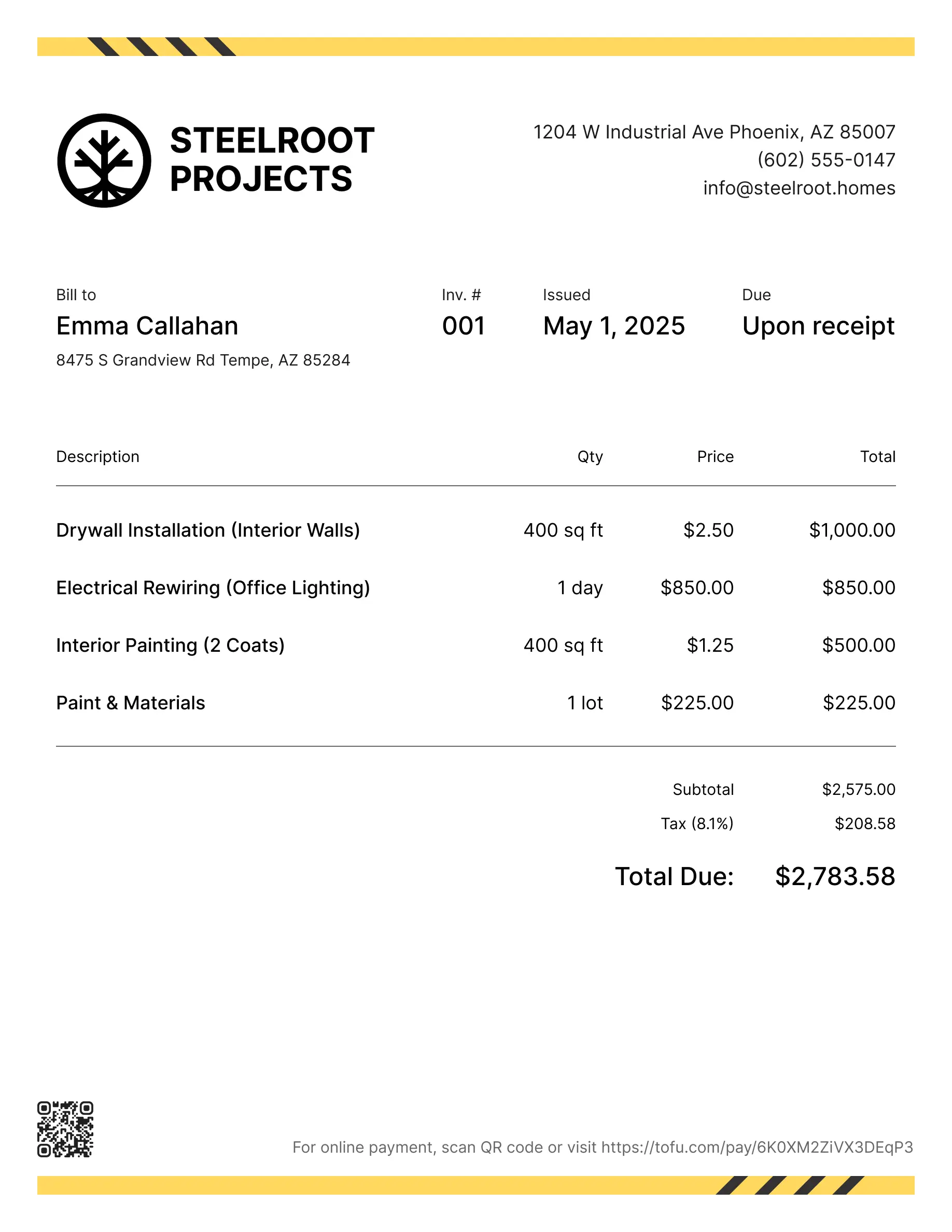
Construction invoice templates
Bill clients for materials, labor, subcontractor work, or project milestones. Tofu's ready-to-use invoice templates make it simple. Choose your format, add a personal touch, and download.
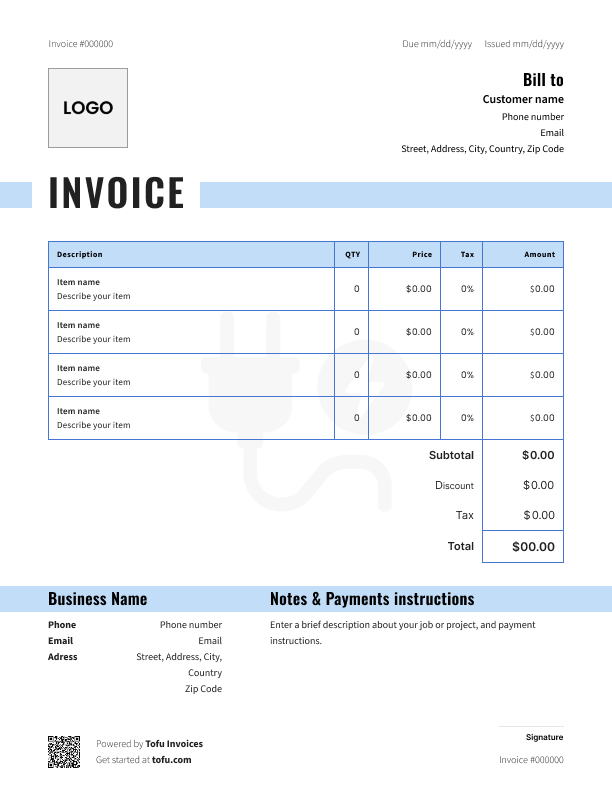
Free templates designed for construction workers
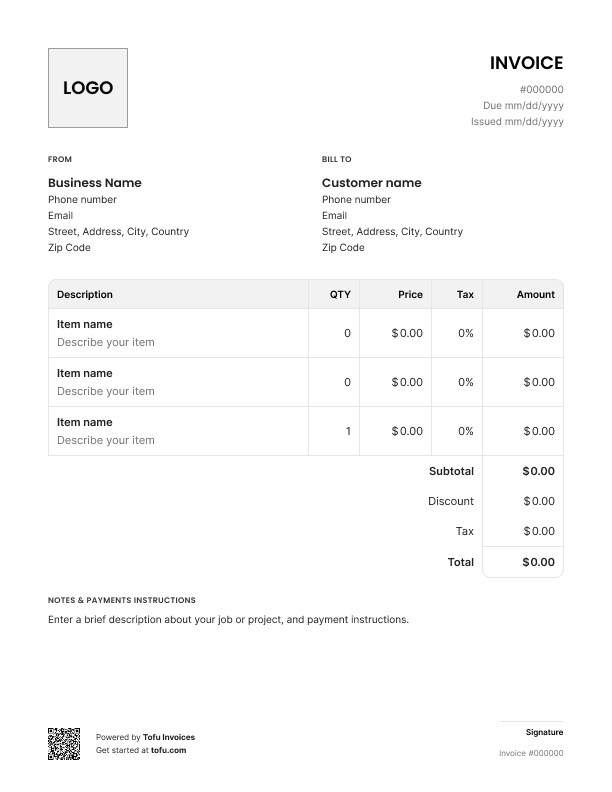
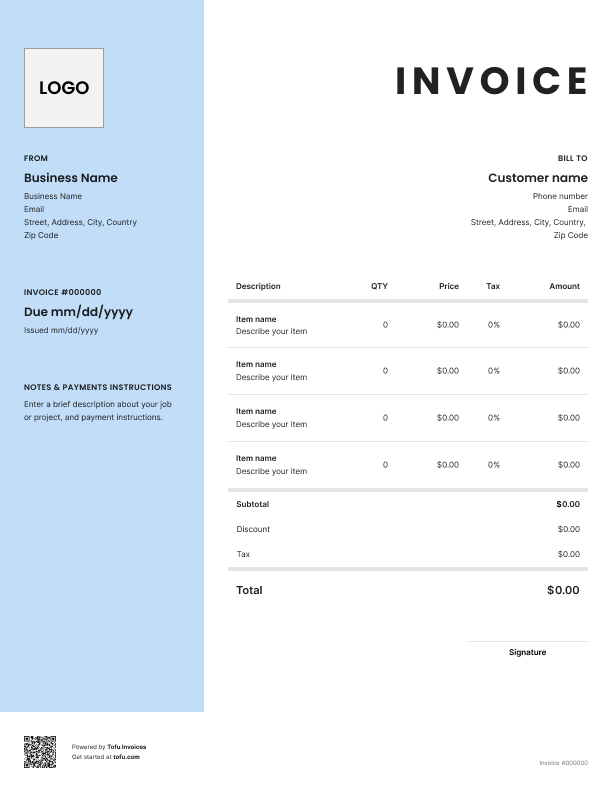
Construction invoicing isn't like sending a bill for a quick service call. As a construction contractor, you're dealing with progress payments, material costs that shift mid-project, multiple job site addresses, and clients who want to see exactly where their money went. Get this wrong, and you're chasing payments instead of running your construction business.
These free invoice templates separate labor from materials, track milestone payments, and document the scope of work at each phase. They're built to help you send a professional invoice that gets you paid without the back-and-forth. Here's what's in them and how to use them.
What is a construction invoice template?
A construction invoice template is a pre-formatted document for billing construction work. Unlike generic invoices, it separates labor from materials, includes job site fields, and uses the invoice format construction clients expect before approving payment.
Think of it as a customizable template that documents the scope of work you completed and what the client owes. It doubles as legal documentation – if there's a dispute, your invoice is the paper trail that protects you.
Essential fields for your construction invoice
Every construction invoice needs these details to get processed:
- Contact information: Business name, phone, email, and license number. Your client information goes here too – company name, billing contact, and address
- Job site address: Separate from billing details. GCs and property managers often have billing details that differ from where work happens – get this wrong and your invoice sits in limbo
- Invoice number and date: A simple system like "2025-001" keeps financial records organized
- Project description: What phase of construction work this covers
- Labor costs: Hours, crew size, rates – broken out clearly
- Materials used: Quantities, unit costs, totals. Keep labor and materials separate so clients see where the total cost comes from
- Terms and conditions: Payment deadline, accepted methods, late fee policy
Tip: A good construction contractor invoice template includes fields for PO numbers and contract references – speeds up processing for commercial jobs.
How to format a professional construction invoice
A professional-looking invoice gets taken seriously. A sloppy one gets tossed in a pile.
Put your company logo and business name at the top. A branded invoice tells clients you run a real operation. Use clear sections with readable fonts – if it looks like a mess, clients treat it like one.
Use a unique invoice number on every invoice for easy tracking. These templates are available as a PDF template – printable and editable. Whether you need a free construction service invoice template for a one-off job or a reusable format, they work either way.
Setting clear payment terms
Vague payment terms are the fastest way to not get paid. Common structures:
- "Due upon receipt" for small jobs or final payments
- "Net 15" or "Net 30" for established clients
- Milestone payments for longer projects – bill at each phase so you're not floating costs
- "50% deposit, balance on completion" for mid-size jobs
List payment methods and payment options clearly – check, credit card, ACH, Zelle. Include specific payment instructions so there's zero confusion. Add a late fee policy to encourage timely payments – clients pay faster when there's a cost to waiting.
Your next invoice is 60 seconds away
Open Tofu, add the details, send a pay link. Your client gets it while the work is still fresh.
Rated excellent on review platforms

Absolutely amazing! It’s saves so much time and it gives you the professional touch needed to make you look good!
★ ★ ★ ★ ★
Tony W., TrustpilotTofu works with Stripe for on-site card payments, lets me turn estimates into invoices, and instantly syncs jobs, photos, and client notes offline.
★ ★ ★ ★ ★
Tofu user, G2
I use Tofu for my cleaning business, and it solves so many problems for me. I consider it a complete success for myself and my employees.
★ ★ ★ ★ ★
Marjorie N., G2Easy to use and straightforward! Been using it for over a year now!
★ ★ ★ ★ ★
Manuela M., TrustpilotI need some basic features like send estimate, invoice, track my jobs and get money. Tofu is good for that.
★ ★ ★ ★ ★
Tofu user, G2I love it 10 out of 10 would highly recommend to anyone
★ ★ ★ ★ ★
David M., CapterraHow to create and send your invoice quickly
Here's the invoicing process:
- Download the template and add your business details. This is your customizable base.
- Fill in client info, job site, and line items for labor and materials. Calculate the total.
- Send it. Email a PDF or hand it to the client on-site. You can also send invoices through invoicing software.
A free construction invoice template is easy to send and gets you started today. When you're ready to bill clients faster, a contractor invoice template built into software can create an invoice and track it automatically.
Tips for getting paid faster
A good construction invoice template is step one. Start with construction estimate templates and move to what keeps cash flow healthy:
- Invoice immediately. Send it the day the work's done. Every day you wait is a day you're not getting paid on time
- Accept payments online. Let clients pay by card or bank transfer. Fewer steps means faster payments received
- Send automated reminders at 7 and 14 days
- Be detailed. Clear invoices with specific descriptions don't get questioned
- Track payments so you know what's outstanding and follow up on anything overdue
Common invoicing mistakes to avoid
These errors cost contractors money:
- Vague descriptions: "Construction work – $8,500" invites questions. An itemized bill gets approved faster
- No invoice number: Your financial records become a mess
- Missing important details: License number, job site address, or project phase – forgetting these slows everything down
- Unclear payment terms: If clients don't know when or how to pay, they won't
- Not saving copies: You need them for taxes, disputes, and protecting your professional relationship with repeat clients
What to do when clients don't pay
Start with a reminder – sometimes invoices genuinely get lost. A quick email referencing the invoice number usually does it. Follow up at 30 and 60 days with firmer language.
If billing reminders don't work, send a formal demand letter referencing the original invoice as your final bill and documentation of work completed.
A good professional relationship can survive a late payment if you handle it right. For more on chasing unpaid invoices, see Tofu's guide on getting paid.
Invoices are just the start
Every client, job, estimate, and payment lives in Tofu – ready to pull up in seconds, wherever you are.
FAQs
Everything you need to know about the product and billing

Still have questions?



Create the perfect invoice for your business
Get started for free