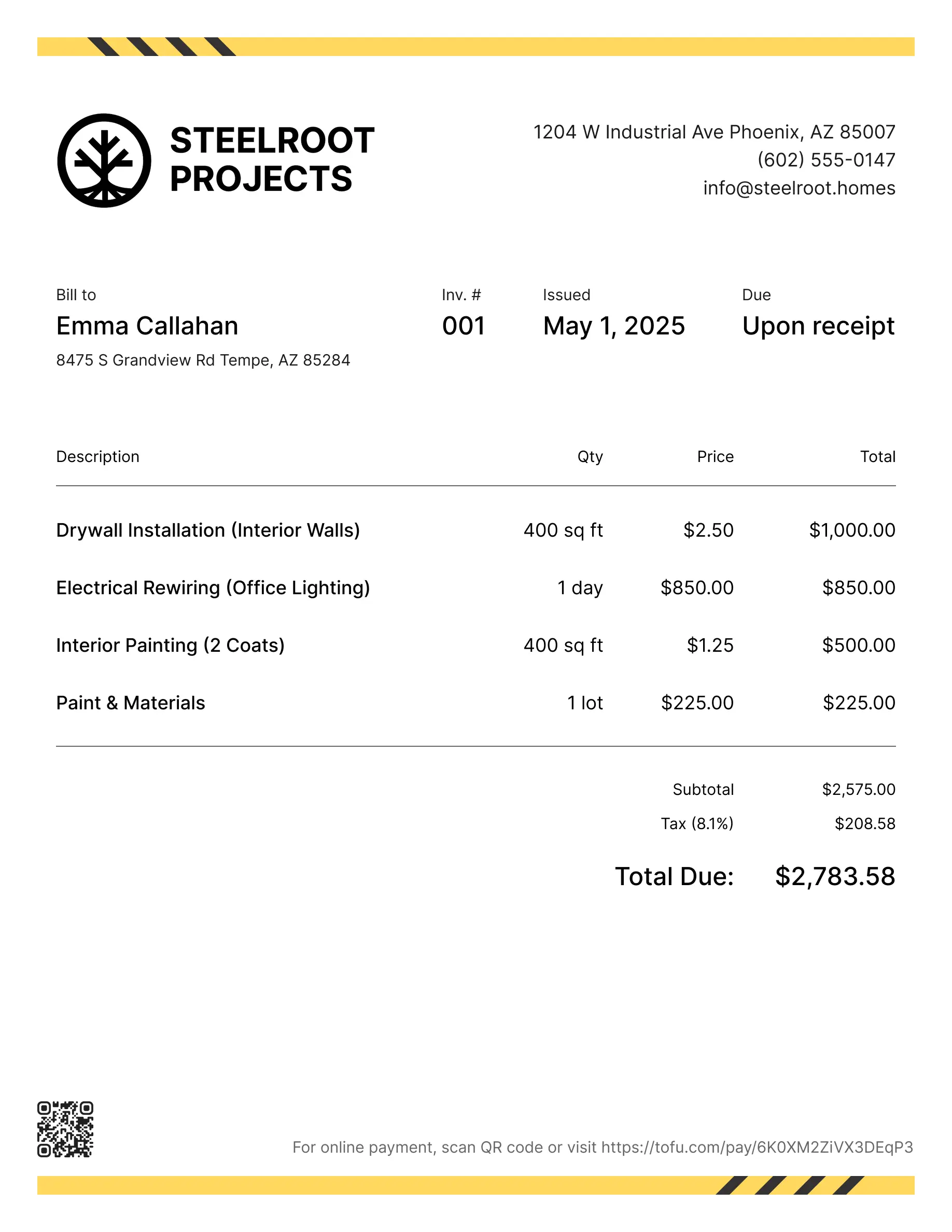
Electrical invoice templates
Bill clients for residential, commercial, or emergency electrical work. Tofu's ready-to-use invoice templates make it simple. Choose your format, customize it, and download.
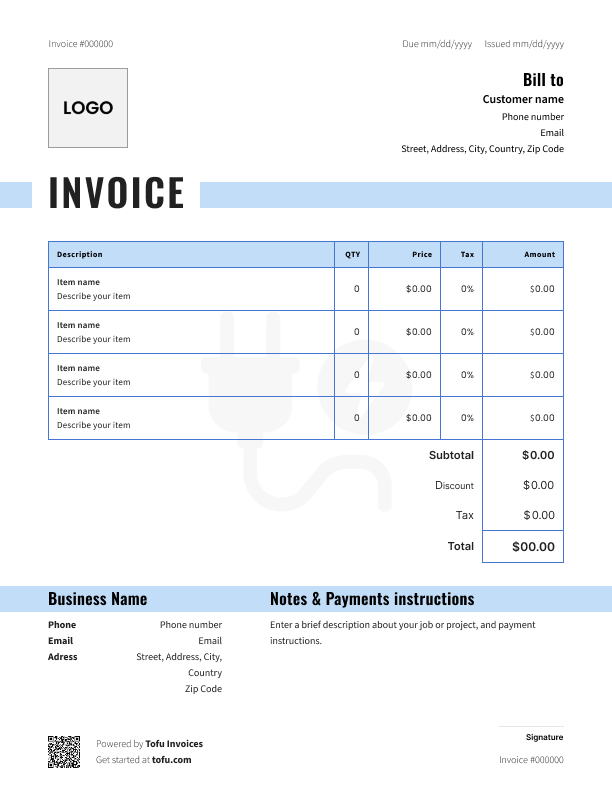
Invoice templates designed for electricians
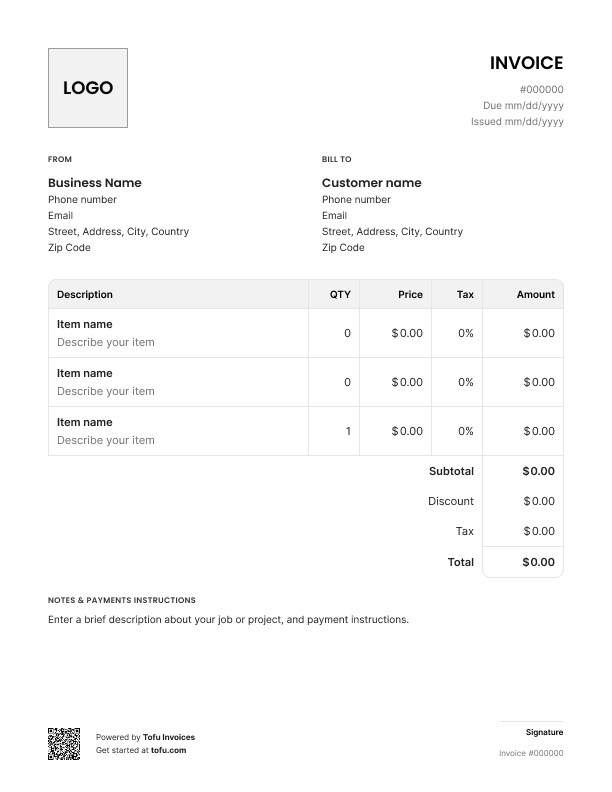
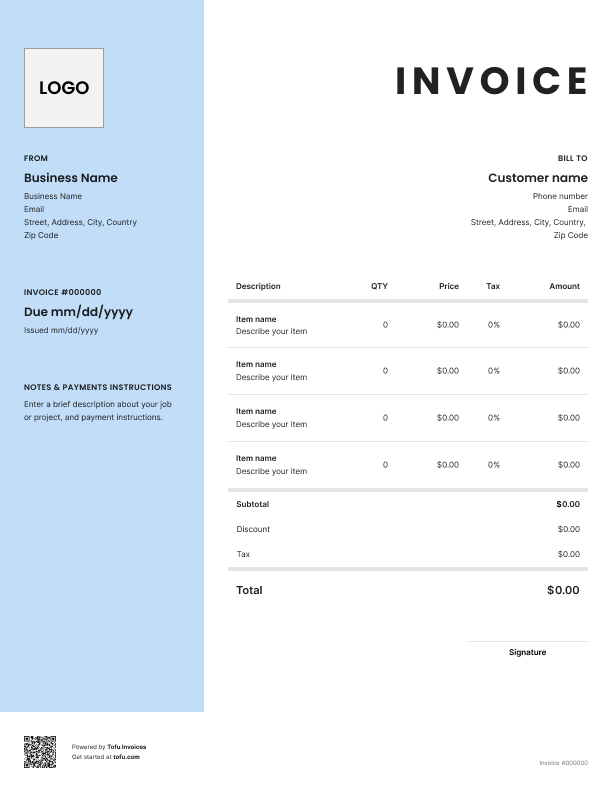
Running an electrical business means jobs with lots of materials and labor that confuse clients and delay payment. As an electrician, you know the problem – clients don't understand the charges, so they put off paying. Professional electrical invoices fix this.
These free electrical invoice templates split out parts from labor, show your work clearly, and help you get paid faster. Pick the one that fits your jobs – some work better for detailed installs, others for quick service calls. Here's what's in them and how to use them.
What's included:
Each template comes pre-formatted with everything you need:
- Header section: Your business name, contact information, logo spot, and license number, plus client details and job site address
- Invoice tracking: Invoice number and date so you can stay organized
- Job details section: Service date, work description, and line items for each task, material, or service
- Financial section: Separate columns for labor and materials, subtotal, tax line, discount field, and total amount due at the bottom
- Footer area: Payment terms, due date, accepted payment methods, and space for warranty notes
Tofu’s customizable templates are available as PDF templates, so you can download and fill them out. They're designed for electrical jobs where you need to show both what you installed and how long it took.
Essential information to keep in mind
Professional electrical invoices need your complete business details – company name, address, phone, email, and your electrical license number. That license number shows clients you're legit and meets regulatory requirements.
Add the client's full contact info and the actual job site address (important if you work with property managers handling multiple locations). Include service dates and use a simple invoice numbering system like "2024-001" to track financial records.
Be specific describing electrical work. Instead of writing "electrical service" on your electrical service invoice, write "replaced 200-amp main panel and installed GFCI outlets in kitchen and bathrooms." If the job needed permits or inspections, add the permit number and inspection dates – it protects both of you and keeps your invoices accurate.
⚠️ Important: For commercial jobs or big installations, include your contractor license number, insurance info, and manufacturer warranty details for what you installed. This documentation prevents headaches later and shows you run a real business.
Your next invoice is 60 seconds away
Open Tofu, add the details, send a pay link. Your client gets it while the work is still fresh.
Rated Excellent on Trustpilot

Absolutely amazing! It’s saves so much time and it gives you the professional touch needed to make you look good!
★ ★ ★ ★ ★
Tony W.It had made doing business much easier!
★ ★ ★ ★ ★
Michael S.
It works good in the field
★ ★ ★ ★ ★
David S.Awesome app, very easy and simple to use, while also keeping things looking professional. Can send and save invoices/quotes directly or save to sen after. Overall great app, no faults. 10/10
★ ★ ★ ★ ★
Raymond B.Easy to use and straightforward! Been using it for over a year now!
★ ★ ★ ★ ★
Manuela M.I was using it mostly for invoicing and a little for job management, the whole experience was really smooth and easy
★ ★ ★ ★ ★
Valeria N.How to itemize labor, materials, and electrical services
Clear itemization separates professional invoices from confusing bills that sit in the "I'll deal with this later" pile.
List materials with actual details: "50 ft. 12/2 Romex wire @ $1.20/ft = $60.00" or "200-amp main breaker panel = $285.00." Show quantities, unit costs, and totals so clients can check the math. This transparency matters when materials eat up a chunk of the total cost.
For labor on your electrical service, pick what works for your style. If you bill hourly, spell it out with the number of hours worked: "Troubleshooting and repair: 3.5 hours @ $95/hour = $332.50." If you use flat-rate pricing, describe the whole service: "Panel upgrade installation (includes labor, disposal of old panel, and final inspection): $1,200.00."
Break big jobs into phases. For whole-house rewiring, itemize separate lines for "rough-in electrical work," "fixture installation," and "final testing and inspection." This helps clients understand the work you did and makes sense of the overall cost.
When you itemize clearly using a free electrical service invoice template, clients rarely push back because they see exactly what they're paying for. Vague descriptions like "electrical work - $2,500" just invite questions and slow down payment.
Calculate total charges
Walk clients through the math using electrical estimate templates. Add up all labor charges, add material costs, then combine them into a subtotal. If you're giving a discount – maybe for repeat customers – show it as a line item.
Calculate sales tax based on your state's rules (some tax labor, others only materials), and show it separately. Then put the total amount due at the bottom where they can't miss it. Showing the total cost this clearly lets clients verify everything themselves, which builds trust and speeds up payment.
Set payment terms and options
Your payment terms should be obvious on every invoice. Common options: "Due upon receipt" for smaller jobs, "Net 15" or "Net 30" for established commercial clients, or "50% deposit required, balance due upon completion" for big installations.
List your accepted payment methods – check, credit card, ACH, cash. Include specific payment instructions: "Make checks payable to [Business Name]" or "Zelle payments to [phone number]."
Consider adding a late fee policy (like "1.5% monthly interest on balances over 30 days past due") to encourage on-time payment. Clear payment terms and billing details kill confusion up front.
How these templates help you get paid faster
A clean, organized professional invoice gets taken seriously. Here's how these templates help you get paid faster:
- Look professional: A polished invoice signals you run a real electrical business, not a side hustle. Clients treat it accordingly
- Prevent disputes: Clear breakdown of materials and labor leaves zero room for confusion about charges
- Set expectations: Payment terms and due dates create accountability – clients know exactly when you expect payment
- Make processing easy: Everything's organized, so clients (especially commercial accounts) can approve and process payment quickly
- Reduce errors: Pre-formatted fields mean you won't forget critical stuff like invoice numbers or tax that can hold up payment
When you send invoices that are complete and professional from the start, you streamline your billing process and get paid on time instead of chasing people down.
Common electrical invoicing mistakes to avoid
Electrical companies lose money to simple errors these templates prevent:
Vague descriptions like "electrical repairs" give clients an excuse to question charges. The templates force you to be specific. Missing your license number or contact info delays payment.
Forgetting to list materials – especially small stuff like wire nuts, junction boxes, or breakers – means you're eating costs you should bill. The materials section reminds you to capture everything.
The costliest mistake? Unclear or missing payment terms. That's how unpaid invoices sit in limbo. An electrical contractor invoice template with payment terms fields built in makes sure you set expectations every time and send accurate invoices that get paid.
When to consider electrical invoicing software
These free templates are great for getting organized and creating professional invoices right now. But as you grow, manually tracking invoices gets old fast.
Invoicing software and electrical contractor software offer stuff templates can't: automatic tracking to track payments, scheduled payment reminders, integration with accounting, and accepting digital payments right through the invoice. An online invoice generator creates and sends invoices in minutes while keeping records automatically.
Most electricians start with templates and switch to an invoice generator once they're handling 15-20+ invoices a month and don't want to track payments in spreadsheets. These templates give you a professional setup while you figure out if automation makes sense.
Invoices are just the start
Every client, job, estimate, and payment lives in Tofu – ready to pull up in seconds, wherever you are.
FAQs
Everything you need to know about the product and billing

Still have questions?



Create the perfect invoice for your business
Get started for free