


7 best invoicing apps for contractors in 2026 (mobile & web)
Your clients are at the job site. Your invoice should be too. The best invoicing apps for contractors who work in the field in 2026.



You didn't get into contracting to do paperwork – you got into it to do the work. The invoice is just what gets you paid.
Most invoice software is built for office workers with big monitors and plenty of time. Contractors work differently. You're invoicing from your phone, sitting in your van or standing on a job site after a 10-hour day. You need something fast enough to send a professional invoice before you leave the customer's driveway.
This guide compares the top invoicing software for contractors, evaluating mobile usability, payment processing, ease of use, and pricing. Whether you're a solo plumber or running a small HVAC crew, you'll find the right fit below.
Quick comparison table
| Tool | Best for | Starting price | Key features | Free trial |
|---|---|---|---|---|
| Tofu | Job-site invoicing | $29/month ($15/month annual) | One-tap invoicing, offline mode, job-to-invoice sync, auto reminders | 7 days |
| Jobber | Scheduling + invoicing | $30/month | Client portal, estimates, job management | 14 days |
| QuickBooks Online | Full accounting | $19/month (promo) | Expense tracking, tax reports, integrations | 30 days |
| Xero | Clean bookkeeping | $5.80/month (promo) | Bank reconciliation, multi-currency | 30 days |
| FreshBooks | Simple billing | $8.40/month (promo) | Easy templates, time tracking | 30 days |
| Zoho Invoice | Free invoicing | Free | 30+ templates, client portal, automation | Free tier forever |
| Stripe Invoicing | Existing Stripe users | 2.9% + 30¢ per transaction | Fast checkout, global payments | N/A |
Read our detailed breakdown of each tool below.
How we evaluated these tools
Our criteria included mobile app performance (can you create an invoice in under two minutes from your phone?), payment gateway support (do customers have multiple ways to pay?), automation features (does it send a reminder so you don't have to?), and overall simplicity for business owners who don't want to learn accounting software just to get paid faster.
Get Tofu and run your first job, from estimate to payment, in minutes.
The top 7 invoicing software tools to check out
1. Tofu
Tofu Field Service is field service management software for contractors like plumbers, electricians, and HVAC techs. It runs the whole job in one place: scheduling, estimates, invoices, payments, and customer history, on mobile and web.
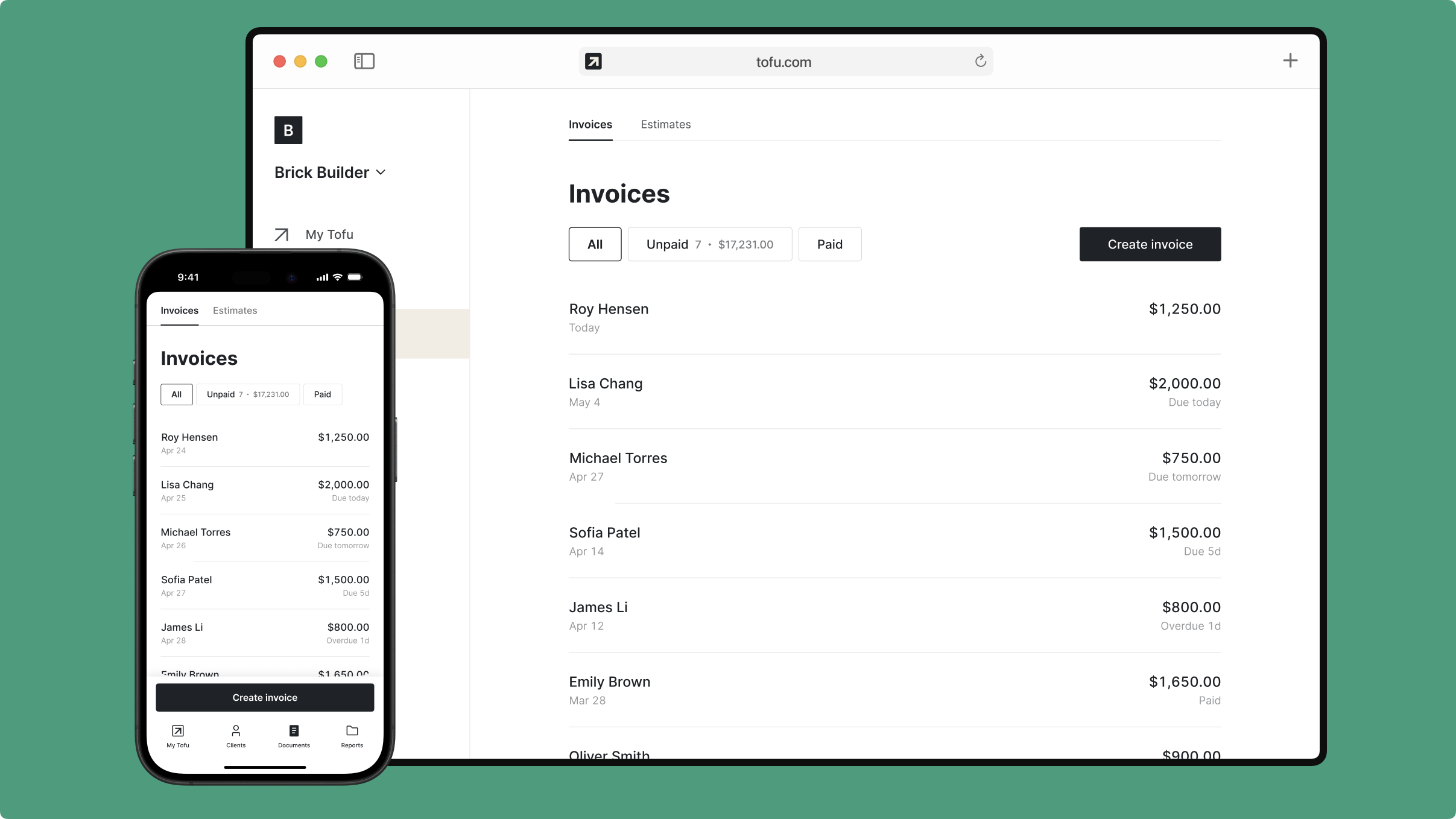
Features:
- Quick mobile invoicing
- Automated payment reminders
- Multiple payment methods
- Recurring invoices for repeat clients
- Invoice customization with branding
Pros:
- Send invoices in seconds
- Get money instantly when customers pay on their phone
- Use it in basements or areas with no signal
- No tutorial needed - just open and start using
- Know exactly what you're paying with no surprises
Cons:
- Not full accounting software (by design)
- Fewer integrations than enterprise platforms
- No recurring jobs in current version
Pricing:
- Solo: $29/month (one user)
- Team: $79/month (up to 5 workers)
- Business: $149/month (up to 10 workers)
- Annual billing: $15, $50 and $100 per month
- 7-day free trial, no payment upfront
Best for: Small crews who need simple app, with essential features, to invoice from job sites.
2. Jobber
Jobber combines job scheduling, client management, and billing into one platform. If you need to manage crews, track appointments, and convert estimates into invoices, it handles that workflow end to end. The client portal lets customers approve quotes and pay online, reducing back-and-forth.
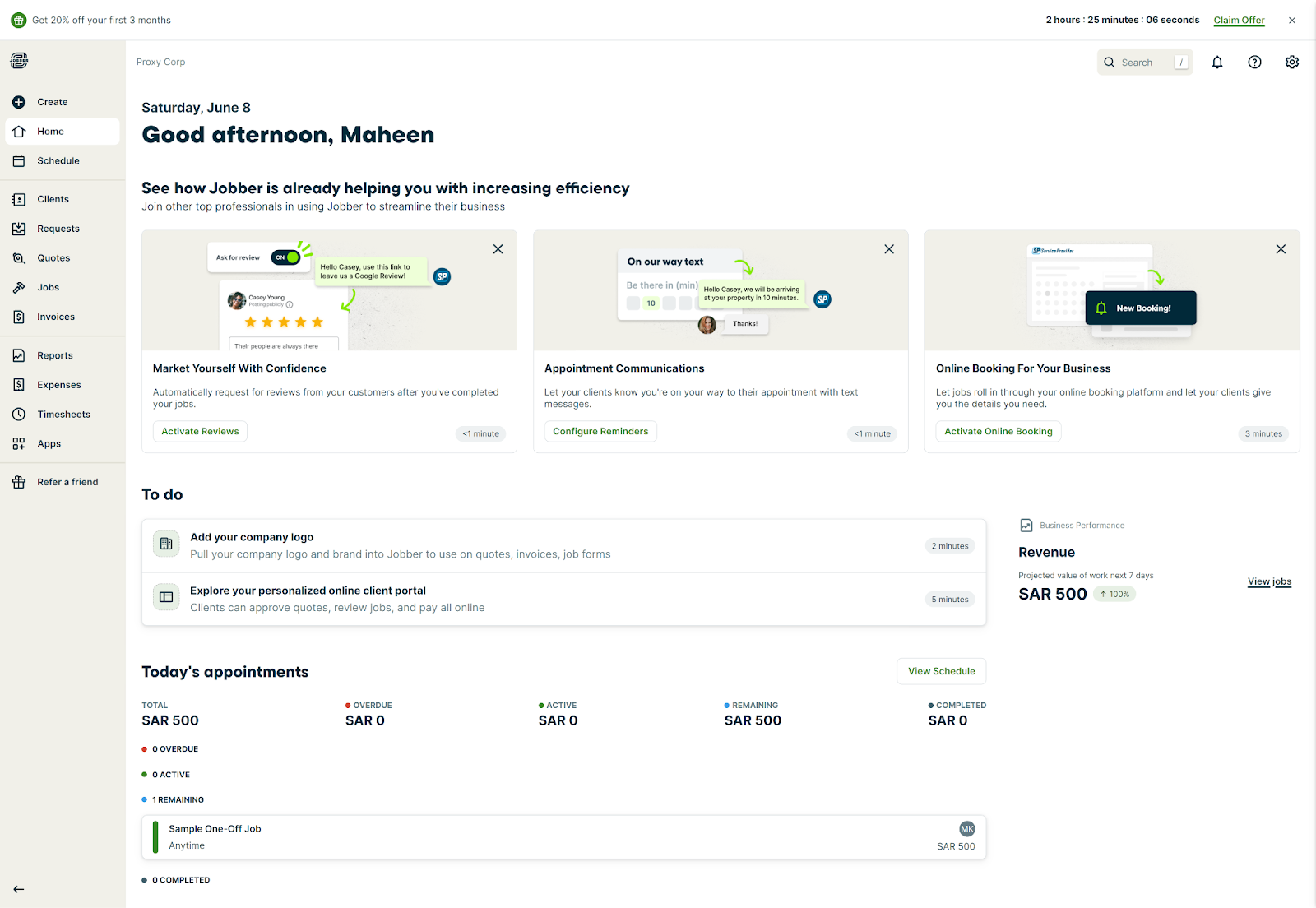
Features:
- Job scheduling and dispatch
- Online booking
- Route optimization
- QuickBooks integration
- Client hub for approvals
Pros:
- All-in-one for scheduling and billing
- Client portal reduces phone calls
- Strong quote-to-invoice workflow
Cons:
- Higher starting price than dedicated invoice apps
- Can feel like overkill for simple invoicing
Pricing:
- Core: $39/month
- Connect: $119/month
- Grow: $199/month
Best for: Growing service businesses that need scheduling and invoicing in one tool.
3. QuickBooks Online
QuickBooks Online is full accounting software – invoicing plus expense tracking, tax reports, bank reconciliation, and financial statements. If you need detailed recordkeeping for your accountant, it delivers. The invoicing features work on mobile, but the app is clearly designed for managing your business from a desk.

Features:
- Full accounting suite
- Expense tracking
- Tax preparation tools
- Payroll integration
- Bank reconciliation
Pros:
- Comprehensive accounting and invoicing in one place
- Strong integrations with banks and accountants
- Detailed financial reports for tax time
Cons:
- Steeper learning curve
- Mobile experience isn't field-optimized
Pricing:
- Simple Start: $38/month
- Essentials: $75/month
- Plus: $115/month
- Advanced: $275/month
Best for: Contractors who need full accounting software and are comfortable with complexity.
4. Xero
Xero offers a cleaner interface than QuickBooks while still providing solid accounting features. It works well for contractors who want invoicing alongside bank reconciliation and cash flow visibility without getting overwhelmed. Better suited for office use than job-site invoicing.
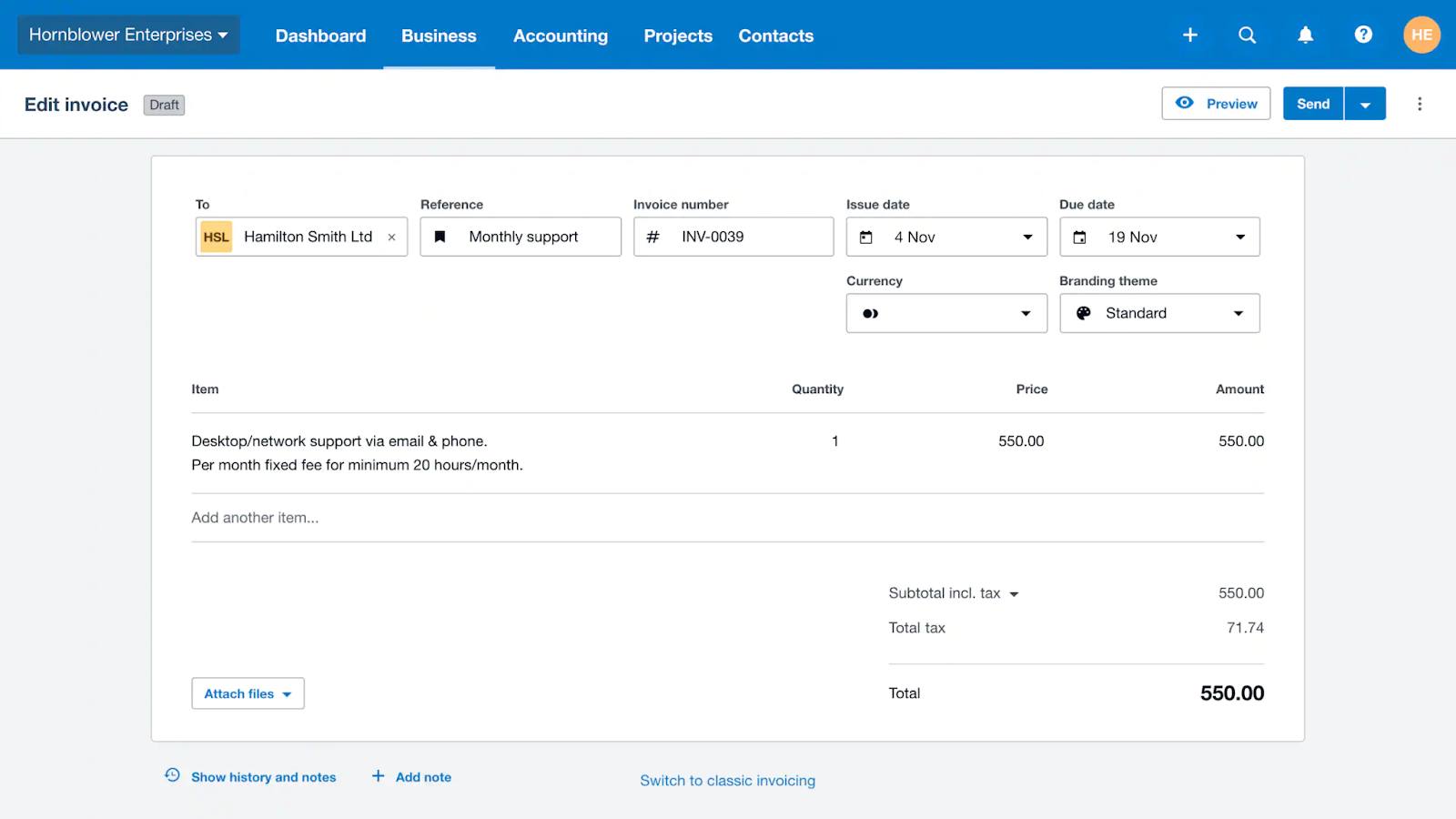
Features:
- Automated bank reconciliation
- Multi-currency support
- Inventory tracking
- Third-party app integrations
- Project tracking
Pros:
- Modern, intuitive interface
- Unlimited users on all plans
- Strong bank reconciliation
Cons:
- Mobile app isn't field-optimized
- Some features require higher tiers
Pricing:
- Starter: $29/month
- Standard: $50/month
- Premium: $75/month
Best for: Contractors who want accounting software with a cleaner user experience.
5. FreshBooks
FreshBooks focuses on making billing simple. Clean invoice templates, straightforward payment acceptance, and automated reminders help you get paid faster without manual follow-up. The mobile app works well enough for contractors who need to invoice on the go.
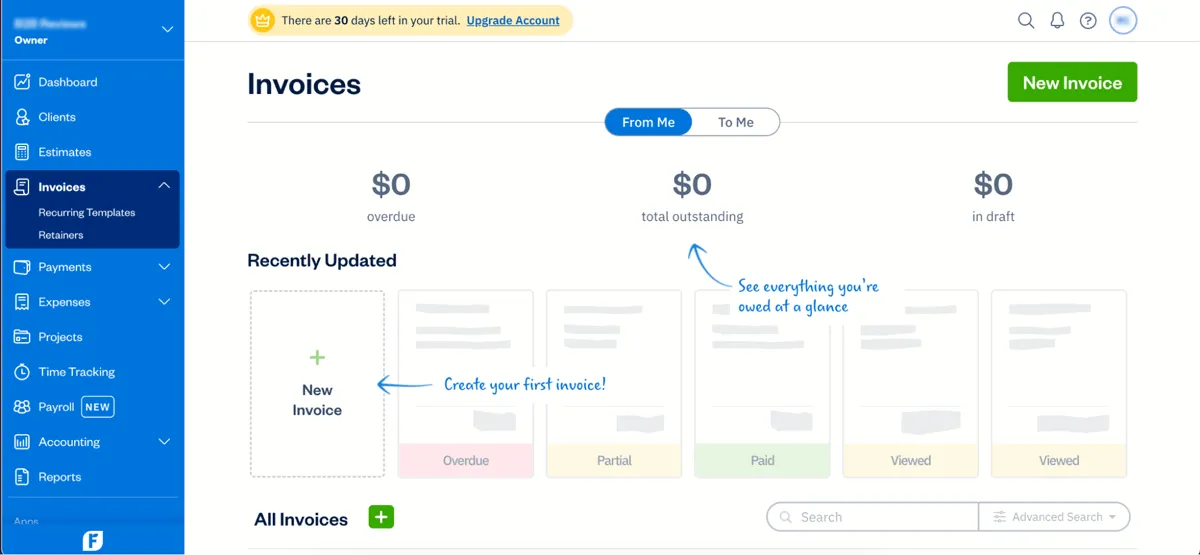
Features:
- Time tracking
- Project management
- Expense management
- Client portal
- Automated late payment reminders
Pros:
- Very easy to learn and use
- Clean, professional invoice templates
- Good time tracking integration
Cons:
- Limited to 5 clients on cheapest plan
- Gets expensive as you scale
Pricing:
- Lite: $21/month
- Plus: $38/month
- Premium: $65/month
- Select: Custom pricing
Best for: Freelancers and solo contractors who want simple billing software.
6. Zoho Invoice
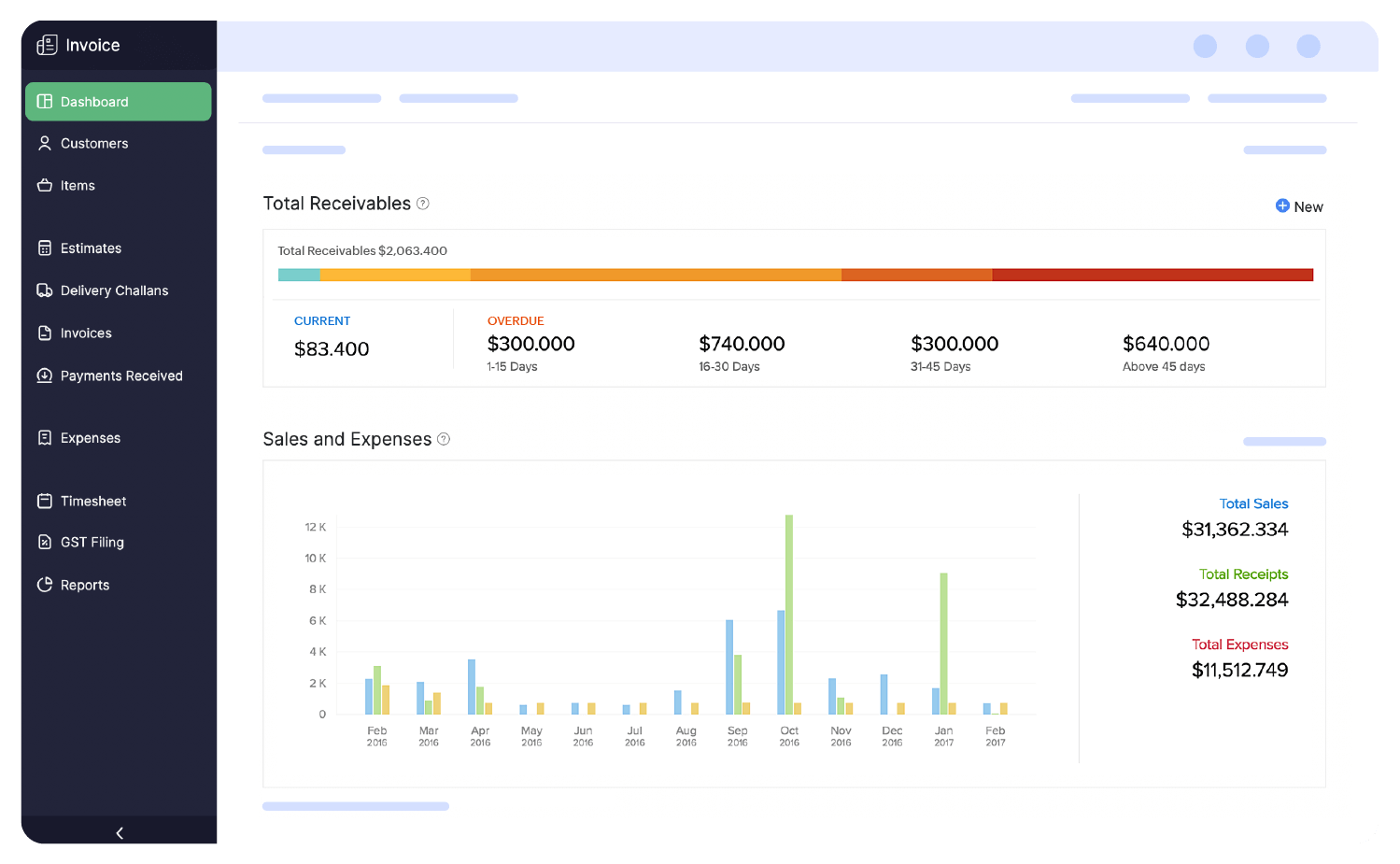
Zoho Invoice offers over 30 invoice templates, a client portal, and strong integration options – all with a generous free tier. It connects with CRM systems, Google Drive, Gmail, Slack, and the broader Zoho ecosystem. Setup takes more time than simpler tools.
Features:
- Multi-language support
- Recurring invoices
- Payment reminders
- Client portal
- Expense tracking
Pros:
- Completely free for core features
- Extensive customization options
- Strong integrations across platforms
Cons:
- Takes longer to set up
- Best features require Zoho ecosystem buy-in
Pricing: Free: $0 – Create tax-compliant invoices, email or save as PDF, accept payments via cards/e-wallets/ACH, automate payment reminders. No paid tiers required – Zoho Invoice is free invoicing software.
Best for: Contractors who want free invoicing with room to grow into integrations.
7. Stripe Invoicing
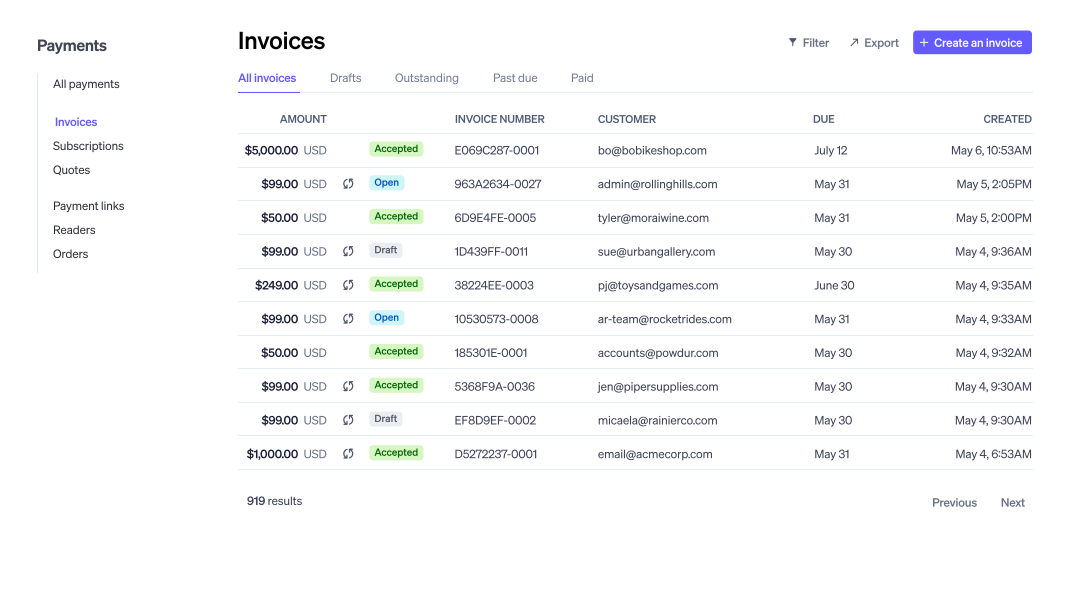
Stripe Invoicing is payment processing first, invoicing second. It handles credit cards, bank transfers, and ACH with a fast checkout experience. If you already use Stripe, adding invoicing requires minimal setup. It's lighter on contractor-specific workflows like estimates or job costing.
Features:
- One-time and recurring billing
- No monthly fees
- Global payment support
- Automatic payment retries
- Subscription management
Pros:
- Seamless if you already use Stripe
- Fast, reliable payment processing
- Global payment support
Cons:
- Not designed specifically for contractors
- Limited invoicing features compared to dedicated tools
Pricing:
- Cards and wallets: 2.9% + 30¢ per successful transaction (domestic cards), +0.5% for manually entered cards, +1.5% for international.
- Link (accelerated checkout): 2.9% + 30¢ per transaction, or 2.6% + 30¢ for Instant Bank Payments.
- ACH Direct Debit: 0.8% with $5 cap.
- Buy Now Pay Later (Klarna): 5.99% + 30¢ per transaction.
- Payment Links: Included with Payments.
- Custom domain: $10/month.
- Post-payment invoices: 0.4% on transaction total, $2 cap per invoice
Best for: Contractors already using Stripe who want simple invoicing added on.
Stop chasing payments, start getting paid
Join thousands of contractors who run their jobs in Tofu. Sign up today and keep estimates, invoices, and payments in one place.
Best invoicing software by use case
| Use case | Tool | Why best |
|---|---|---|
| 👷 Solo contractors | Tofu | Handles invoicing from your truck. Fast, simple, works offline. |
| 📅 Scheduling + invoicing | Jobber | Keeps jobs and billing in one place. Good for crews managing multiple appointments. |
| 🆓 Free option | Zoho Invoice | Solid invoicing without monthly fees. Perfect when keeping costs tight. |
| 📱 Mobile app | Tofu | Works on job sites – offline mode, auto-sync, readable in direct sunlight. |
| 📊 Full accounting | QuickBooks Online | Tracks everything for tax season. Use it if your accountant needs detailed books. |
| 💳 Stripe users | Stripe Invoicing | Plugs right into your existing payment setup. Quick add-on if you already use their system. |
Conclusion
Contractors don't need more business tools cluttering up their phones. They need fewer tools that actually work when they're standing in a customer's driveway after a long day.
If you want software that prioritizes speed, mobile usability, and getting paid without chasing payments manually, Tofu belongs on your shortlist. It won’t replace your accounting software, but it runs the job itself: schedule it, estimate it, invoice it, and collect payment on site.
For contractors who need more comprehensive platforms, Jobber handles scheduling and invoicing together, while QuickBooks and Xero cover full accounting needs. Match the tool to how you actually work, not how you think you should work.
Ready to stop chasing payments? Try Tofu free and run your first job in under a minute.
Your next invoice could take less than 60 seconds
Start using Tofu and run every job from estimate to payment. No setup, no stress.




