


Workiz vs Jobber comparison: Pricing, features & who wins in 2026
You don't have time to test every app on the market. We did it for you – here's how Workiz and Jobber stack up where it matters.



Searching Jobber vs Workiz? Short answer: Jobber wins for solo contractors and small teams who want simple scheduling and invoicing. Workiz wins for teams with high call volume who need communication tools built in – just know the phone system is now a paid add-on, not included by default.
Both are solid field service platforms. Neither is perfect. Jobber gets expensive fast as you add users. Workiz looks affordable until you factor in the extras. And if you want one simple app for jobs, invoices and payments that your crew can learn in a day, there's a third option worth comparing.
Quick verdict
| Category | Jobber | Workiz | Winner |
|---|---|---|---|
| Pricing (solo/small team) | From $19/mo (annual) | From $187/mo (annual) | Jobber |
| Scheduling | Clean, multi-view | Strong, with dispatch | Tie |
| Invoicing & payments | Solid, auto-convert | Good, more complex | Jobber |
| Mobile app | Reliable | Crash-prone | Jobber |
| CRM & client portal | Good | Good + comm tools | Workiz |
| Phone system | Not included | Add-on (paid separately) | Tie |
| Offline mode | ❌ No | ❌ No | Tie |
| Free trial | 14 days, no card | 7 days, no card | Jobber |
| QuickBooks integration | Connect plan+ | Standard plan+ | Tie |
| Customer support | Helpful but slow | Mixed reviews | Jobber |
What is Jobber?
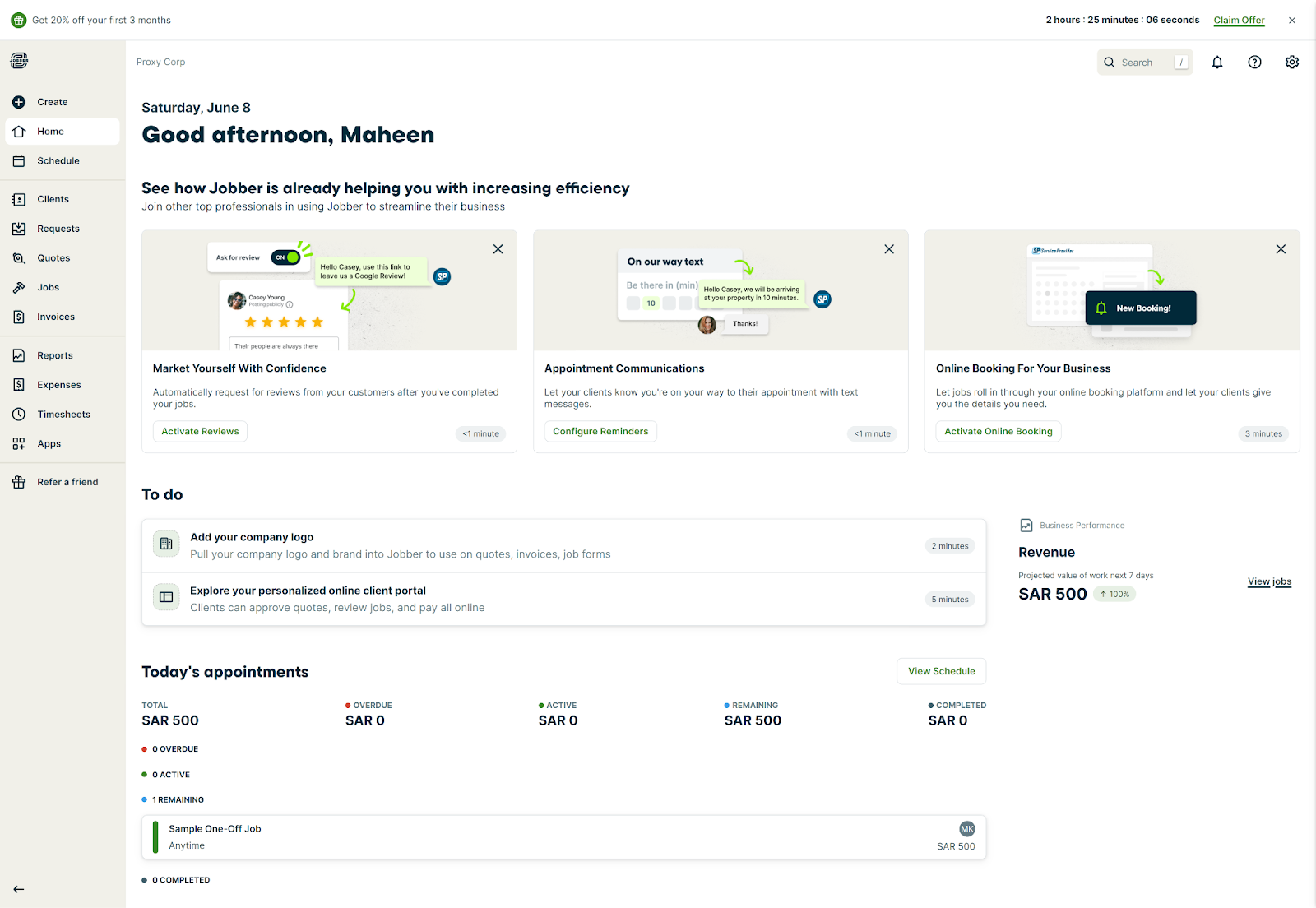
Jobber is field service management software built for home service businesses – HVAC, landscaping, cleaning, plumbing, and similar trades. It launched in 2011 and now serves over 300,000 users. Most Jobber reviews highlight the same strengths: a user-friendly interface, clean job scheduling, and solid invoicing that doesn't require training.
The platform handles field service operations end to end – quoting, scheduling, dispatching, invoicing, and payments. Field technicians manage their work from the mobile app. Quotes auto-convert to jobs when approved, which removes a manual step most competitors require.
Where it falls short: there's no offline mode, per-user pricing adds up fast as your team grows, and GPS tracking and QuickBooks sync are locked behind higher-tier plans.
What is Workiz?
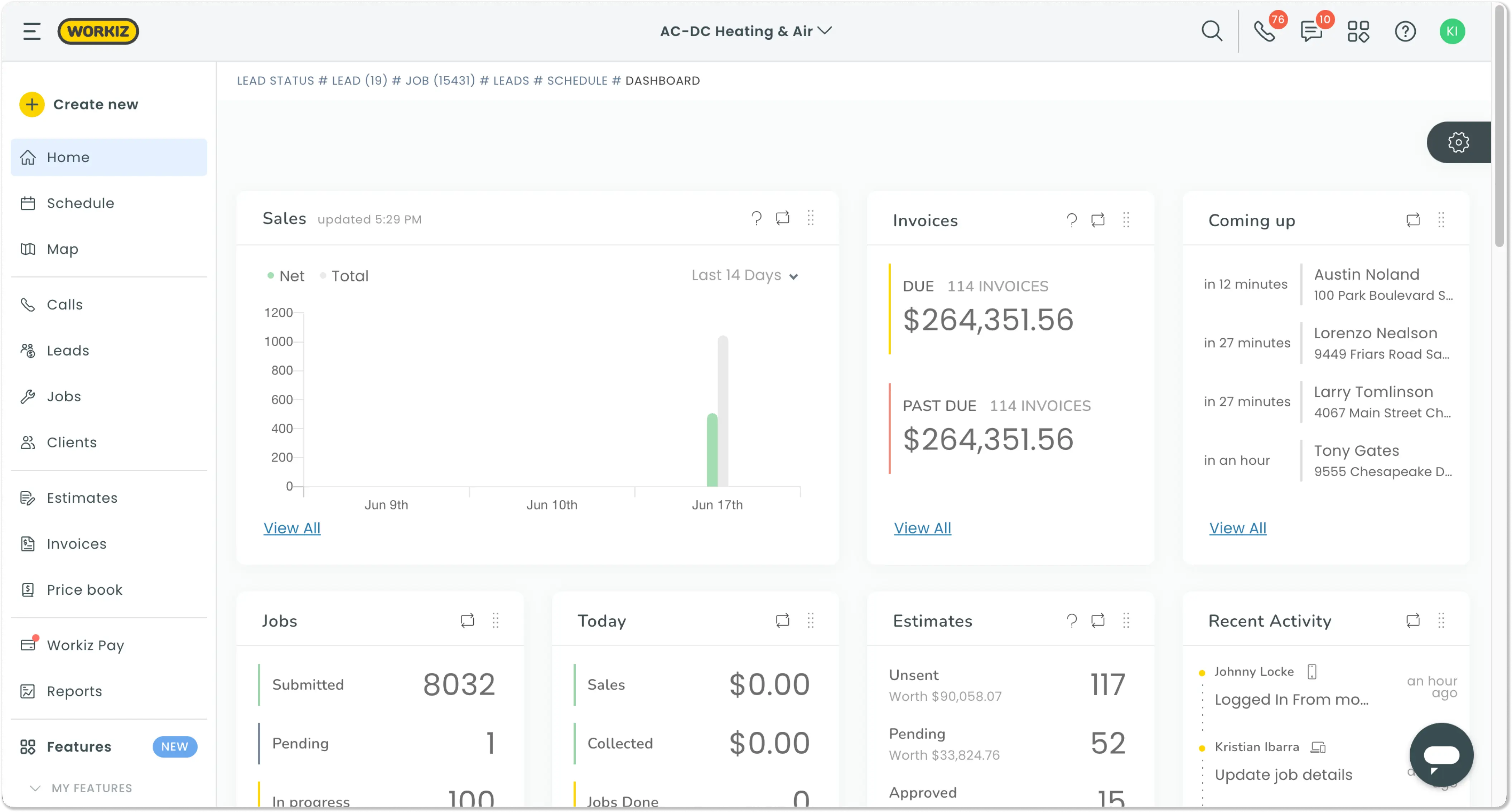
Workiz is field service management software that differentiates itself through a communication suite – call tracking, recording, 2-way texting, and AI answering. This used to be bundled into the platform; as of 2026, the phone system is sold separately as an add-on. The core plans still include a local number, but full call management and AI features require an additional purchase.
Beyond communication tools, Workiz handles work orders, customer management, scheduling, dispatching, invoicing, and payments. Field technicians can pull up service history on any client before arriving on site. It's used by locksmiths, appliance repair techs, HVAC companies, cleaners, and similar trades.
The downsides: base pricing is significantly higher than Jobber for small teams, service plans and inventory management are locked to the Ultimate tier (custom pricing), and the mobile app has a consistent track record of freezing and crashing across multiple review platforms.
Jobber vs Workiz: Feature comparison
Scheduling & job management
Jobber gives you five calendar views – month, week, day, list, and map – plus drag-and-drop scheduling. Quotes auto-convert into jobs when approved, and everything is quick to learn without much setup.
Workiz has comparable scheduling with real-time job tracking and technician dispatch. It pulls ahead for businesses managing high call volumes, especially when the phone add-on is active. If you're dispatching multiple techs and fielding a lot of inbound calls, Workiz is more purpose-built for that workflow.
For solo operators or teams under five people, Jobber's scheduling is easier to get started with.
Invoicing & payments
Both tools handle invoicing well. Jobber's quotes auto-convert into jobs and then invoices – keeping things moving without manual steps. Payment processing fees are 2.9% + $0.30 per credit card transaction and 1% for ACH transfers.
Workiz also handles invoicing and online payments, with QuickBooks integration available on the Standard plan and above. One thing to know: service plans and recurring maintenance agreements are only available on the Ultimate plan, which requires talking to sales for pricing. If maintenance contracts are core to your business, factor that in before you commit to a lower Workiz tier.
Jobber's invoicing flow is simpler for one-off jobs. Workiz is better positioned for complex dispatch operations – but the service agreement features cost more than the advertised plan prices suggest.
CRM & client portal
Both platforms include client profiles, job history, and a client portal where customers can view invoices and approve quotes. Workiz edges ahead for teams that want communication and job management in one place – but the full phone system is now a paid add-on, so that advantage comes at extra cost.
Jobber has solid client management and relies on third-party integrations for communication. For most small crews, this is plenty.
Mobile app & offline mode
Jobber's mobile app gets consistently strong reviews for reliability. Field technicians can view jobs, update status, send invoices, and collect payment without issue.
Workiz's app is more feature-rich but less stable. Across G2, Capterra, and the App Store, users consistently report the app freezing mid-job and requiring a force close to continue. For field work where your phone is your office, that's a meaningful downside worth checking on current reviews before committing.
Neither app works offline. Both require an internet connection to function – something worth knowing before you're on a job site with a weak signal.
Pricing
Jobber pricing (billed annually):
| Plan | Price | Users |
|---|---|---|
| Core | $19/mo | 1 |
| Connect | $65/mo | 1 user / $97/mo for 5 users |
| Grow | $97/mo | 1 user / $195/mo for 10 users |
| Plus | $344/mo | 15 users |
Monthly (no commitment) pricing starts at $29/mo for Core and goes up to $529/mo for Plus. Additional users on any plan cost $29/user/month. A 14-day free trial is available on all plans, no credit card required.
Workiz pricing (billed annually):
| Plan | Price | Users |
|---|---|---|
| Lite | Free | Up to 2 (20 invoices/mo limit) |
| Kickstart | $187/mo | First 3 users |
| Standard | $229/mo | First 5 users (+$46/user/mo) |
| Pro | $270/mo | First 5 users (+$54/user/mo) |
| Ultimate | Custom | Contact sales |
Monthly billing (no annual commitment) runs $225/mo for Kickstart, $275/mo for Standard, and $325/mo for Pro. The phone system is sold separately on all plans. Service plans and inventory management are Ultimate-only. A 7-day free trial is available.
Bottom line: Jobber is significantly cheaper for solo operators and small teams. Once you factor in Workiz's phone add-on and per-user costs, the real price difference is larger than the plan comparison suggests.
Customer support
Jobber offers phone, chat, and email support. Reviews generally describe the team as helpful, though response times can lag during busy periods.
Workiz support is more inconsistent. Some users report fast responses via chat; others describe significant gaps during critical issues. Onboarding has drawn complaints from contractors migrating from other platforms – worth factoring in if you're switching from existing software.
Pros and cons
Jobber
Pros
- Clean, user-friendly interface with minimal learning curve
- Affordable entry point – $19/mo (annual) for solo operators
- Reliable mobile app with strong field reviews
- Quotes auto-convert to jobs to invoices without manual steps
- QuickBooks and Xero integrations on Connect plan and above
- 14-day free trial, no credit card required
Cons
- No offline mode – requires internet at all times
- Per-user pricing grows fast as the team expands
- GPS tracking and QuickBooks sync require an upgraded plan
- Limited change order management during active jobs
- Basic reporting compared to enterprise-grade platforms
Workiz
Pros
- Communication suite with call tracking, recording, and 2-way SMS
- AI answering (Genius Answering) for after-hours call capture
- Strong for high call-volume dispatch operations
- Integrations with Angi, Thumbtack, and Google Local Services Ads
- Free Lite plan available for very small operations
Cons
- Phone system sold separately – not included in base plans
- Service plans and inventory management locked to Ultimate tier (custom pricing)
- Mobile app crashes and freezes reported consistently across review platforms
- Starting price is significantly higher than Jobber for small teams
- Onboarding process has drawn complaints from users migrating from other platforms
Who should choose Jobber?
Jobber is the right fit if:
- You're a solo contractor or running a team of 2–4 people
- You do mostly one-off service calls – HVAC, landscaping, cleaning, handyman work
- You want something you can learn in an afternoon and start using right away
- QuickBooks or Xero integration matters to you
- Straightforward job scheduling and invoicing is the core of what you need
At $19/month (annual) for one user, Jobber undercuts most FSM competitors on price for solo operators.
Who should choose Workiz?
Workiz makes more sense if:
- You handle a lot of inbound calls and want communication tools alongside job management (and are willing to pay for the phone add-on)
- You run a team of 5–15 people and need real-time technician tracking
- You're in a trade like locksmith, appliance repair, or HVAC with high inbound call volume
- You want AI call answering to capture leads after hours
Just go in clear on the real cost: the phone system, AI answering, and service plans are all priced separately from the base subscription. The monthly total is higher than what the plan pages suggest.
Too much software for a 3-person crew?
You might not need Jobber or Workiz at all.
Is there a simpler alternative to Jobber and Workiz?
Jobber and Workiz both cover the full field service operation, but both take time to learn. Jobber gets expensive as you add users and features. Workiz is built around high call volumes and dispatch boards, with a phone system and reporting that many teams never touch.
If you want scheduling, estimates, invoices and payments in one app your whole crew can pick up on day one, Tofu Field Service is worth a look.
| Jobber | Workiz | Tofu | |
|---|---|---|---|
| Best for | Solo to 5-person teams | 5–15 person, high call volume | Crews of up to 25 that need an all-in-one, simple app |
| Starting price | From $19/mo (annual) | From $187/mo (annual) | From $15/mo (annual) |
| Offline mode | ❌ | ❌ | ✅ |
| Per-user pricing | Yes ($29/user) | Yes ($46–54/user) | No |
| Phone system | Add-on / third-party | Add-on (paid separately) | Not included |
| Learning curve | Low | Medium | Minimal |
Tofu is built for the contractor who's in their van between jobs, needs to send an invoice in 30 seconds, and doesn't want to spend an hour watching tutorials first. No per-user pricing, no feature bloat you'll never touch.
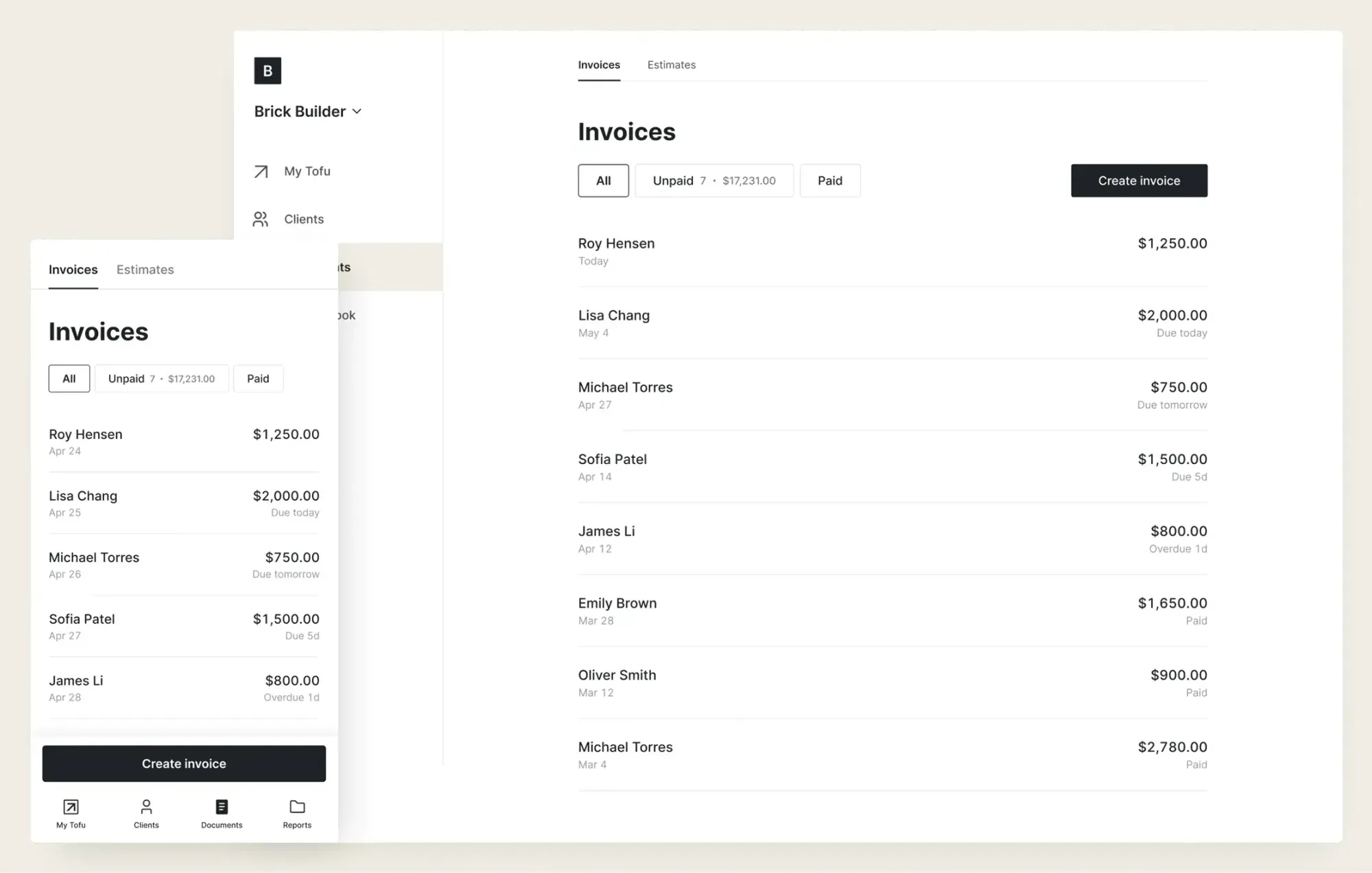
Here's what makes it different from Jobber and Workiz for small crews:
- One-tap invoicing – no training, no menus to dig through
- Works offline – create invoices and estimates with no signal, syncs automatically when you're back online
- Payment-ready invoices – clients can pay by card, Apple Pay, Google Pay, Zelle, ACH, and more
- Jobs auto-sync to invoices – no manual conversion, no duplicate data entry
- Real-time notifications – know the moment an estimate or invoice is opened
Bottom line
Jobber wins on simplicity and price for small teams. Workiz wins if call volume and dispatch complexity are core to how you work. But both assume you need more than you might actually need – multiple calendar views, dispatch boards, enterprise reporting.
If you want the essentials in one app that is easy to learn, Tofu Field Service is a simpler alternative to both.




