


Best apps for cleaning business in 2026 (the ones that actually run the business)
A practical guide to the best apps for running a cleaning business – from scheduling and invoicing to team tracking and finding new clients.



A cleaning business runs on scheduling, follow-ups, and getting paid, not on the mop. You can be the best cleaner in your area and still lose money to missed recurring visits, invoices that slip a week, and an evening lost to paperwork at the kitchen table. The right app stack takes that admin off your plate so you can spend your time on jobs and on landing the next client.
Most "cleaning software" you will find is built for 20-plus-employee operations with dispatchers and office staff. For a solo cleaner or a crew of one to ten, that is expensive overkill you will never fully use. Below are the apps that actually fit a small cleaning business, sorted by what they do, so you can build a stack instead of paying for one bloated platform.
How we picked these: features, real-world usefulness in the field, owner reviews and contractor forums, transparent pricing, and fit for small cleaning businesses (1 to 10 people).
Jump to what you need:
- Managing the business (scheduling, invoicing, payments, CRM): field service management
- Cleaning-specific platforms (maid service and recurring-visit tools)
- Team management and time tracking
- Online booking and getting new clients
- Job documentation and quality (before and after photos, checklists)
- Accounting and payments
Tofu in 30 seconds. Tofu is field service software for contractors and crews up to 10: scheduling, jobs, invoices, estimates, CRM. Plans start at $29/mo ($15/mo billed annually), it runs on iOS and Web, and the 7-day free trial needs a card on file but charges nothing upfront. Start a free trial.
“Tofu keeps all my clients in one area where I can easily communicate with them. Payments go directly to my bank.” Joshua L., G2
Apps for managing your cleaning business
Field service management (FSM) software ties scheduling, estimates, invoicing, payments, and customer records into one workflow. Without it, jobs live in texts and sticky notes, and invoices slip because nobody remembered to send them. This is the backbone of a cleaning business app stack. If you only adopt one tool, start here. For the full picture, see our guide to the best field service management software.
Tofu: best for solo cleaners and small crews
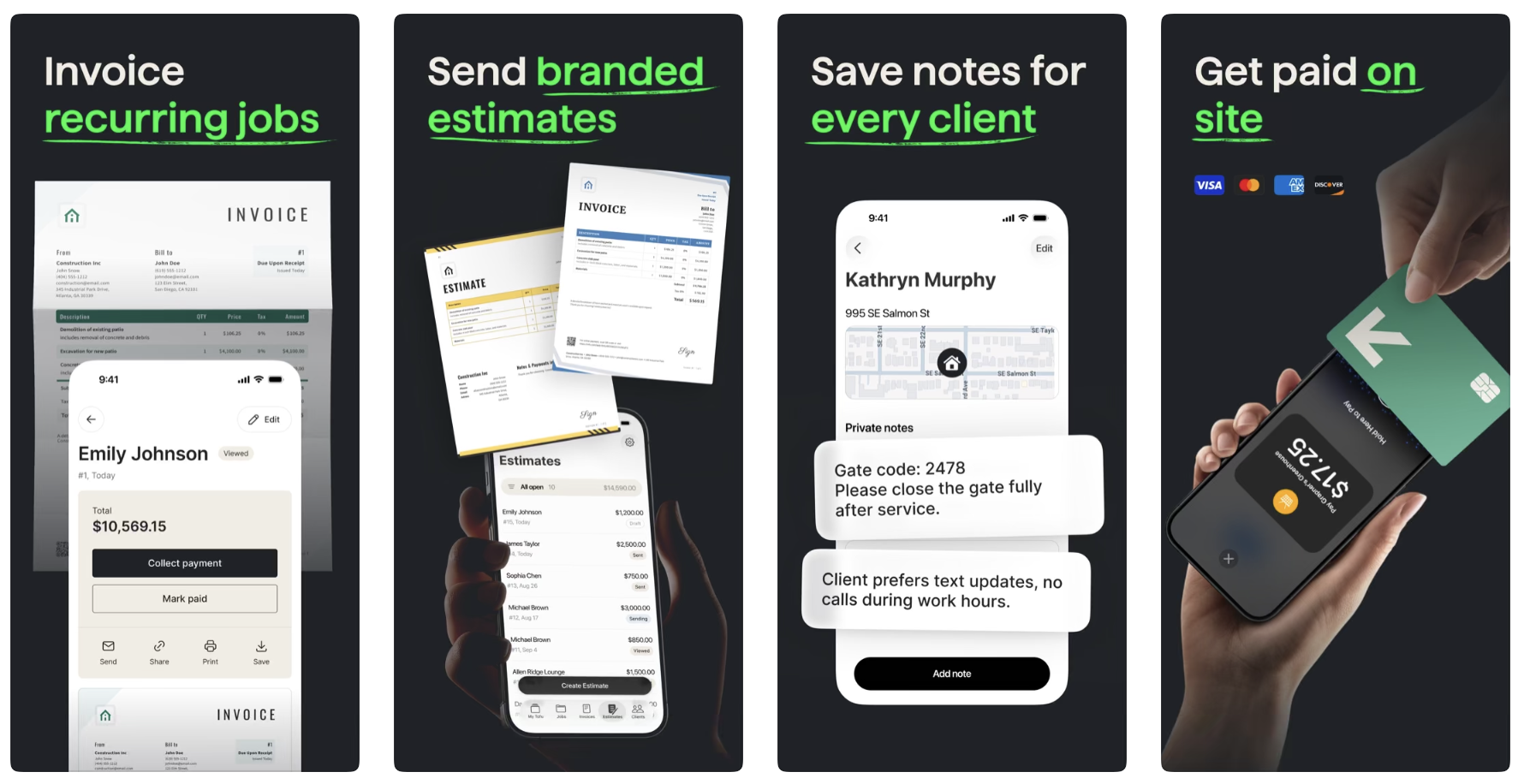
Tofu Field Service splits into a worker app for the field and an owner app for running the business. You see the day's jobs, set dates, times, and addresses, attach photos to a job, and add team notes so everyone knows what the client expects. You can track job activity from the customer location, then send an estimate or invoice before you leave the driveway and take payment on the spot. It is built to be lean: the features a small crew actually uses, without the dispatcher-centric clutter of enterprise tools. See Tofu for cleaning for the full feature set.
Platform: Web, iOS (manager), iOS and Android (worker). Price: from $29/month, or $15/month billed annually.
What users say:
“It makes it very easy to just send out invoices every week. it saves my information so I know my yearly income..” – Tamara H., facilities services, Capterra, May 25, 2026
“I have a lot of clients that love the way the invoices come in as a text and email. If they fixed the picture feature this would be top 3 invoice apps” – Jose G., construction, Capterra, May 20, 2026
Send your invoice before you leave the driveway.
Tofu handles scheduling, estimates, and payments from your phone — built for solo cleaners and small crews.
Jobber: for growing cleaning companies
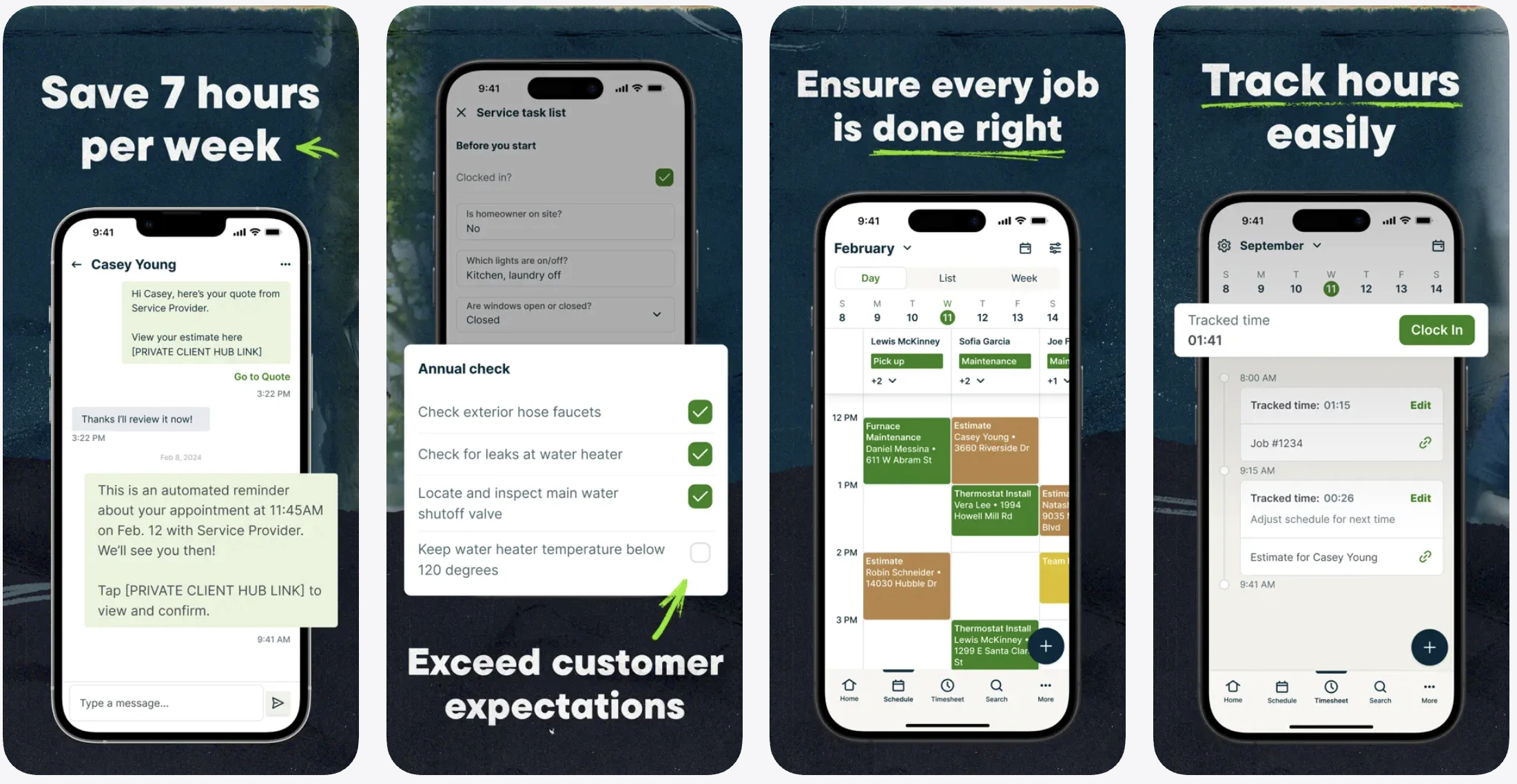
A popular general-purpose FSM with online booking, quotes, scheduling, route optimization, automatic payments, and client reminders. It is more expensive than Tofu and not cleaning-specific, but it is a solid step up once a crew is scaling and needs heavier automation.
Platform: Web, iOS, Android. Price: from around $29/month (Core); higher tiers and team plans cost more (verify).
What users say:
“I like Jobber for it's vast offerings including full schedule management, invoicing, follow-up details - it's the best CRM I have used as a cleaning business owner.” – Sarah E., cleaning, Capterra, Dec 9, 2025
“Specifically, when taking notes, capturing images, or filling out forms, I have lost a lot of time when they won't upload or sync successfully.” – Charles W., HVAC, Capterra, Feb 24, 2026
Housecall Pro: for client communication at scale
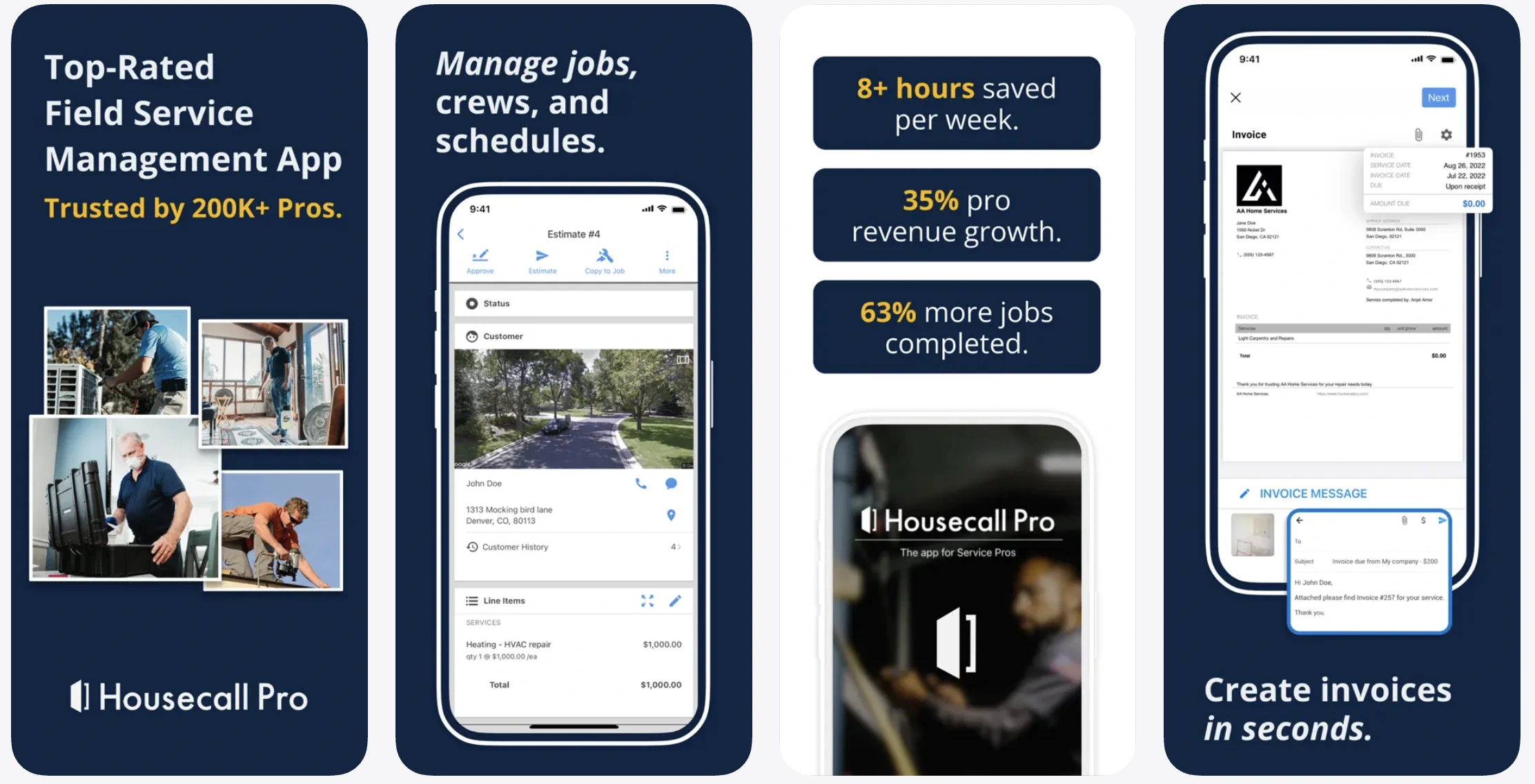
Strong on customer communication, online booking, and marketing automation. It is heavier and pricier than the small-crew tools, and honestly it is built more for teams than for solo operators.
Platform: Web, iOS, Android. Price: from around $59/month (verify).
What users say:
“What's really been helping alot lately is the ability to schedule my appointments and set them as recuring services. No more having to write them down.” – Reynaldo C. Lozano, pest control, Trustpilot, Oct 4, 2026
“The new update is very challening. seperating the invoices form the customer list is not helpful and makes double invoicing very possible.” – Direct Home Appliance, appliance repair, Trustpilot, Oct 2, 2026
Cleaning-specific platforms (maid service tools)
These are purpose-built for recurring residential cleaning, with features horizontal FSM tools do not have: key tracking, cleaning checklists, tip handling, and recurring-visit scheduling.
ZenMaid: best dedicated maid-service platform
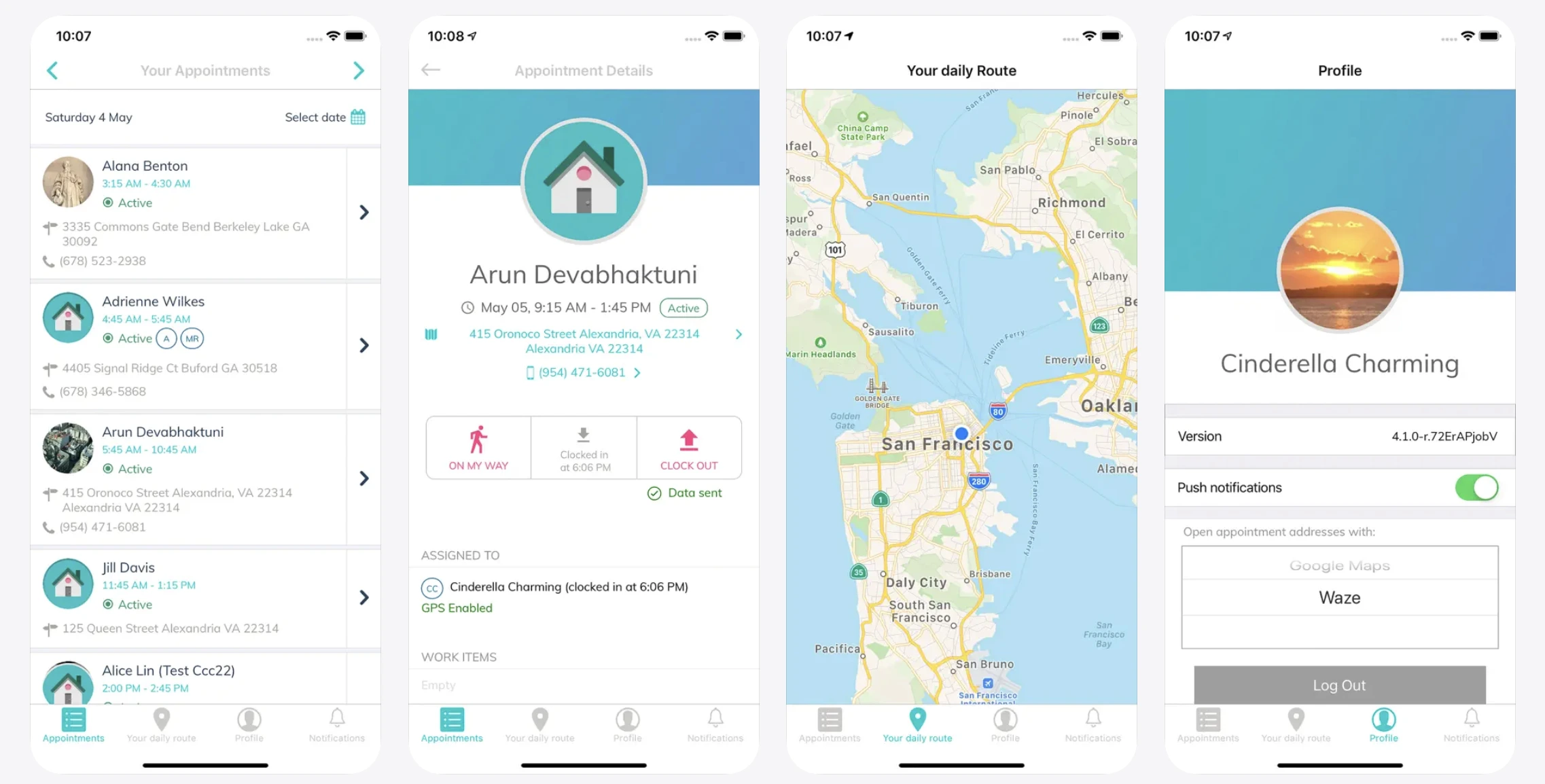
Built by cleaning business owners for cleaning businesses. You get recurring scheduling, a drag-and-drop calendar, embeddable online booking, automated reminders and follow-ups, invoicing, payments, and QuickBooks export. The free tier is genuinely usable. Honest notes from reviews: the interface feels dated to some users, and SMS messaging costs extra on top of your plan.
Platform: Web, iOS, Android. Price: free tier; paid from around $19/month, scaling to around $99/month (verify).
If you want to compare residential booking-first options, BookingKoala, Maidily, and Launch27 play in the same space.
What users say:
“We have been using Zenmaid for over 6 years and it has saved so much time! Love the automated email & text reminders, as well as the new invoice format.” – April V., cleaning, Capterra, Oct 13, 2025
“You can’t get to talk to someone over the phone If I need help. They just help by email and will call you if is something extremely usufull.” – Suyen R., cleaning, Capterra, Nov 12, 2025
Apps for team management and time tracking
Swept: best for managing cleaning crews and commercial teams
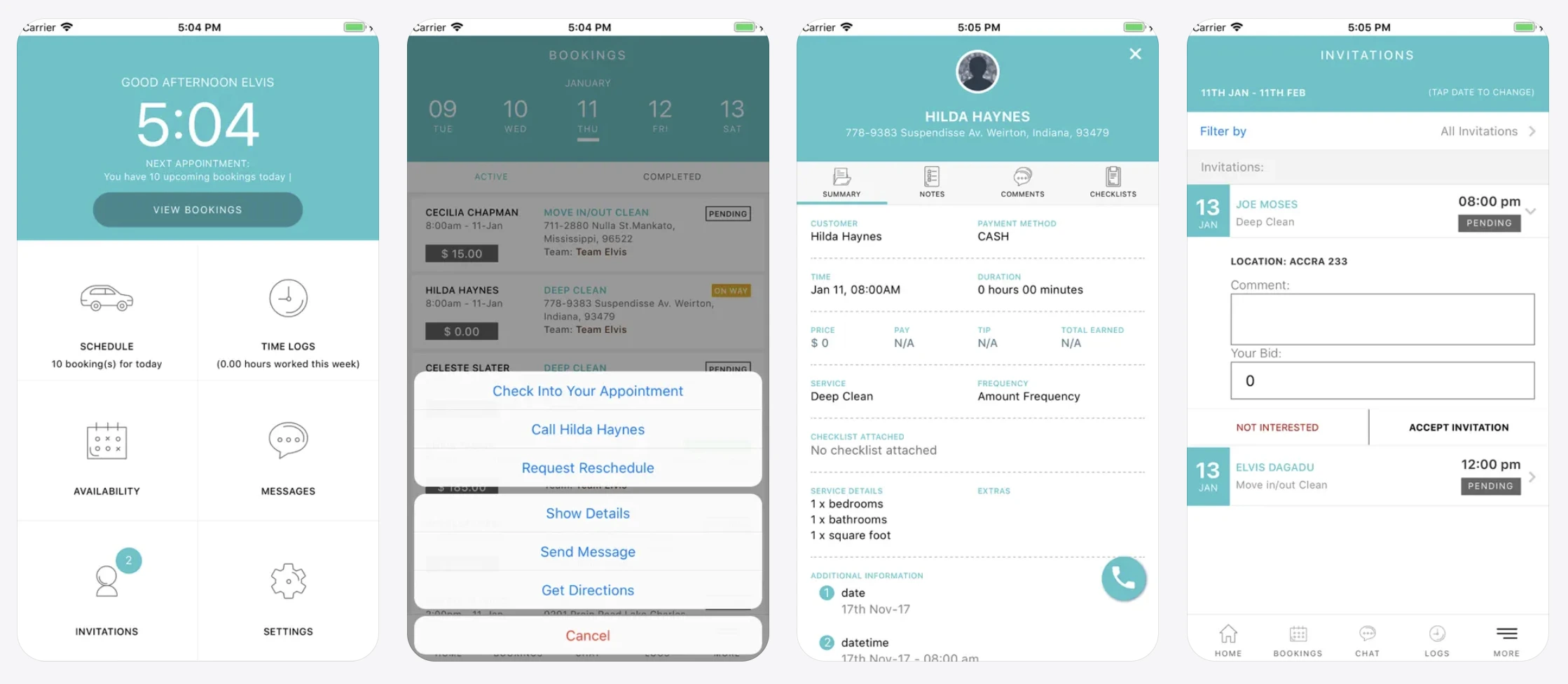
Crew scheduling, time tracking, team messaging with built-in translation (useful for multilingual crews), problem reporting, and inspections. It is strongest for janitorial and commercial work with staff spread across multiple sites.
Platform: Web, iOS, Android. Price: from around $30/month (per-location tiers, verify).
What users say:
“The time tracking is accurate and with geofence enabled we know our employees are on site when they're supposed to be.” – Austin S., janitorial, Capterra, Nov 23, 2021
“The app constantly crashed, or was too slow, or wouldn't open at all.” – Marta M., janitorial, Capterra, Mar 10, 2025
Connecteam: best for staff scheduling and communication
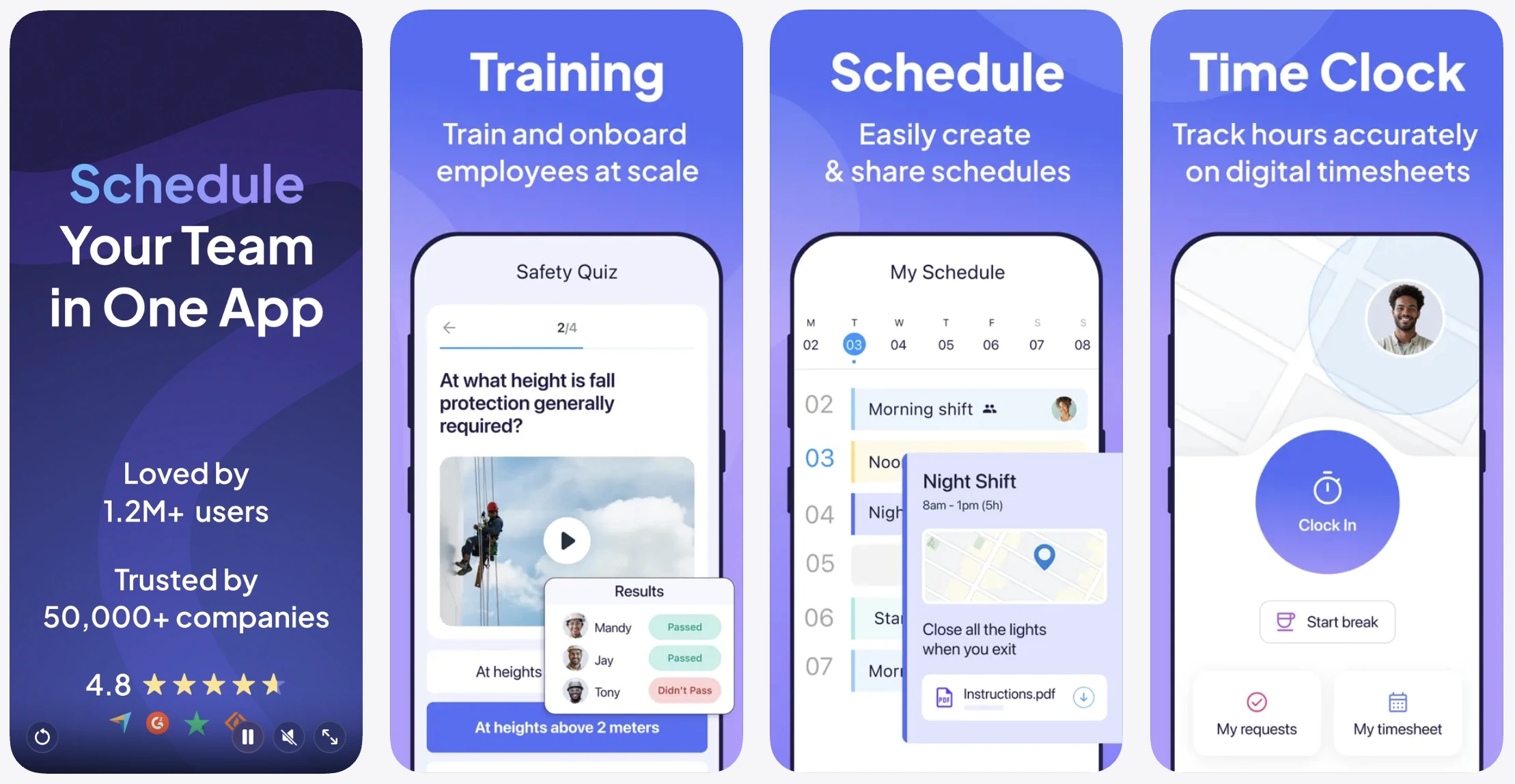
A polished mobile app for staff schedules, hour tracking, and team updates. It is not cleaning-specific, but plenty of cleaning companies use it, and there is a free tier for very small teams.
Platform: Web, iOS, Android. Price: free tier for small teams; paid plans from around $29/month per plan (verify).
A note before you buy: for a solo or two-person crew, the scheduling built into your FSM usually covers all of this. Dedicated time-tracking earns its place once you have W2 staff or multiple sites to keep straight.
What users say:
“The GPS tracker works well to know where our employees are and to be able to reroute them if necessary.” – John H., electrical, Capterra, Sep 17, 2026
“The only downside is sometimes employees are autoclocked out without leaving the geofence.” – Griselda Robles, Trustpilot, Sep 28, 2026
Apps for online booking and getting new clients
Zenbooker and Zoho Bookings: best for embeddable online booking
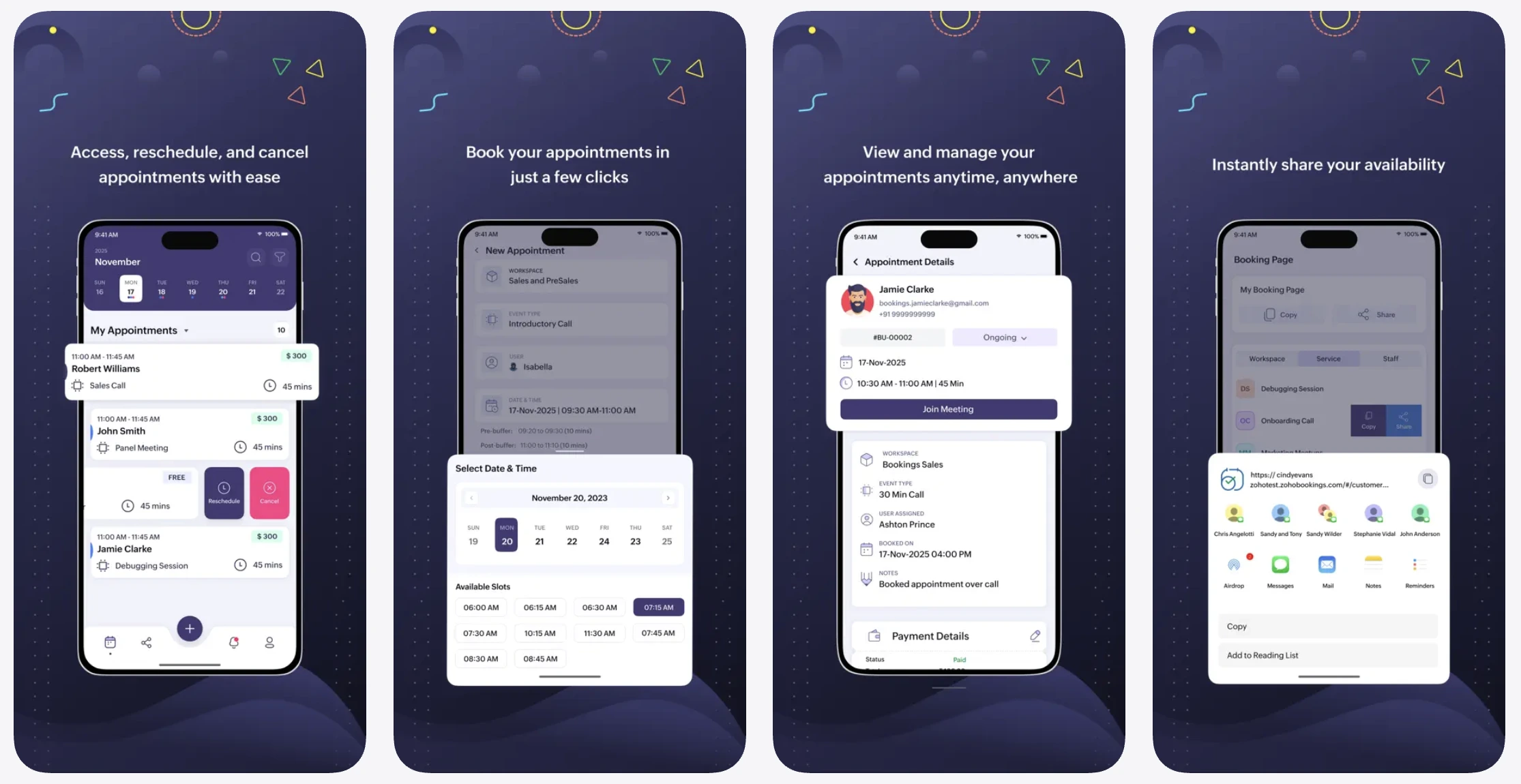
Both let clients self-book on your website 24/7, which converts visitors without the phone tag. Zoho Bookings has a free single-user tier, so it is an easy starting point.
Platform: Web (embeds on your site), iOS, Android. Price: Zoho Bookings free single-user tier, paid from around $6/month; Zenbooker from around $39/month (verify).
What users say:
“my clients book recurring cleaning in a few minutes in a safe way. their support is fast and very helpful replied to my question within 2 minutes time.” – Jorgjie B., cleaning, Capterra, Feb 9, 2023
“Mobile app works, but it's could be more user friendly and bring as much functionality as desktop.” – Waleed H., Capterra, Nov 3, 2024
A review and reputation tool (NiceJob, or just your Google Business Profile)
In local cleaning, reviews are your number one marketing asset. More Google reviews drive local rankings and bring in new bookings, and a free Google Business Profile is the place to start before you pay for anything fancier.
What users say:
“In the first 6 months, we more than doubled the number of Google reviews we'd received in the previous 15 years!” – Joe W., home services, Capterra, Nov 8, 2022
“the price feels a little high when you’re just starting out, and I sometimes wished the review displays could be customized more to match my style.” – Ashutosh A., Capterra, Aug 19, 2025
Apps for job documentation and quality
CompanyCam: best for before and after photos and proof of work
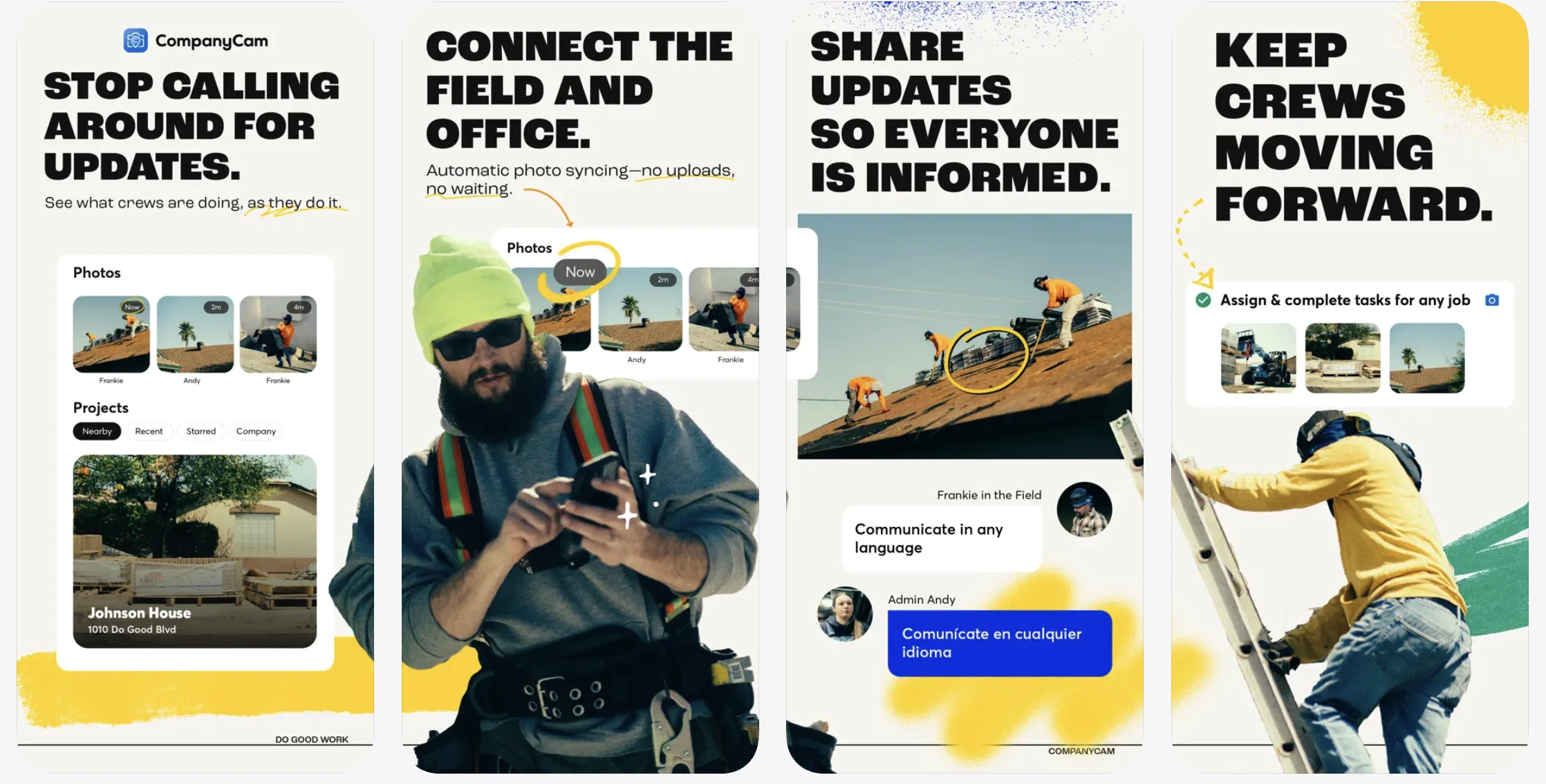
Time-stamped and location-stamped photos, organised by job and customer. It protects you against "you missed a spot" disputes and shows clients clear proof of the work, which is gold for recurring residential accounts.
Platform: Web, iOS, Android. Price: from around $19/month per user (verify).
One caveat: many maid platforms (ZenMaid) and FSMs (Tofu) already let you attach photos and checklists to a job, so a solo crew may not need a separate tool for this at all.
What users say:
“We love that we can now communicate in real time (with photos) with our customers while we're working on their properties.” – Angela N., roofing, Capterra, Apr 4, 2025
“Useful but too expensive and won't quit sending me daily recap emails even though the account is inactive.” – Clean Cut Landscaping, landscaping, Trustpilot, Jun 23, 2026
Apps for accounting and payments
QuickBooks Online: best for bookkeeping
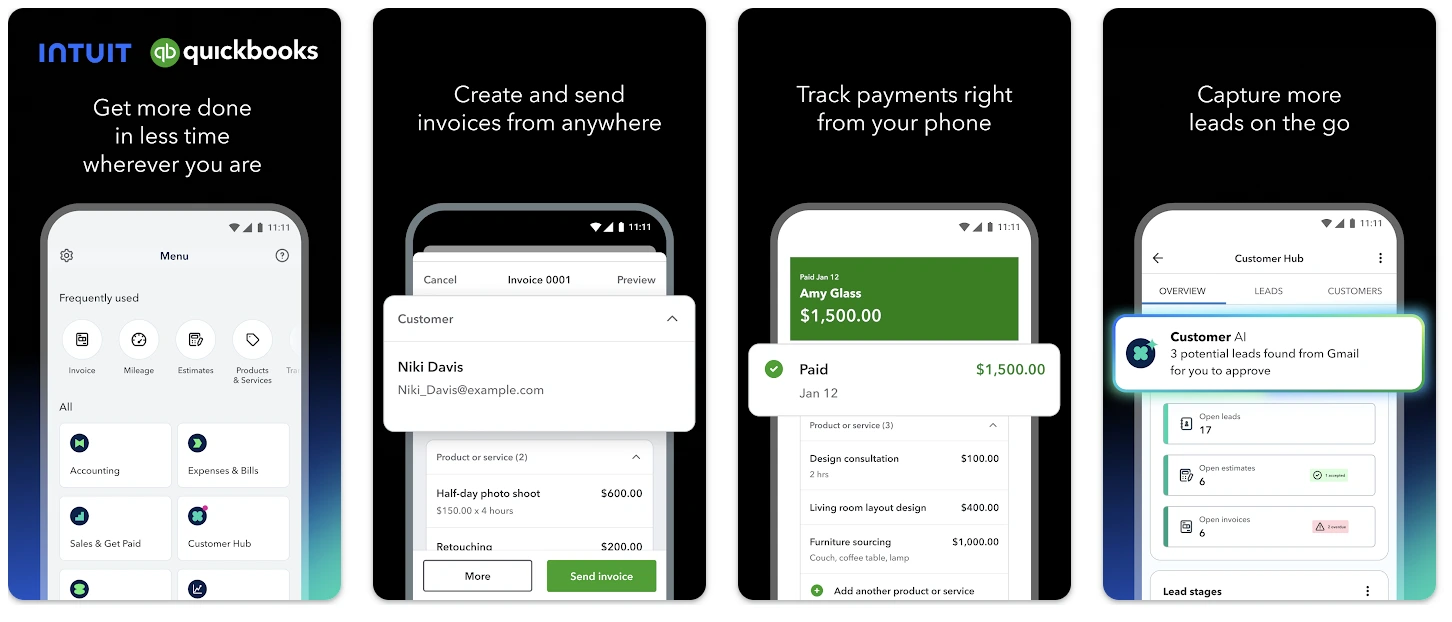
The default for taxes, expenses, and payroll once you outgrow spreadsheets. Many FSMs, including ZenMaid, export straight to it, so your job data feeds your books.
Platform: Web, iOS, Android. Price: from around $35/month (verify).
Worth saying plainly: Tofu and Jobber handle invoicing and card payments in-app, so a very small crew may only need accounting software at tax time. Do not double-pay for two tools that do the same invoicing job.
What users say:
“Easy to use, most helpful for sending invoices and organizing transactions for taxes” – Rhondeezee876, App Store, Sep 11, 2026
“If I can’t send invoices and estimates from my phone or retrieve info when needed, this app becomes no longer needed and will be replaced.” – H4 Contracting, contracting, App Store, Sep 17, 2026
Best apps for cleaning businesses, compared
| App | Category | Platform | Price | Best for |
|---|---|---|---|---|
| Tofu | Field service management | Web, iOS | From $29/mo ($15/mo annual) | Solo cleaners and small crews |
| Jobber | Field service management | Web, iOS, Android | From ~$29/mo (verify) | Growing cleaning companies |
| Housecall Pro | Field service management | Web, iOS, Android | From ~$59/mo (verify) | Client communication at scale |
| ZenMaid | Maid-service platform | Web, iOS, Android | Free; paid ~$19–$99/mo (verify) | Dedicated maid service |
| Swept | Team management | Web, iOS, Android | From ~$30/mo (verify) | Commercial and janitorial crews |
| Connecteam | Team management | Web, iOS, Android | Free tier; from ~$29/mo (verify) | Staff scheduling and comms |
| Zoho Bookings | Online booking | Web, iOS, Android | Free single-user; from ~$6/mo (verify) | Embeddable online booking |
| CompanyCam | Job documentation | Web, iOS, Android | From ~$19/mo per user (verify) | Before and after photos |
| QuickBooks Online | Accounting | Web, iOS, Android | From ~$35/mo (verify) | Bookkeeping and taxes |
Don't spend evenings on admin.
Tofu keeps your schedule, invoices, and payments in one place — so the job ends when you leave.
How to choose the right apps for your cleaning business
Start with crew size. Solo to three people? A lightweight FSM like Tofu, or a free tier (ZenMaid free, FieldVibe free), will cost less and get used more than any enterprise platform. Growing toward ten-plus with W2 staff and multiple sites? Look at cleaning-specific tools (ZenMaid paid, Swept) or step up to Jobber or Housecall Pro.
Decide: horizontal FSM or cleaning-specific. This is the question most lists skip, and it matters. If you run recurring residential routes with checklists, keys, and tips, a maid-specific tool like ZenMaid fits the work better. If you do mixed service work, or you just want the simplest possible billing, a horizontal FSM like Tofu is leaner and cheaper.
Do not look for one app that does everything. Most cleaning businesses need a business app (an FSM or a maid platform) plus maybe one specialised tool (team comms, or documentation). One app rarely does both jobs well, and the all-in-one platforms that claim to usually charge for the privilege.
On cost: the best stack is rarely the most expensive. Watch for add-on fees (SMS surcharges, per-user costs) that do not show up in the headline price. Before you commit, search "[software name] cancel subscription" and read the mobile app store reviews. Pay for what you actually use.




