

Your schedule is a live board
Not a list you edit one entry at a time. Rearrange a whole day in a few drags.


Move any visit to a new time or day right on your weekly calendar in seconds.
❤️
15,124
users joined last week
A client asks to move their appointment. A tech frees up earlier than planned. Before, every change meant opening the visit, editing the form, typing a new time – one visit at a time. Now your schedule works like a board: grab a visit, drag it where it belongs, done.
Press and drag any visit right on the weekly view.
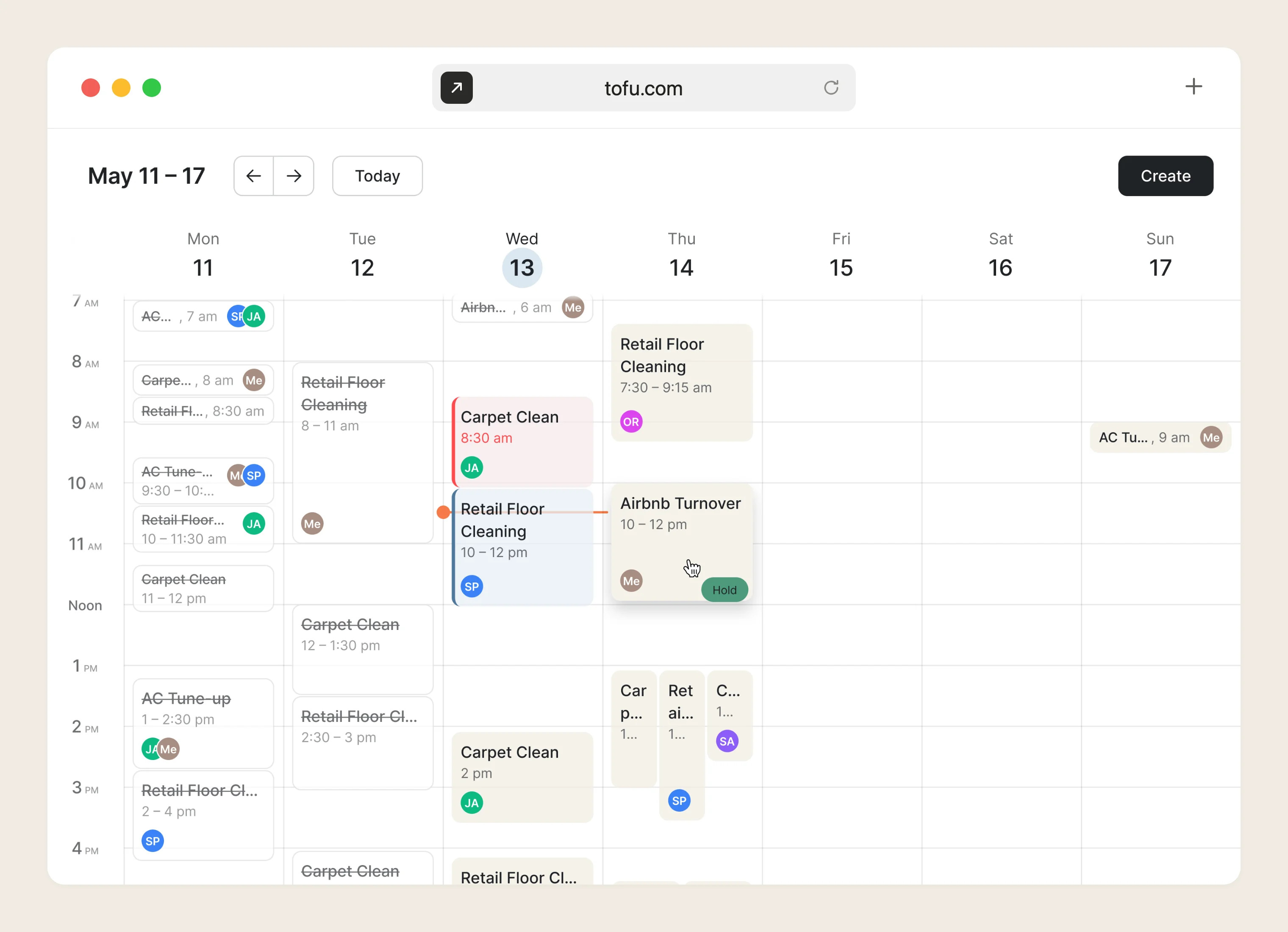
You see the new start time as you drag, and visits snap to 15-minute steps. Drag to the edge of the grid to reach the next week.
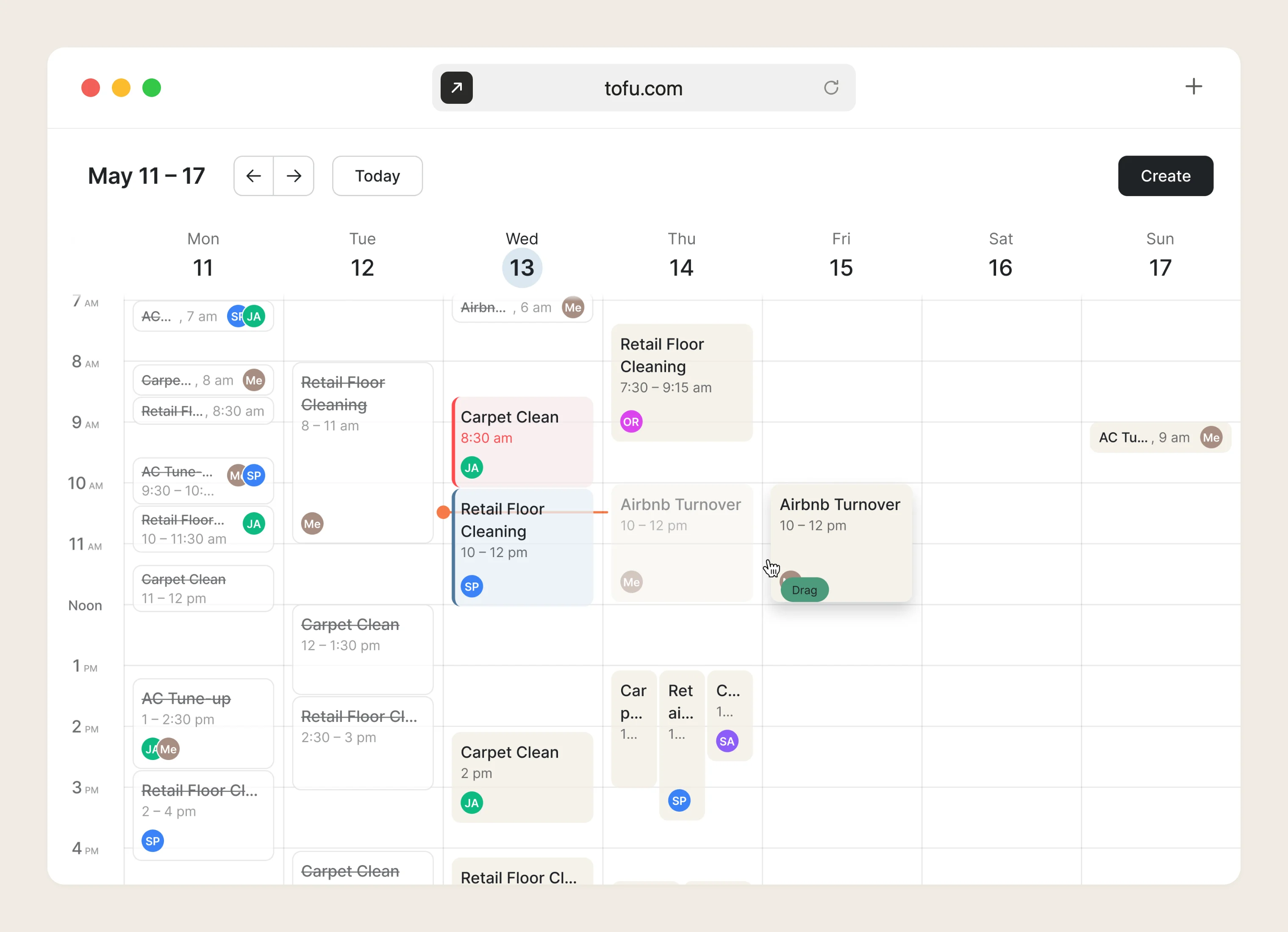
The visit keeps its duration; only the start time and day change. Your tech gets the update in the Tofu Team app.
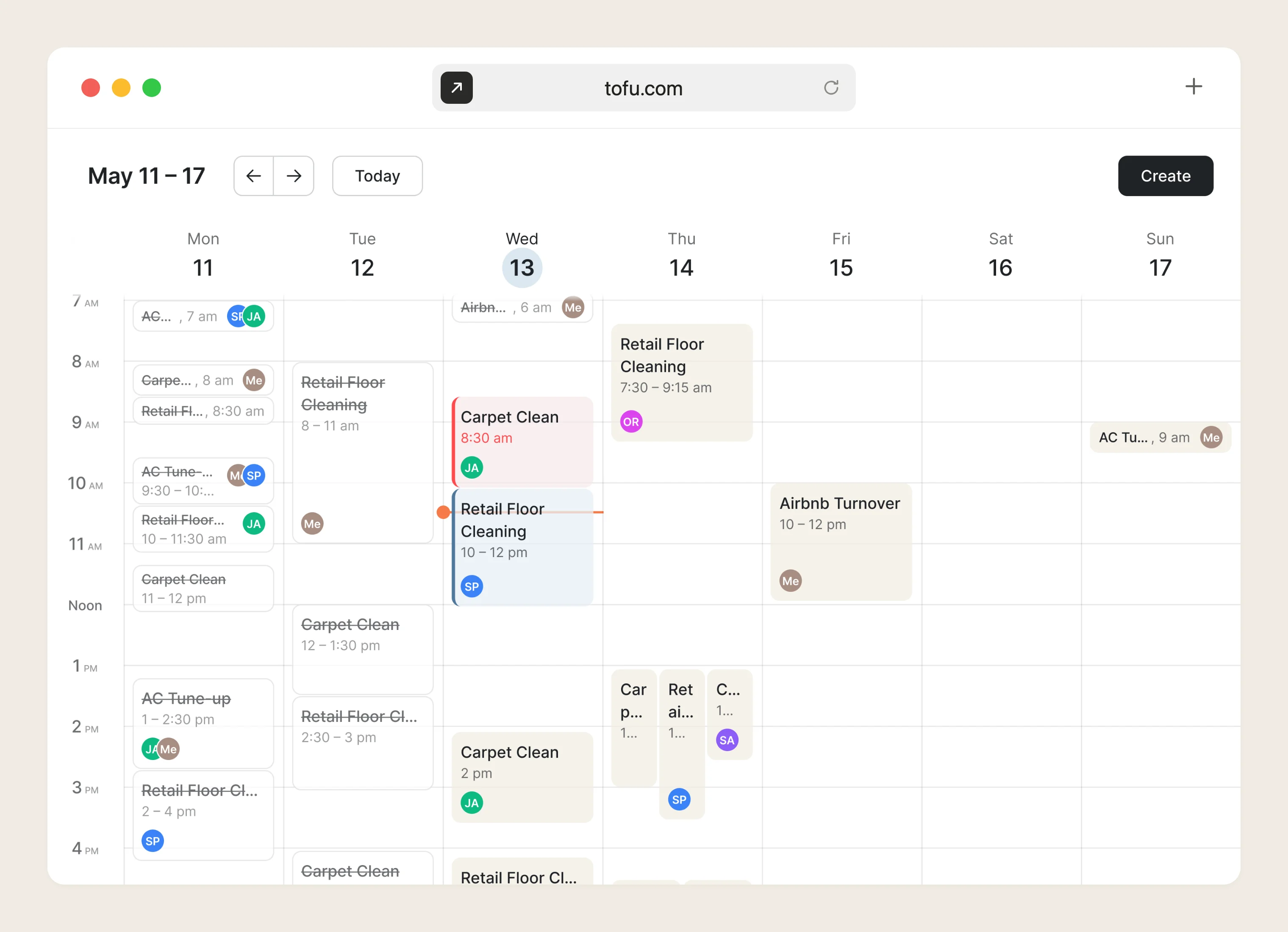
Drag-and-drop scheduling saves time every time plans change: instead of opening a visit and editing its date and time in a form, you move it straight on the calendar and the change is saved.
In field service, plans change daily. A client asks for a different day, a tech runs late or frees up early, two jobs need to swap places. Each of those is a few seconds of dragging instead of a form edit – so the calendar stops being a list you maintain and becomes a board you rearrange as the day unfolds.
Not a list you edit one entry at a time. Rearrange a whole day in a few drags.
.webp)
Jobs, estimates, invoices, payments, and scheduling live in one app – move a visit and everything attached to it moves too.
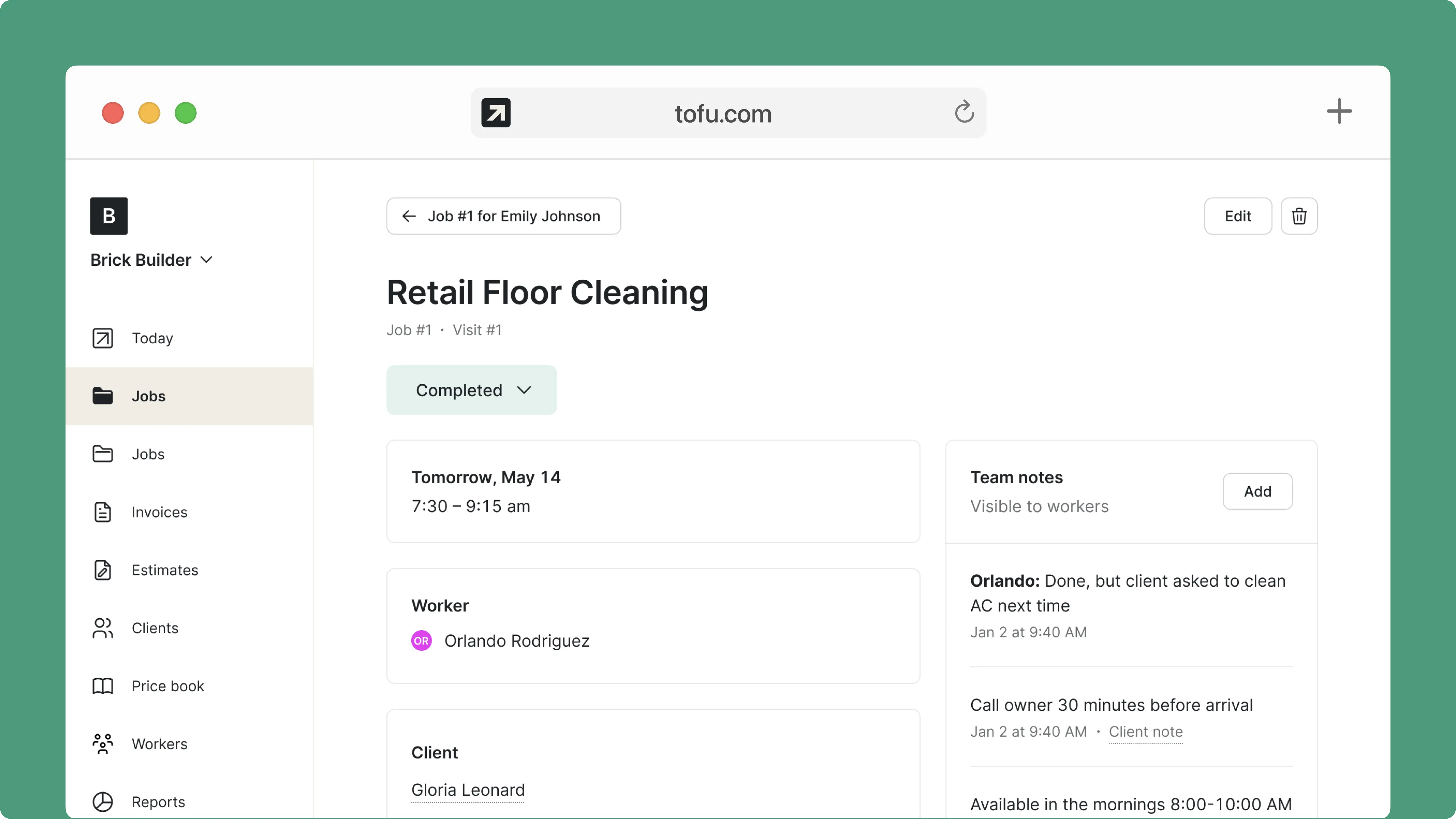
Made for owners juggling techs, routes, and same-day changes – not a generic calendar tool.
Some switched from QuickBooks. Others used to do everything manually

Absolutely amazing! It’s saves so much time and it gives you the professional touch needed to make you look good!
★ ★ ★ ★ ★
Tony W., TrustpilotTofu works with Stripe for on-site card payments, lets me turn estimates into invoices, and instantly syncs jobs, photos, and client notes offline.
★ ★ ★ ★ ★
Tofu user, G2
I use Tofu for my cleaning business, and it solves so many problems for me. I consider it a complete success for myself and my employees.
★ ★ ★ ★ ★
Marjorie N., G2Easy to use and straightforward! Been using it for over a year now!
★ ★ ★ ★ ★
Manuela M., TrustpilotI need some basic features like send estimate, invoice, track my jobs and get money. Tofu is good for that.
★ ★ ★ ★ ★
Tofu user, G2I love it 10 out of 10 would highly recommend to anyone
★ ★ ★ ★ ★
David M., CapterraEverything you need to know about the product and billing

.webp)


