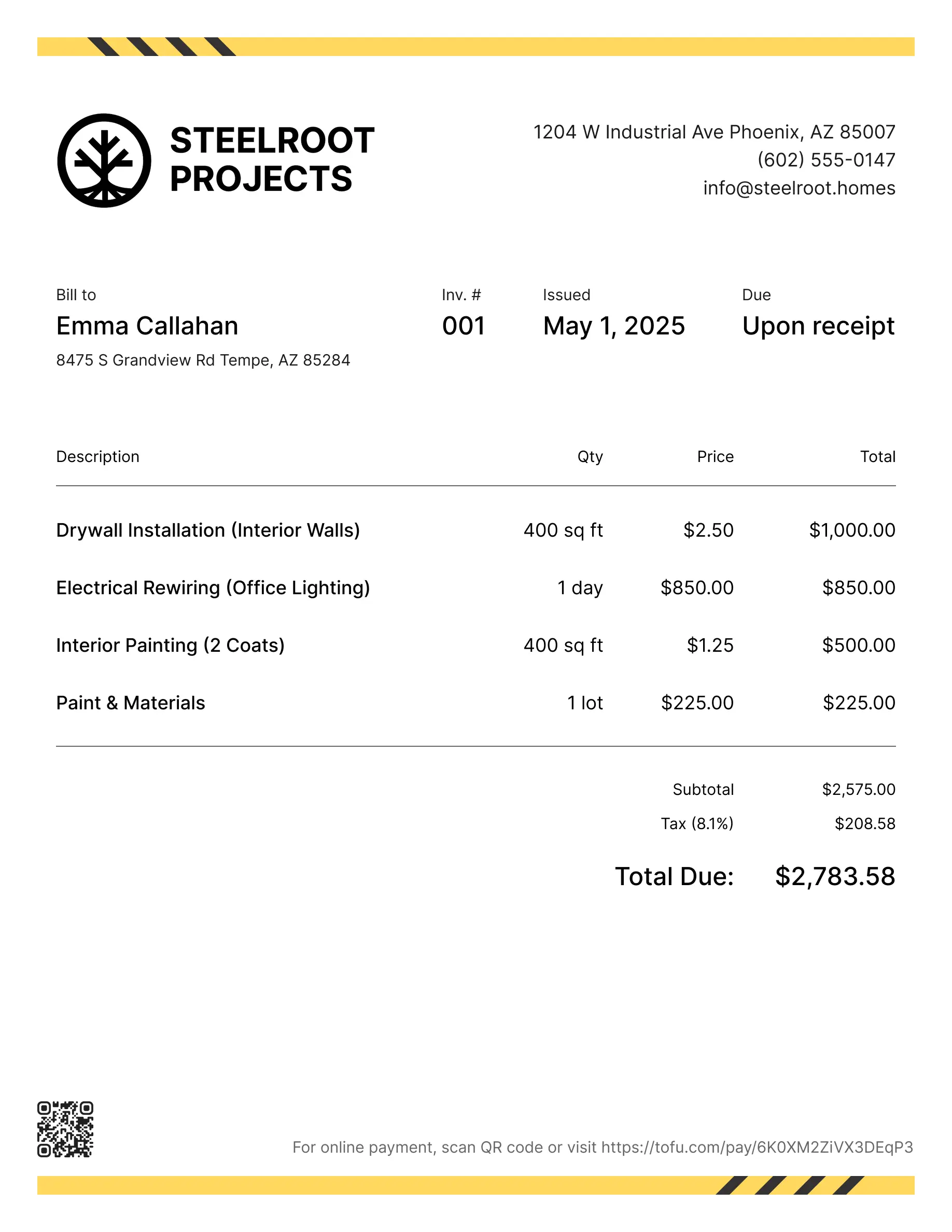
Cleaning invoice templates
Bill clients for one-time cleans, recurring visits, deep cleaning, or add-on services. Tofu's ready-to-use invoice templates make it simple. Choose your format, add a personal touch, and download.
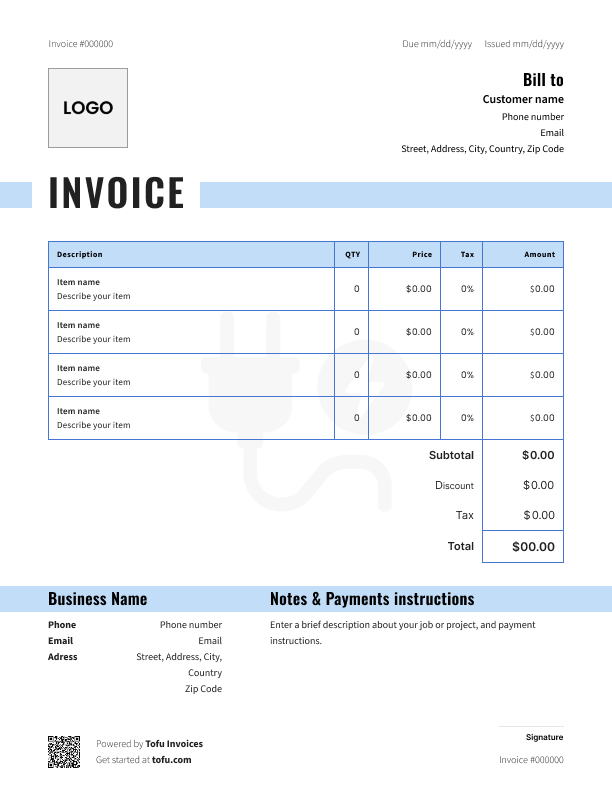
Free templates designed for cleaning contractors
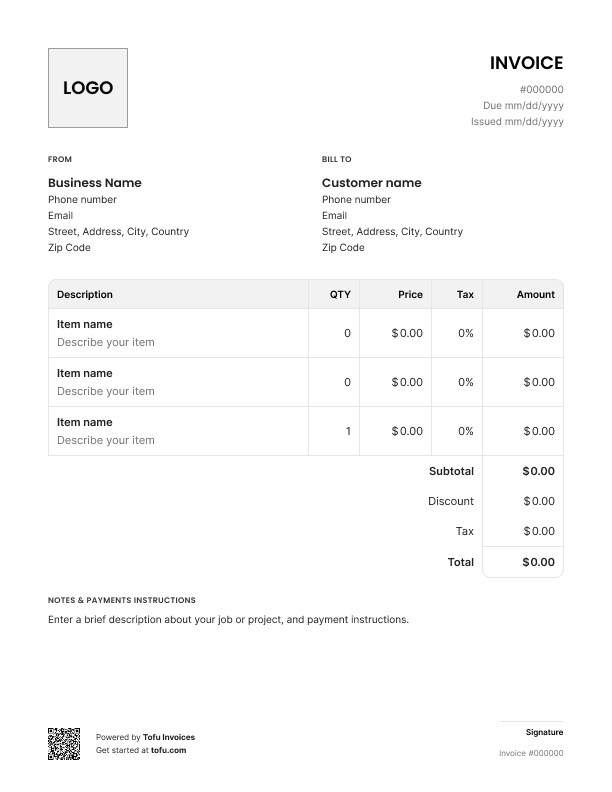
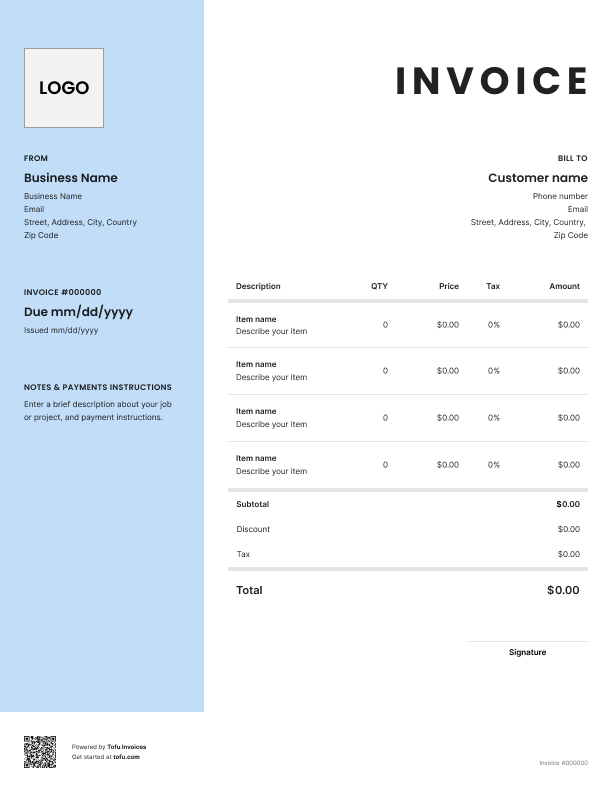
Billing for cleaning services isn't always straightforward. A one-time deep clean looks different from a weekly recurring visit. Supply costs change job to job. And if your invoice is vague, clients push back – or just take their time paying.
A cleaning invoicing template fixes that. It gives you a ready-to-go professional invoice covering services rendered, supplies used, and your business details. Use it alongside cleaning estimate templates and you'll protect your cash flow and get paid faster.
What to include in a cleaning invoice template
A cleaning service invoice template includes more than just a total at the bottom. Each field either protects you from disputes or makes it easier for clients to pay.
- Invoice number (unique invoice number) – Keeps your records clean and makes it easy to track payments. Example: INV-0042
- Contact information – Your name, address, phone, and email, plus the client's details
- Services provided – Document exactly what you did. Example: "Kitchen deep clean – 2 hrs"
- Due date – Be specific. "Net 15" or an exact date, not just "soon"
- Payment terms – State whether it's due on receipt, Net 15, Net 30, etc.
- Tax – Include applicable charges. Example: 8.5% sales tax where required
- Logo – Put your company logo at the top. It takes 30 seconds and makes a difference
Cleaning-specific fields that generic templates miss
Generic invoice templates weren't built for cleaning businesses. Here's what you need to add:
- Service frequency – Note whether it's a one-time, weekly, biweekly, or monthly visit so recurring clients know exactly what they're paying for
- Room or area breakdown – List charges by room (kitchen, bathrooms, bedrooms) or zone instead of lumping everything into one line item
- Supply and product fees – Separate your cleaning supplies from labor so the billing is transparent and clients don't question the total
- Entry or key-holding fees – Common for commercial cleaning clients who need you to access the space outside business hours
- Discount for contract clients – If you offer a lower rate for recurring bookings, show it as a line item so clients see the value
How to create a professional cleaning invoice
Sending a clear, well-organized invoice doesn't take long. Here's how to create a cleaning invoice that gets results every time.
- Add your business information – Company name, logo, address, phone, and email go at the top.
- Add client details – Name, address, and contact info. You'll need this for your records and any follow-ups.
- Assign a unique invoice number – Every invoice needs one. It keeps your accounting organized and makes it easy to track payments (or chase unpaid ones).
- Itemize your services – Break down what you did: room by room, hour by hour, or by service type. Don't just write "cleaning services."
- Add supply fees separately – List any products you used as their own line item, not buried in your labor rate.
- Set a due date – Be specific. "Due in 30 days" is vague. "Due by March 20" isn't.
- Choose your delivery method – Send the document by email right after the job, or use a free cleaning invoice template that lets you print and hand it over on-site.
Pro tip: Send the invoice the same day you complete the job. The faster it lands in their inbox, the faster you get paid.
Customizing your cleaning invoice template
A template is just a starting point. To make it yours:
- Upload your logo – It takes 30 seconds and makes you look like a real business, not someone sending invoices from their kitchen table
- Set your brand colors – Even small touches like a color-matched header make a difference in how clients perceive your design and professionalism
- Adjust line items for your service type – A residential cleaning invoice looks different from a commercial one. Tweak the page layout and line items to match what you actually do
- Add a payment policy note – Let clients know upfront what you accept and when payment is due
- Include a thank-you line – A simple "Thanks for your business" goes a long way with repeat clients
A custom invoice is easy to set up. Start with a free cleaning service invoice, make it yours, and send it on repeat.
Your next invoice is 60 seconds away
Open Tofu, add the details, send a pay link. Your client gets it while the work is still fresh.
Rated excellent on review platforms

Absolutely amazing! It’s saves so much time and it gives you the professional touch needed to make you look good!
★ ★ ★ ★ ★
Tony W., TrustpilotTofu works with Stripe for on-site card payments, lets me turn estimates into invoices, and instantly syncs jobs, photos, and client notes offline.
★ ★ ★ ★ ★
Tofu user, G2
I use Tofu for my cleaning business, and it solves so many problems for me. I consider it a complete success for myself and my employees.
★ ★ ★ ★ ★
Marjorie N., G2Easy to use and straightforward! Been using it for over a year now!
★ ★ ★ ★ ★
Manuela M., TrustpilotI need some basic features like send estimate, invoice, track my jobs and get money. Tofu is good for that.
★ ★ ★ ★ ★
Tofu user, G2I love it 10 out of 10 would highly recommend to anyone
★ ★ ★ ★ ★
David M., CapterraCleaning invoice template formats: PDF, Excel, and more
Different formats suit different needs:
- Best for polished, printable invoices that look the same on every device
- Ideal for emailing directly after a job
Microsoft Excel / Google Sheets
- Calculates totals automatically – no math errors
- Google Sheets works in any browser, no software needed
Microsoft Word
- Simple text editing, no formulas
- Good for printing and handing over in person
Invoice generator
- Automates invoice numbering and totals
- Worth it when you're invoicing 10+ clients a week
A free PDF or Excel template works for most cleaning businesses starting out. An invoice generator saves more time as you grow.
Benefits of using cleaning invoice templates
Here's what you get when you stop creating invoices from scratch every time:
- Get paid faster – A clear, itemized invoice gives clients no excuse to delay. No confusion, no back-and-forth
- Better cash flow – When invoices go out the same day the job is done, money comes in sooner and you're not waiting weeks to see it
- Fewer billing errors – A consistent template means you don't forget to add supply fees or miss a line item
- Stronger brand – An invoice with your logo and colors tells clients you run a real business
- Streamline your admin – Templates cut down the time you spend on paperwork so you can focus on the work itself
- It's free to start – A free invoice template costs nothing. Download one, make it yours, and start sending it today
- Easier to scale – As a small business grows, consistent invoicing makes it easier to track what's paid, what's overdue, and who to follow up with
As your cleaning business grows, many owners move to dedicated invoicing software to handle recurring billing automatically.
Common cleaning invoicing mistakes to avoid
Good cleaning invoicing comes down to a few best practices for cleaning businesses that most people learn the hard way. Here's what to watch for:
- Vague line items → Fix: Break down every service. "3-bedroom clean" is better than "cleaning services"
- Lumping supply fees into labor → Fix: Add a separate line for cleaning products so clients don't question your rate
- No unique invoice number → Fix: Number every invoice. It's the only way to track down unpaid bills
- No payment terms on the invoice → Fix: Always state when payment is due. No clear deadline means no urgency
- Not specifying accepted payment methods → Fix: List every option — credit card, PayPal, Venmo, debit card, cash, or bank transfer. If you use a payment processor or have a merchant account, say so
- Sending the invoice days after the job → Fix: Send it the same day. Waiting hurts your cash flow
- No accuracy check before sending → Fix: Read through before you hit send. Wrong billing totals or missing details force a follow-up. Accuracy and precision matter every time
Invoices are just the start
Every client, job, estimate, and payment lives in Tofu – ready to pull up in seconds, wherever you are.
FAQs
Everything you need to know about the product and billing

Still have questions?



Create the perfect invoice for your business
Get started for free