HVAC estimate templates
Quoting a job from memory or scribbling numbers on a notepad is a fast way to lose work — and create headaches later. Customers forget what you said. Scope creeps. Disputes happen. A good HVAC estimate template fixes all of that before a single wrench turns. This article covers what to include, how to customize it, and how a solid estimate helps you close more jobs.
Estimate templates designed for HVAC
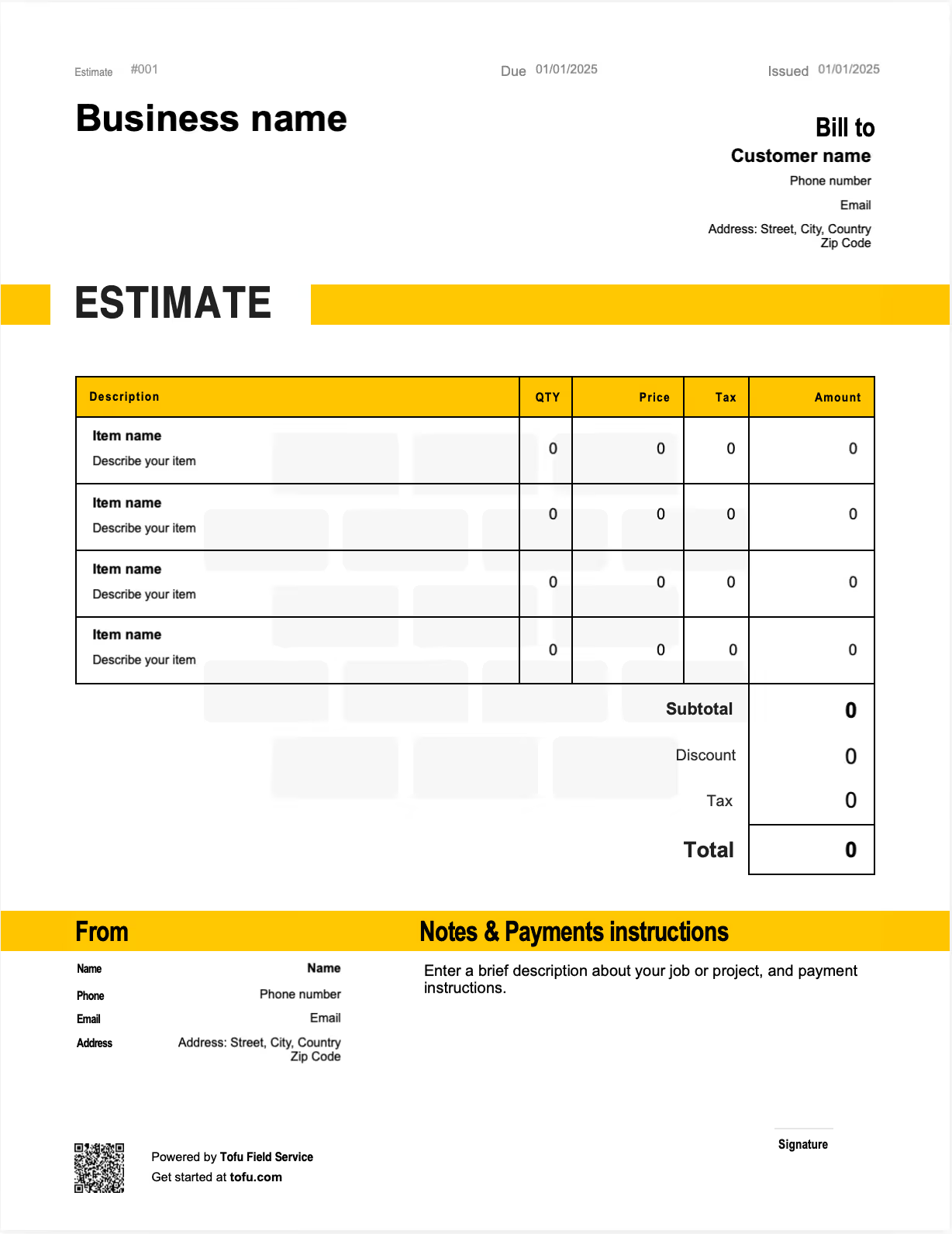
What is an HVAC estimate template?
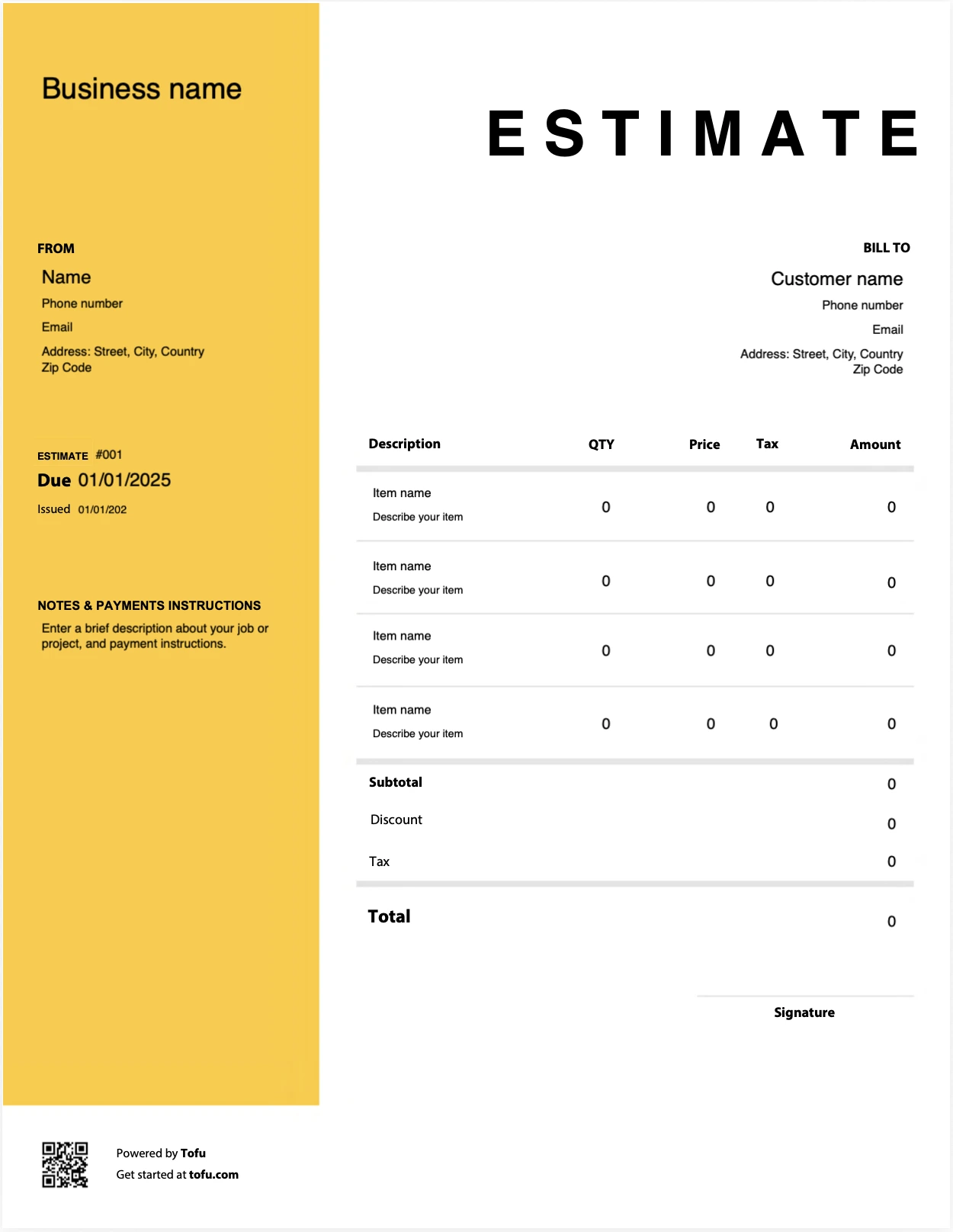
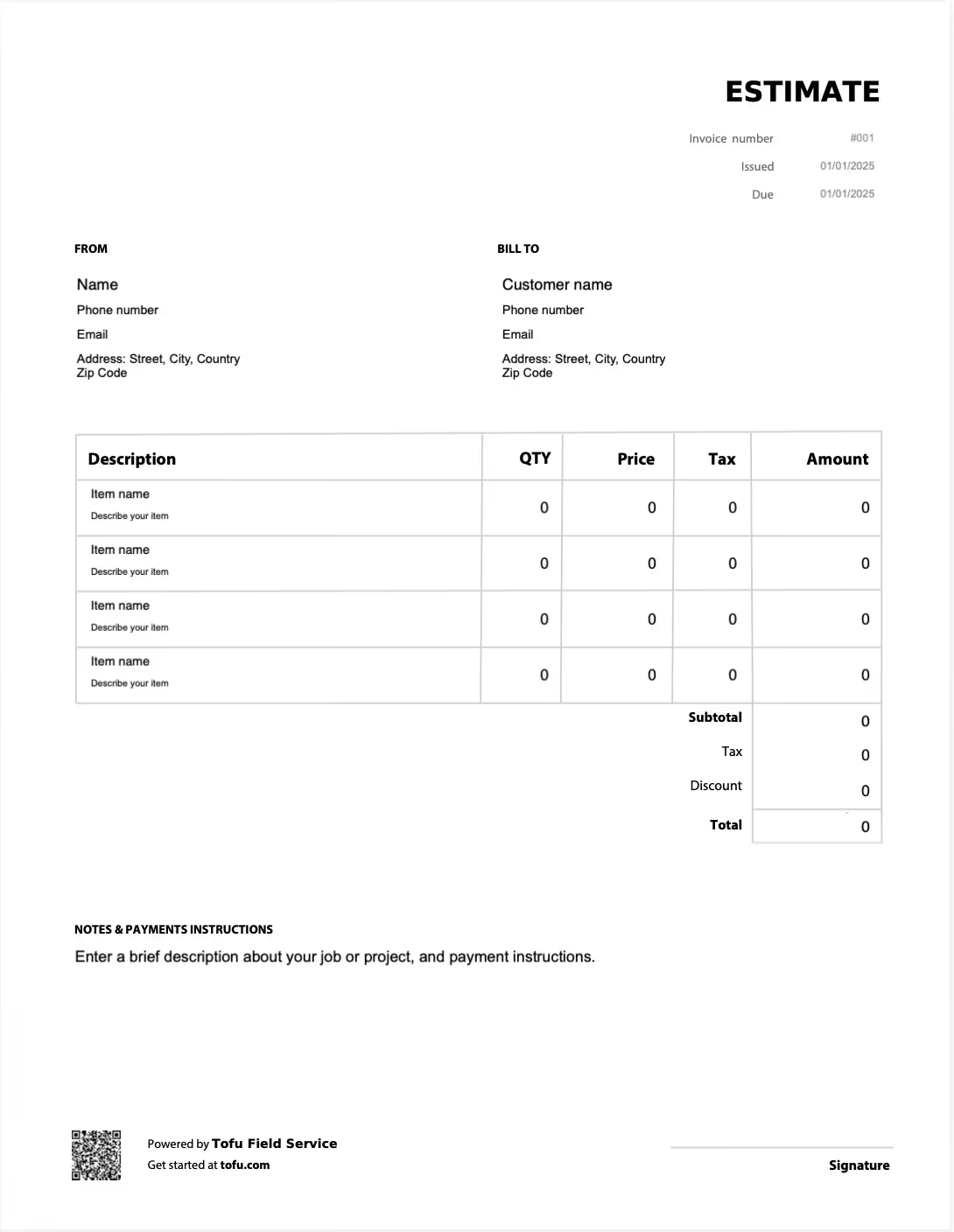
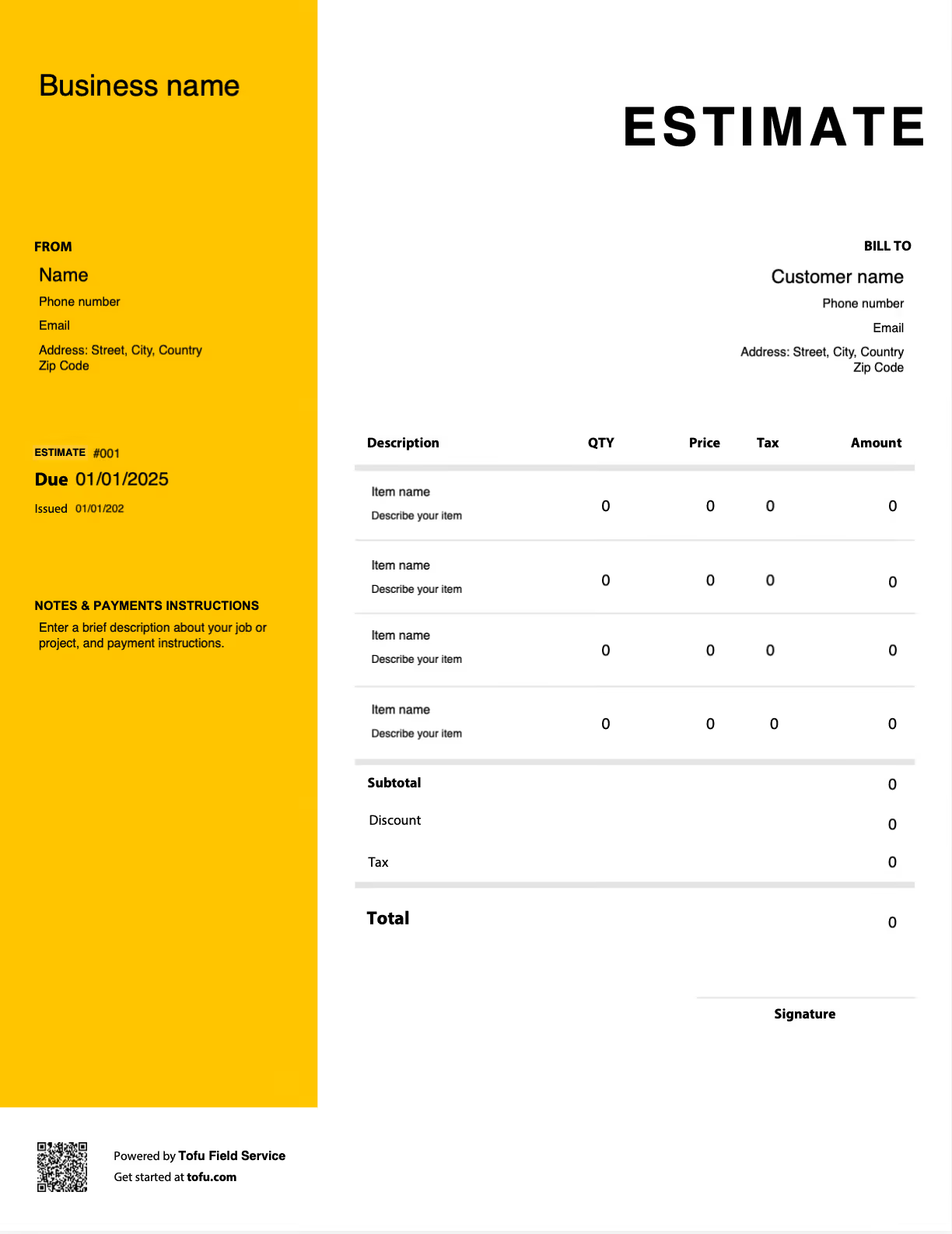
A free HVAC estimate template is a pre-formatted document built specifically for the HVAC industry — not a blank spreadsheet, not a generic quote form. It gives you a consistent structure for presenting scope, parts, labor, and timeline before the job starts.
Here's the key distinction: an estimate goes out before the work begins. An invoice comes after. They're not interchangeable. HVAC estimates are pre-job documents; invoices trigger payment once the work is done.
Most HVAC invoice templates are available in PDF, Google Sheets, Microsoft Word, and Microsoft Excel — use whatever format fits your workflow.
What to include in an HVAC estimate template
Good HVAC estimates cover more ground than most contractors expect:
- Company information and contact details — phone, email, and address so the customer knows how to reach you
- Customer information — name and property address to tie the estimate to a specific job
- Unique estimate number — keeps your records clean and easy to reference (e.g. EST-2024-047)
- Estimate date and valid-for period — sets a deadline; valid for 30 days is the standard
- Scope of work summary — describes exactly what you're doing (e.g. "Replace existing 3-ton AC unit")
- Itemized parts and labor — breaks out every cost: condenser unit, labor hours, refrigerant
- Cost breakdown — subtotal, tax, and total in one place
- Payment terms overview — sets deposit and due date expectations (e.g. 50% upfront, balance on completion)
- Approval or signature line — formally greenlights the job before work starts
The itemization is the most important piece. When customers can see what each line item costs, they push back a lot less on the total.
HVAC-specific line items that generic templates miss
A blank quote form won't capture the details that matter on HVAC jobs. Make sure your template has fields for:
- Equipment model and serial number
- Refrigerant type and quantity
- Ductwork scope (replacement, extension, sealing)
- System type: furnace, heat pump, air handler, thermostat
- Permit and inspection fees
- Warranty terms on parts and labor
Capturing these up front protects you if a customer questions scope after the job starts.
How to create a professional HVAC estimate (step by step)
- Do the site visit first. Never estimate from memory. Document the existing HVAC system, access points, and any project details that could affect the job.
- Confirm scope of work with the customer. Get alignment on what's in and what's out before you write a single number.
- Open your template in PDF, Word, Excel, or Google Sheets.
- Fill in company and customer information. Don't skip the estimate number — it matters for record-keeping.
- Itemize every component. Parts, labor, refrigerant, permit and inspection fees — separate line items. No bundling.
- Consider good-better-best pricing. Where it makes sense, offer tiered options (repair vs. replacement).
- Set the validity period and payment terms. Costs change — don't leave an estimate open indefinitely.
- Review and send. When you create professional HVAC estimates this way — fully itemized — your close rates improve because customers aren't guessing at what they're paying for.
💡 Pro tip: Good-better-best pricing tiers give customers a choice and often push them toward the mid-range option, improving average job value without any hard selling.
Customizing your HVAC estimate template
A template only saves you time if it fits your business. Take 20 minutes to customize it once:
- Add your company logo and branding colors
- Adjust service description fields for the hvac jobs you run most — residential vs. commercial, installation vs. maintenance
- Add standard warranty language
- Save a master version so every tech starts from the same document
Using an HVAC estimate template that's customizable keeps your estimating process consistent. A customizable HVAC estimate template means every tech on your crew works from the same format.
Your next HVAC estimate is 60 seconds away
Open Tofu, add the job details, send it for approval. Your client sees a clean, itemized estimate before you turn a wrench.
Rated excellent on review platforms

Absolutely amazing! It’s saves so much time and it gives you the professional touch needed to make you look good!
★ ★ ★ ★ ★
Tony W., TrustpilotTofu works with Stripe for on-site card payments, lets me turn estimates into invoices, and instantly syncs jobs, photos, and client notes offline.
★ ★ ★ ★ ★
Tofu user, G2
I use Tofu for my cleaning business, and it solves so many problems for me. I consider it a complete success for myself and my employees.
★ ★ ★ ★ ★
Marjorie N., G2Easy to use and straightforward! Been using it for over a year now!
★ ★ ★ ★ ★
Manuela M., TrustpilotI need some basic features like send estimate, invoice, track my jobs and get money. Tofu is good for that.
★ ★ ★ ★ ★
Tofu user, G2I love it 10 out of 10 would highly recommend to anyone
★ ★ ★ ★ ★
David M., CapterraHVAC estimate template vs. invoice: key differences
This trips up a lot of contractors. Here's the short version:
Estimate:
- Sent before the job
- Purpose: win the work
- Cost is approximate
- Subject to change
- Does not trigger payment
Invoice:
- Sent after the job
- Purpose: collect payment
- Cost is actual
- Final, no changes
- Triggers payment
Some jobs go: estimate → work orders → invoice. Keeping these separate protects both parties if questions come up later.
Benefits of using a free HVAC estimate template
- Save time. Fill in the fields, not a blank page.
- Stay consistent. Every tech produces estimates that look the same.
- Reduce disputes. Scope is documented before work starts — no "that's not what I agreed to" conversations.
- Look professional. A clean estimate builds customer confidence on bigger jobs.
- Close faster. Clear estimates get approved quicker.
For HVAC professionals running high volume, templates also help streamline the handoff between techs. As your business grows, many contractors move to HVAC business software that can automate calculations and connect estimates directly to invoices and work orders.
Common HVAC estimating mistakes to avoid
- Estimating from memory → Fix: Always do the site visit. HVAC work has too many variables to guess at.
- Bundling everything into one line → Fix: Itemize parts, labor, and fees separately.
- Leaving out permit fees → Fix: Add a line item for inspection and permit costs on every HVAC estimate.
- Not listing exclusions → Fix: Say what's not included. "Does not cover electrical panel upgrades" prevents arguments.
- No validity period → Fix: Set an expiration date. A detailed estimate left open indefinitely is a liability.
- No approval step → Fix: Include a signature line. Every estimate needs one.
Estimates are just the start
Every client, job, estimate, and payment lives in Tofu, ready to pull up in seconds, right from the rooftop unit.
FAQs
Everything you need to know about the product and billing

Still have questions?



Create the perfect estimate for your business
Get started for free