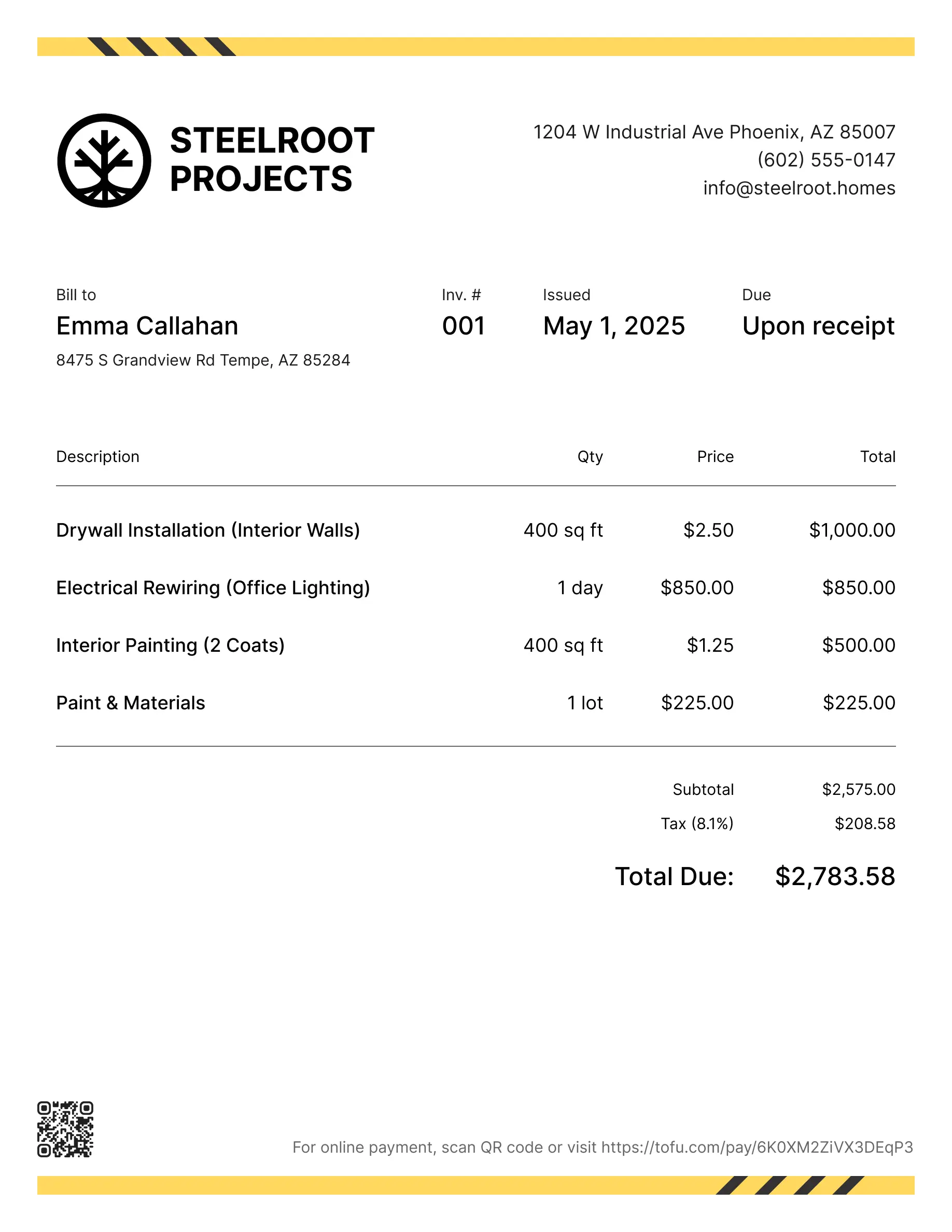
Roofing invoice templates
Bill clients for repairs, replacements, materials, or full installation projects. Tofu's ready-to-use invoice templates make it simple. Choose your format, add a personal touch, and download.
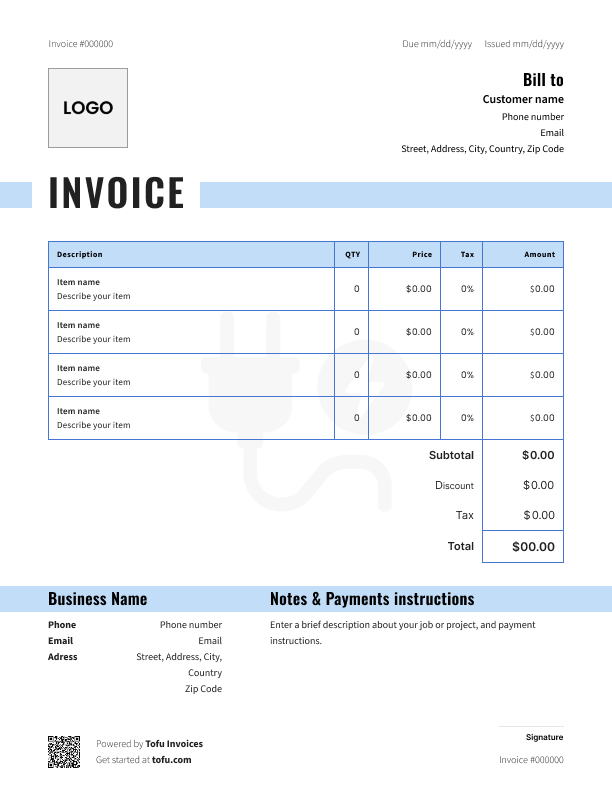
Invoice templates designed for roofing
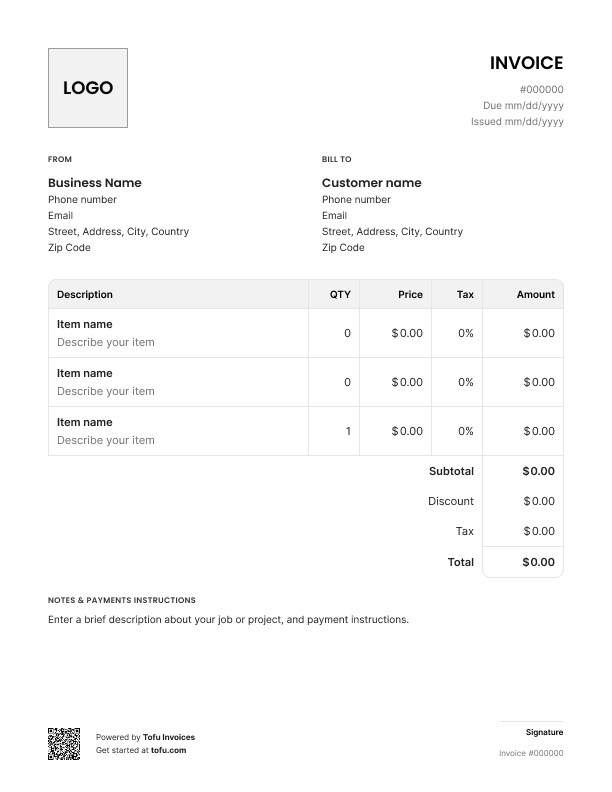
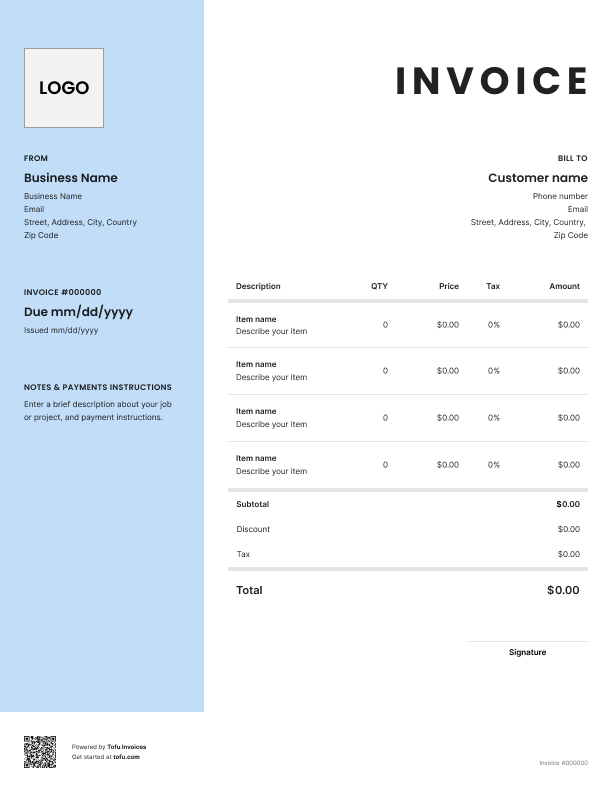
Roofing jobs aren't simple. You're dealing with high material costs, multi-day labor, subcontractor crews, permit fees, and warranty obligations – all on one job. A generic invoice wasn't built for that.
A roofing invoice template gives you a structure that covers all of it. This guide walks you through what fields to include, how to create a roofing invoice, and how professional invoices help every roofing contractor get paid faster and avoid disputes.
What to include in a roofing invoice template
Every roofing invoice needs the same core fields to be complete and clear. Here's what a solid roofing invoice template includes – missing even one can slow down payment or create confusion with clients.
Most invoice templates cover the basics, but roofing jobs need a few extras. Start with roofing estimate templates and move to these:
- Invoice number – unique ID for record-keeping and easy reference
- Company and client information – your business name, client's name, and address
- Contact information – phone, email, website for both sides
- Services provided – exactly what work was done: shingle replacement, underlayment, flashing
- Due date – Net 15 or a specific date, no ambiguity
- Payment terms – accepted methods, deposit applied, any late fees
- Total amount due – final number, clearly stated
Cover all of these and clients can't claim they didn't understand the charges.
Roofing-specific fields that generic templates miss
Standard invoice templates skip the details that matter on a roofing job. Make sure yours includes:
- Materials used – shingles, underlayment, flashing, ridge cap, with quantities and unit prices
- Project phases – Day 1 tear-off, Day 2 installation, Day 3 cleanup and inspection
- Permit and inspection fees – pulled by you, billed to the client
- Subcontractor line items – if you're bringing in extra labor for a roofing project
- Warranty or workmanship guarantee – protects both you and the client after individual roofing jobs are complete
These fields protect your roofing business if a dispute comes up later and support warranty claims after individual roofing jobs are complete.
How to create a roofing invoice
Start after the scope and estimate are locked in. Invoice for what actually happened, not what you estimated.
- Pull up your free roofing invoice template – don't start from scratch every time
- Fill in company and client details – name, address, contact information on both sides
- Add an invoice number – sequential numbering keeps your financial records clean
- Write a clear description of the services provided – be specific: "40-square shingle replacement, 3 layers of tear-off, new underlayment" not just "roofing work"
- List a clear breakdown of the services – materials and labor as separate line items, plus any additional charges like permits, equipment rental, or disposal fees
- Apply any deposit already collected – subtract it clearly so the remaining balance is obvious
- Set your due date and send the invoice promptly – sending invoices the same day keeps cash flow moving; the longer you wait, the longer you wait to get paid
💡 Pro tip: For large residential or commercial roofing jobs, collect a deposit upfront before materials are ordered. Include that amount and payment date in your invoice so the final balance is transparent.
Customizing your roofing invoice template
A one-size template doesn't fit every job. A customizable invoice saves you time – take a few minutes to tailor it:
- Add your company logo and brand colors – a branded invoice looks professional, not like a generic spreadsheet
- Adjust service description fields for the job type – repair, replacement, or new construction all need different detail
- Add warranty disclaimers or workmanship guarantees where relevant
- Include payment instructions – bank transfer, check, or online payment link
A branded invoice makes clients take your due date seriously.
Your next invoice is 60 seconds away
Open Tofu, add the details, send a pay link. Your client gets it while the work is still fresh.
Rated excellent on review platforms

Absolutely amazing! It’s saves so much time and it gives you the professional touch needed to make you look good!
★ ★ ★ ★ ★
Tony W., TrustpilotTofu works with Stripe for on-site card payments, lets me turn estimates into invoices, and instantly syncs jobs, photos, and client notes offline.
★ ★ ★ ★ ★
Tofu user, G2
I use Tofu for my cleaning business, and it solves so many problems for me. I consider it a complete success for myself and my employees.
★ ★ ★ ★ ★
Marjorie N., G2Easy to use and straightforward! Been using it for over a year now!
★ ★ ★ ★ ★
Manuela M., TrustpilotI need some basic features like send estimate, invoice, track my jobs and get money. Tofu is good for that.
★ ★ ★ ★ ★
Tofu user, G2I love it 10 out of 10 would highly recommend to anyone
★ ★ ★ ★ ★
David M., CapterraRoofing invoice template formats: PDF, Word, Excel and more
There's no single right format. It depends on how you work:
- PDF – easy to send by email, can't be edited by the client, looks clean and professional
- Microsoft Word – easy to customize text, good for contractors who prefer a simple document
- Microsoft Excel / Google Sheets – auto-calculates totals, ideal for itemized jobs with lots of materials
- Google Docs – accessible from any device, easy to share, works well for teams
- Online invoice generator – fastest option, often includes templates for roofing built in
If you're just getting started, a free Excel or Word template works fine. As the business grows, an online invoice or invoicing software will save time and cut errors.
Look for an editable estimate template too – a matching estimate and invoice keeps your process consistent from quote to close.
Benefits of using roofing invoice templates
Here's why contractors who use templates get paid faster:
- Save time – templates for roofing mean you're ready to invoice the moment work wraps up, no building from scratch
- Stay consistent – every client gets the same professional format, no missing fields
- Reduce errors – standard fields and pre-built calculations cut down on typos and math mistakes
- Get paid fast – clear documentation leaves no room for clients to dispute charges
- Look professional – a professional roofing invoice builds trust and encourages on-time payment
- Build better financial records – sequential invoices keep your books clean at tax time
Using a roofing invoice template is easy to create a routine around – and using invoice templates helps streamline billing across every job. Start with a free invoice template and build from there. When volume picks up, most contractors move to invoicing software for automated billing, payment tracking, and client management.
Common roofing invoice mistakes to avoid
These mistakes show up constantly on invoices for roofing services – and they all slow down payment:
- Bundling materials and labor into one line → Itemize everything separately so clients can verify costs
- Vague description of the services provided → Be specific: type of roofing work, materials used, scope, number of days
- No invoice number or inconsistent numbering → Use a sequential system from day one (INV-001, INV-002)
- Skipping payment terms or payment methods → State due date, accepted payment methods, and late fees upfront
- Missing company name and contact information → Your name and contact information go at the top of every invoice – non-negotiable
- Forgetting permit or disposal fees → Track these during the job and add them as separate line items
- Waiting too long to send → Invoice the same day the job wraps – every day you wait is a day closer to getting ghosted
Missing business details doesn't just look unprofessional. It makes disputes harder to resolve and creates gaps in your own records.
Invoices are just the start
Every client, job, estimate, and payment lives in Tofu – ready to pull up in seconds, wherever you are.
FAQs
Everything you need to know about the product and billing

Still have questions?



Create the perfect invoice for your business
Get started for free