


Best apps for landscapers in 2026 (the ones that actually run the business)
A practical guide to the best apps for running a landscaping business – from scheduling and invoicing to crew tracking and finding new clients.


Most "best landscaping app" lists are really plant-picture apps. They tell you how to identify a shrub or sketch a flowerbed, then call it a day. That is fine if you are a homeowner. It is close to useless if you run a crew.
This list is about the whole job: booking the work, scheduling the crew, sending the estimate, getting paid, and finding the next client. Your phone is already on every job site. The only question is whether the apps on it work for you or against you. Below are the picks that actually earn their place, grouped by what they do.
How we picked these: features, real-world usefulness in the field, contractor forums and reviews, and fit for small landscaping businesses (solo operators up to crews of about ten).
Jump to a category:
- Managing the business (scheduling, invoicing, payments, CRM)
- Designing the yard (client-facing visuals)
- Estimating and quoting
- Crew time tracking and job costing
- Marketing and getting new clients
- Quick field utilities (plant ID and measurement)
Apps for managing your landscaping business
This is the core of the stack. A field service management app ties scheduling, estimates, invoicing, payments, and customer records into one workflow. Without it, jobs live in text threads, estimates get forgotten in the truck, and invoices slip a week behind. If you only adopt one tool from this list, make it this one. (For the full rundown, see our guide to the best field service management software.)
Tofu, best for solo operators and crews
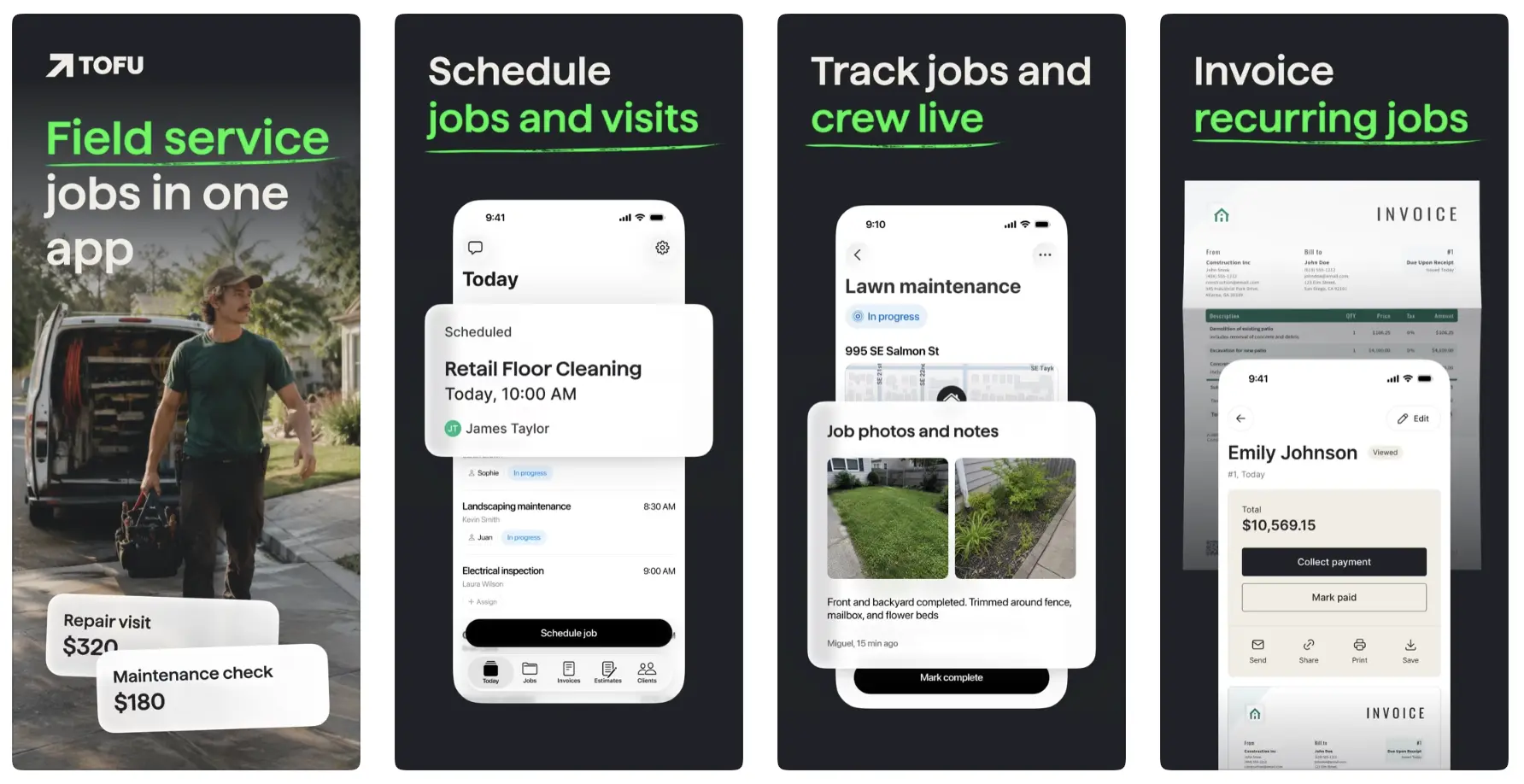
Tofu Field Service is built for exactly the business this article is written for: one person, or a crew of a few. There is a worker app for the field and an owner app for the office, so everyone sees what they need without stepping on each other.
In the field, you can pull up the day's jobs, set dates, times, and addresses, attach photos to a job (before-and-after shots, the gate code, where the dog is), add team notes, and track activity right from the customer's location. When you are done, you send the estimate or invoice from your phone before you have even backed out of the driveway, and take payment on the spot. It is designed to keep working when the signal drops, which on a lot of properties it will.
It is not trying to be enterprise dispatch software. That is the point. It does the handful of things a small landscaping business does every day, and it stays cheap enough that you will actually keep paying for it.
Platform: Web, iOS (owner), iOS and Android (worker). Price: from $29/month, or $15/month billed annually.
What users say:
“I use Tofu for invoicing my lawn care customers … I like how Tofu allows me to send invoices right from my phone while on the job site, which is a huge plus.” – Cole H., lawn care, G2, May 12, 2026
“I wish it was interchangeable with some other software that I would like to use for scheduling and routing out my maintenance route.” – Michael F., pool service, G2, May 12, 2026
Try Tofu free.
See your jobs, send an estimate, and take a payment from your phone.
Jobber, for growing landscaping contractors
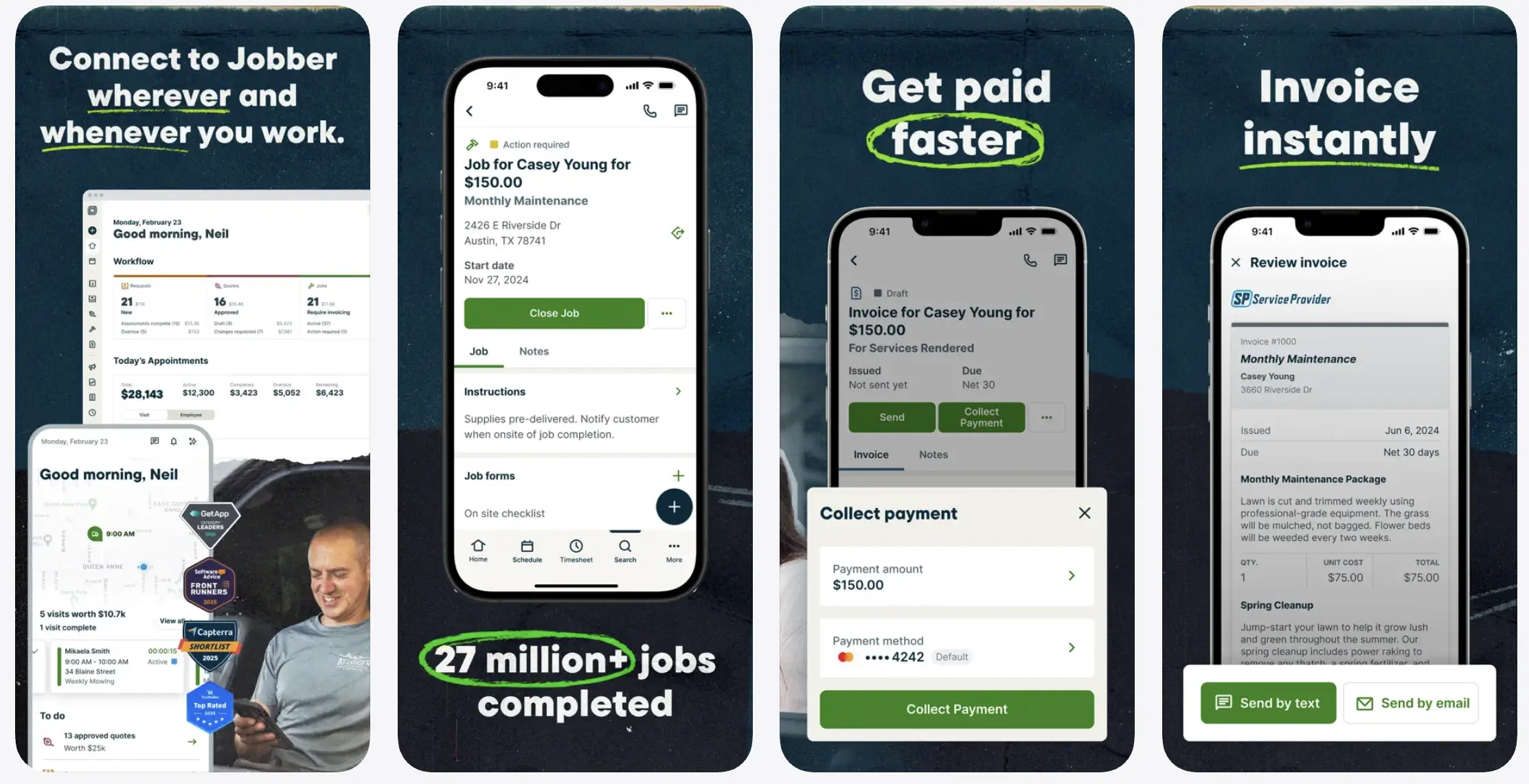
Jobber is the most popular general-purpose FSM among landscapers, and for good reason: estimate to job to schedule to invoice all live in one system, plus route optimization and client communication. It is a solid step up once you are past solo and managing several people on multiple sites.
The trade-offs are price and depth. Jobber costs more than Tofu, and it is built for field service broadly rather than landscaping specifically. For a maintenance crew that just needs jobs and invoices handled, that breadth is more than you are paying for.
Platform: Web, iOS, Android. Price: Core $39/month (1 user), Connect $119/month, Grow $199/month; team plans run higher. (Payment processing fees are separate.)
What users say:
“The quoting and optional-line-item structure is excellent for upsells and flexible service packages. Calendar visibility is strong, routing is straightforward” – Andrew S., Capterra, Nov 21, 2025
“reporting feels more fragmented than it should be, and it takes extra time to pull together information that should be readily available for making day-to-day business decisions.” – Kelly W., tree service, Capterra, Apr 30, 2026
ServiceTitan or Aspire, for larger operations (probably not you)
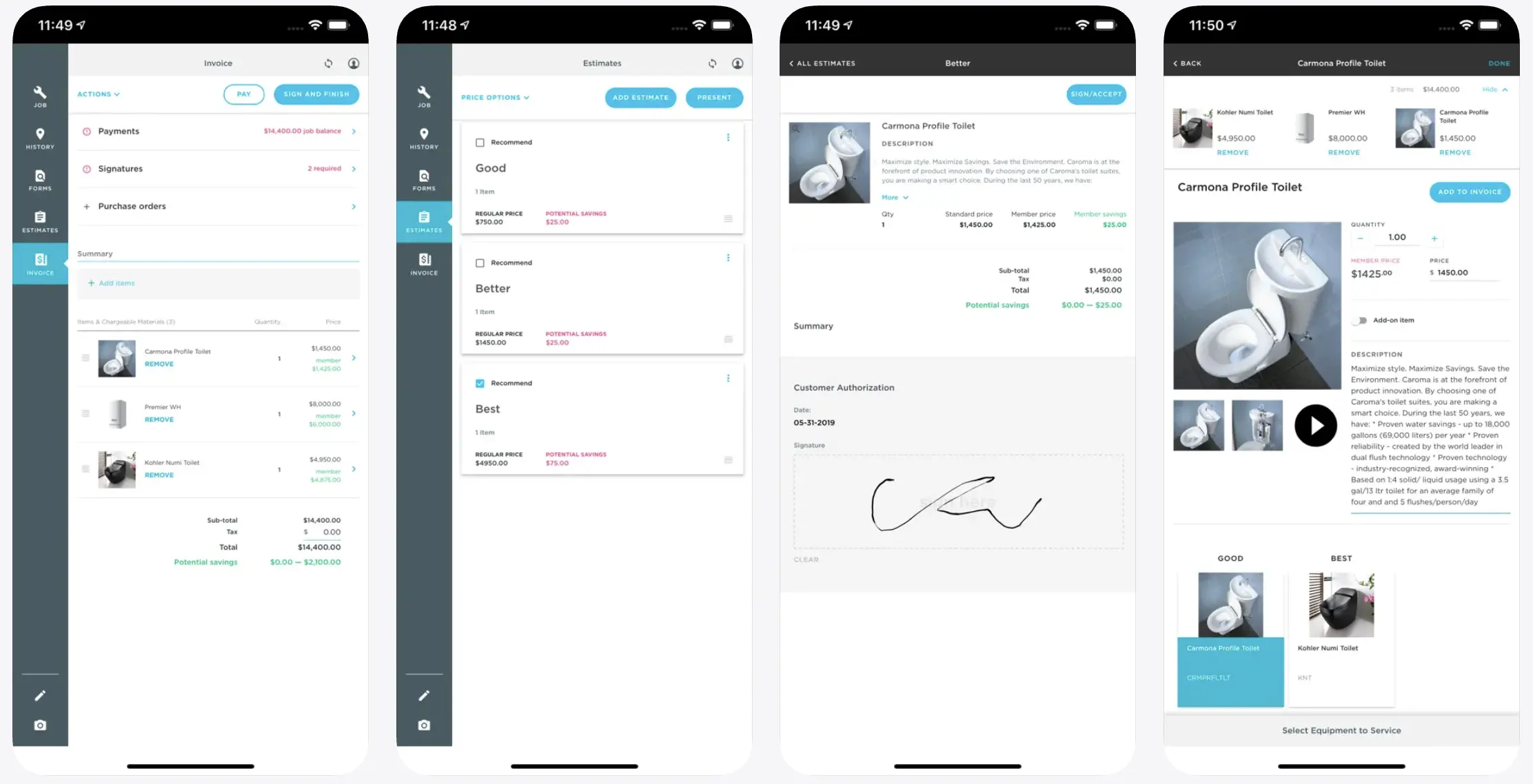
These are built for big lawn and landscape companies with structured dispatch, multiple crews, and enterprise reporting. Aspire in particular targets operations doing $1M or more in revenue. Pricing is custom and sales-led, quoted per user.
To be blunt, the way you would want a friend to be: if you are a solo operator or a small crew, this is a lot of money for features you will never open. Come back to this category when you have ten crews and a full-time dispatcher, not before.
Platform: Web, iOS, Android. Price: custom (sales-led, per user).
What users say:
“With Service Titan we now know our numbers and doubled revenue in 2 years with the same number of technicians.” – Jordan Martinez, Trustpilot, Jul 29, 2026
“It has to do with Aspire mobile. I don’t feel like it is very user friendly. I have to constantly educate my guys and show them how to navigate through” – Stephen P., landscaping, Capterra, Jul 14, 2026
Apps for designing the yard (client-facing visuals)
A fast, good-looking visual is what closes a design-build job. The homeowner cannot picture the new patio from a verbal description, but they can absolutely picture it when you overlay it on a photo of their own yard. These apps are about selling the vision. They are one category in your stack, not a replacement for your business app. (If design is a big part of your work, our deeper landscape design apps breakdown covers more options.)
iScape, best for AR client presentations
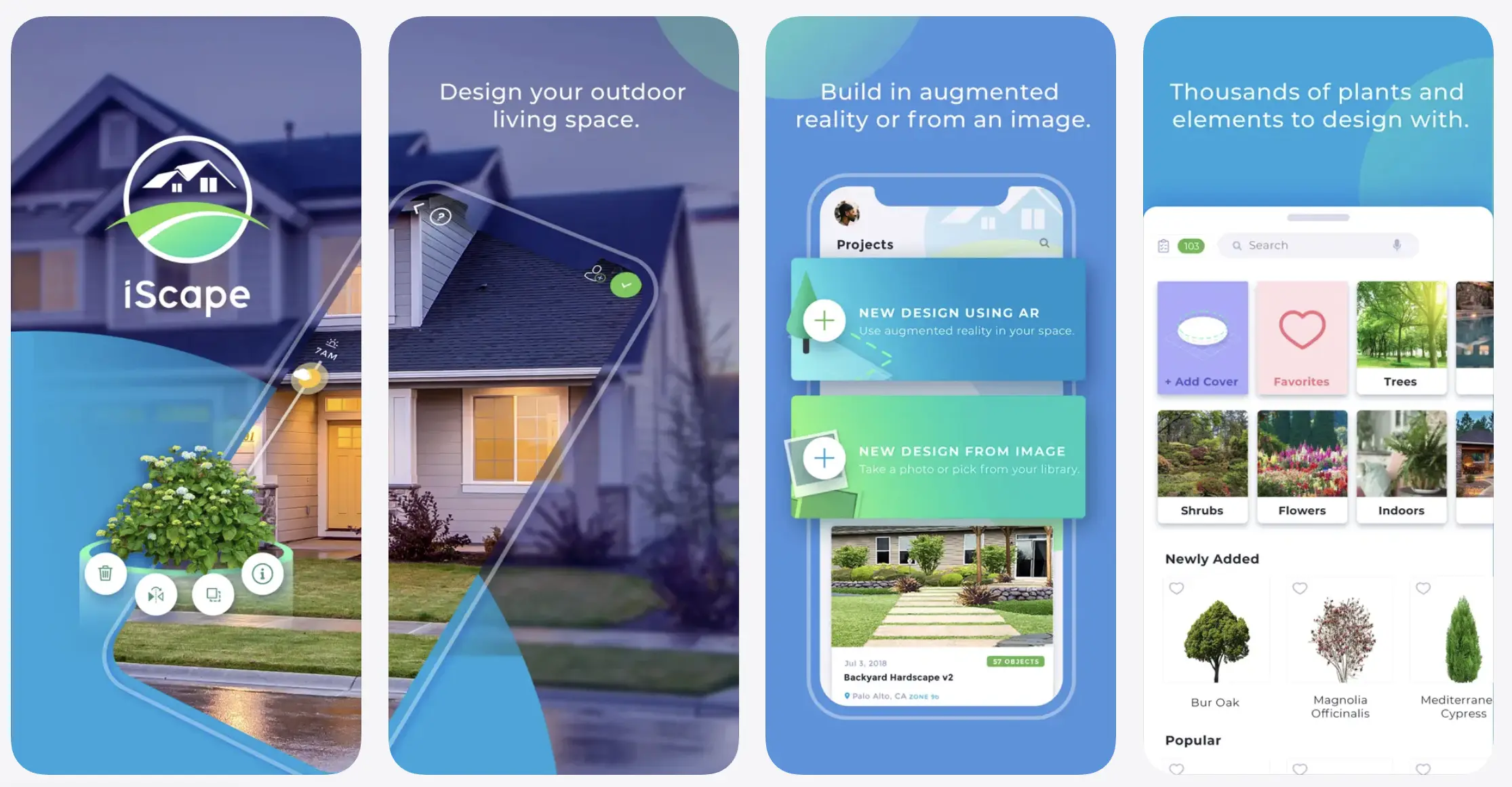
Upload a photo of the yard, overlay plants and hardscape in augmented reality, and export a branded proposal PDF the client can sit with. It is strong for closing residential design-build work because the customer sees a finished result, not a sketch. There is a free tier for testing the waters, and the Pro subscription unlocks the full plant and product database plus the proposal tools.
Platform: iOS and Android. Price: free tier available; Pro $29.99/month or $299/year.
What users say:
“It’s a little expensive if you just plan to play around on the app but if you use this for your business it’s well worth the money!” – Atsirhc:), App Store, Jun 9, 2024
“it doesn't really do anything to adjust scale or size. If you're trying to do a detailed landscape design, you might need a more professional product.” – ipodmama2, App Store, Aug 20, 2024
Neighborbrite, best for instant AI concepts
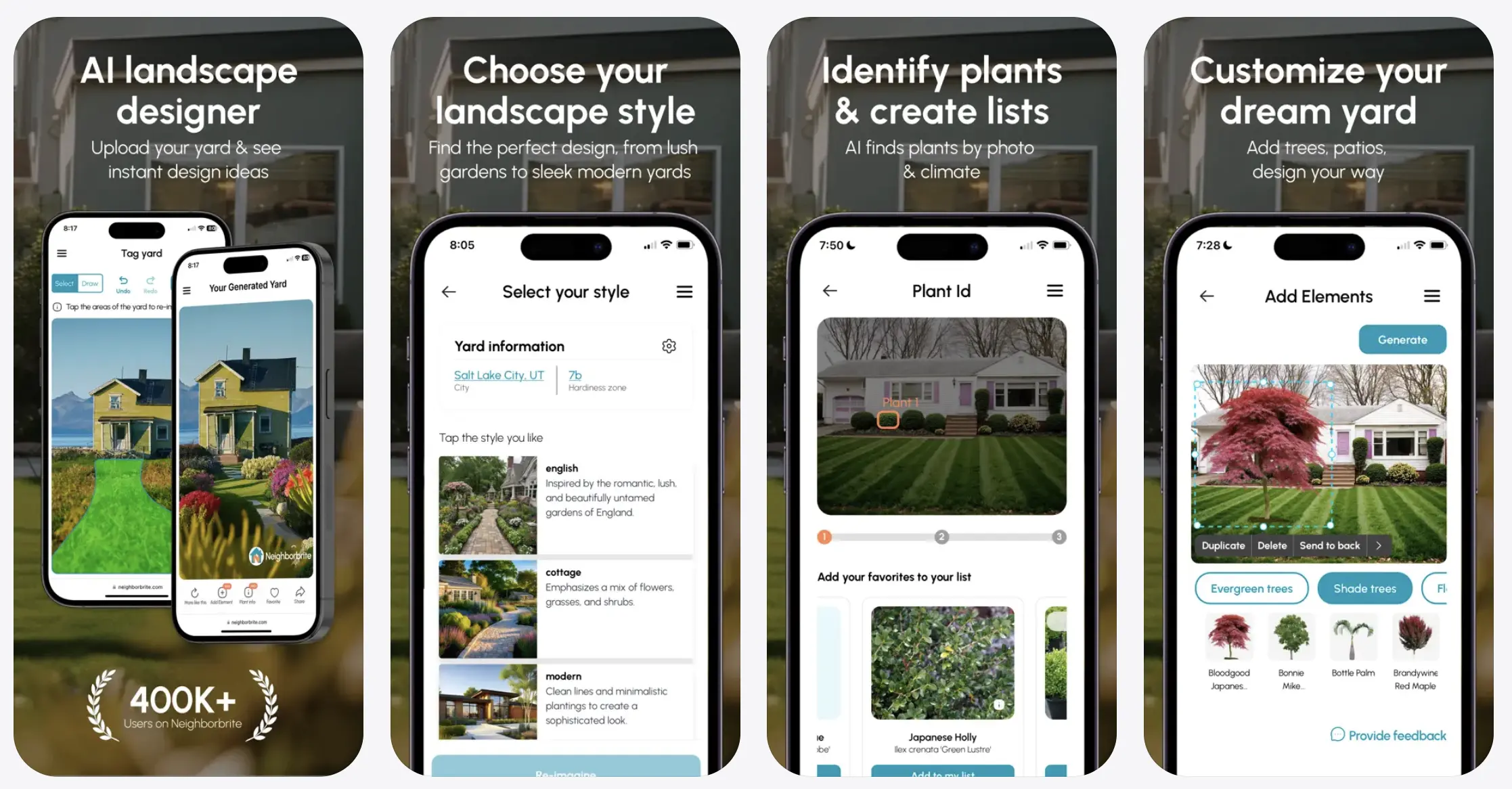
Upload a photo and Neighborbrite's AI generates a finished design concept in under a minute. You trade fine control for speed, which is exactly the trade you want on a sales call when you are trying to spark ideas and get a "yes, something like that." It runs in the browser, and the free tier covers most casual use.
Platform: Web. Price: free tier available; paid upgrades for more designs.
Need permit-ready drawings or CAD-level detail? SketchUp does that, but expect a steep learning curve and treat it as a tool for dedicated design work, not quick client mockups.
What users say:
“renovating a yard can be daunting, and neighborbrite is a great tool to help us as a landscaping company convey what we have in mind to our clients” – hahshhrndnswbge, landscaping, App Store, Aug 9, 2025
“Doesn’t work. Uploaded picture. Nothing. Won’t even let me input address.” – maryjo882, App Store, Oct 22, 2025
Apps for crew time tracking and job costing
Workyard, best for GPS-verified crew time and job costing
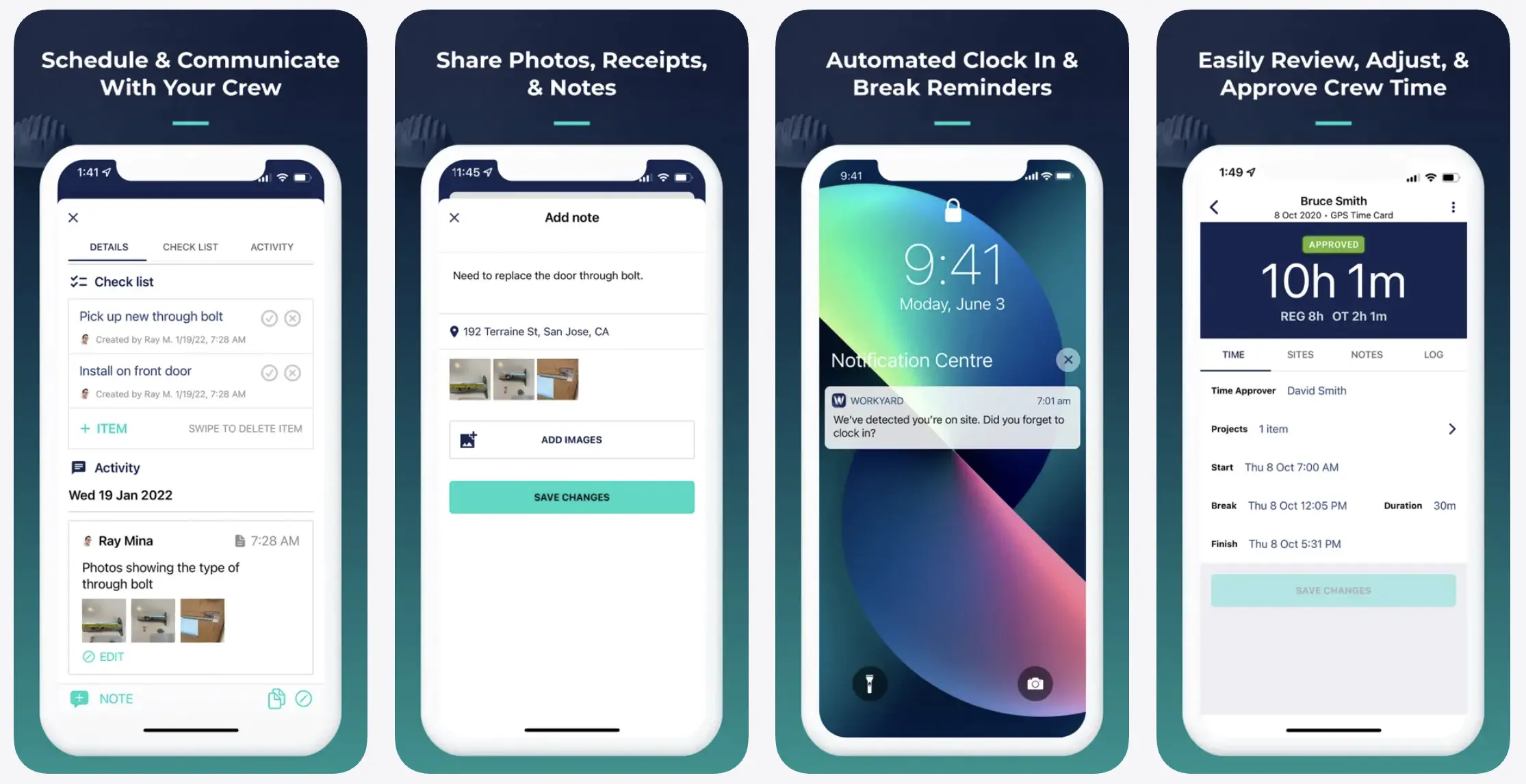
When labor accuracy is the pain (crews on multiple sites, hours that never quite add up, payroll that takes a full evening), Workyard is the pick. It does GPS-verified time tracking across job sites, scheduling, and job-level cost visibility, so you can see where your labor dollars actually went and pay people correctly.
Platform: Web, iOS, Android. Price: from $6/user/month plus a $50/month base fee.
What users say:
“How easy it is to keep up with job to job hours for accurate billing. Know when and where each crew member is is crucial for a contract company.” – Joshua H., construction, Capterra, Aug 14, 2024
“The app tracks even off the clock. It also automatically clocks in when driving by a job site after hours & weekends. It dramatically reduces the battery life on phones from the constant GPS tracking.” – Cliff P., electrical, Capterra, Aug 5, 2024
Apps for marketing and getting new clients
Yardbook, best free landscaping CRM plus marketing
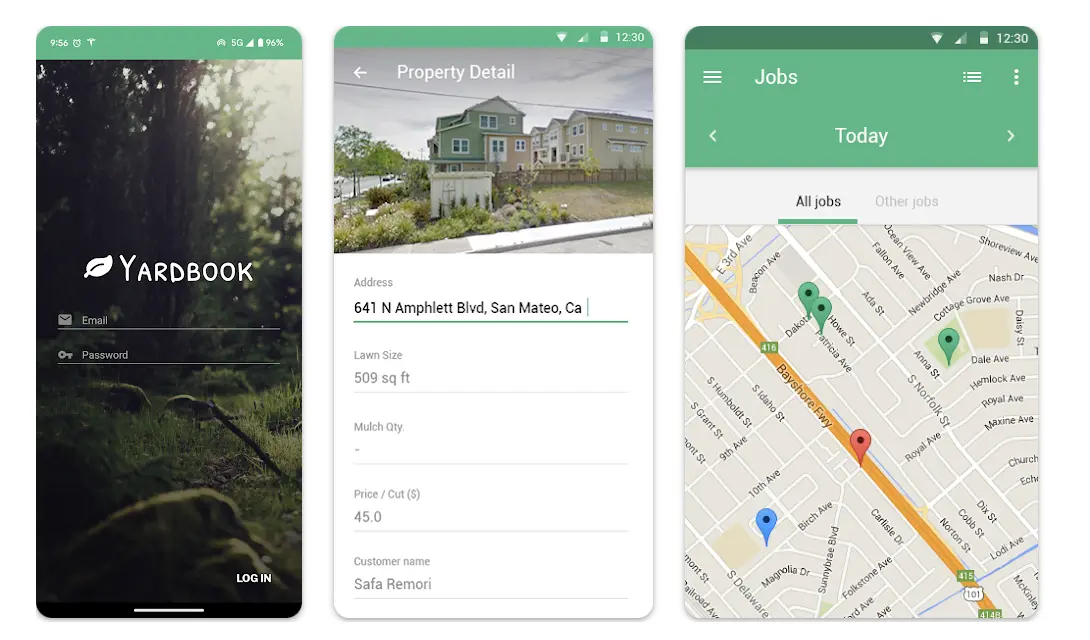
Yardbook offers an unusually capable free tier: CRM, estimates, scheduling, and invoicing, plus a business profile page that helps new clients find you. For a brand-new operation watching every dollar, that is hard to beat.
Two honest caveats from reviews: the payment-processing fees can run high, and the mobile experience lags behind the desktop one. As a free starting point, though, it is a genuine option.
Platform: Web, Android. Price: free tier; paid plans from about $15/month.
What users say:
“Yardbook has been an excellent way for me to keep my customer lists, invoices/payments, staffing, equipment, and routes organized. And the best part as it has been free” – Jarred A., landscaping, Capterra, Aug 21, 2020
“No integration with Quickbooks. Needs an app that crews can look at. I printed off sheets to give to crews” – Sean Q., Capterra, Nov 25, 2025
GreenPal, best client-acquisition marketplace
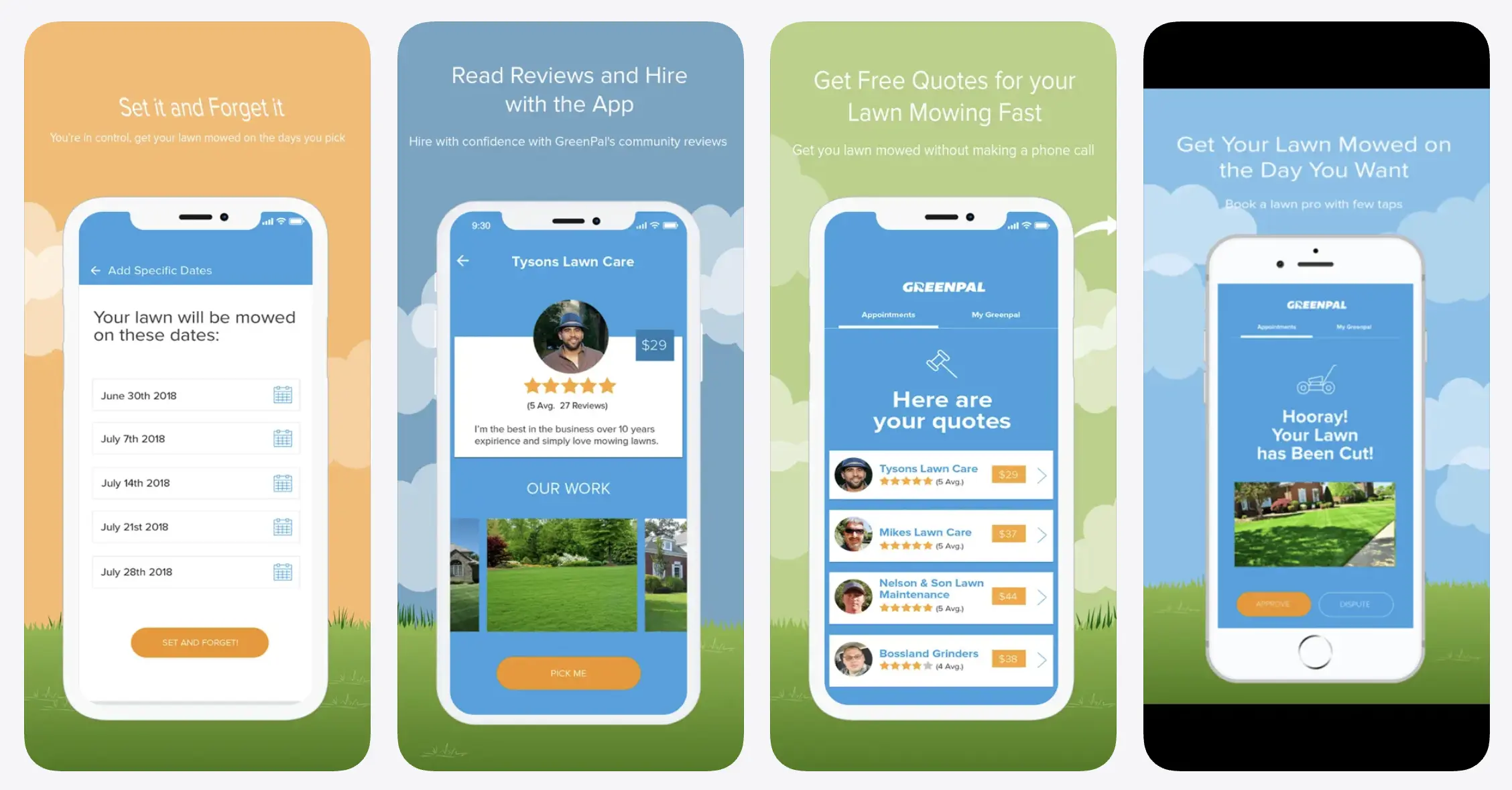
GreenPal connects landscapers with local homeowners through competitive bidding. It is free to list, and the platform takes a percentage of each job you win. Think of it as a low-friction lead channel rather than a management tool: a way to fill gaps in the schedule, not run the business.
Platform: Web, iOS, Android. Price: free to list; takes a percentage per job.
What users say:
“I stumbled upon GreenPal by accident and got a mower scheduled THAT DAY for a great price! Fast forward to today, I’ve never had an issue or a week where my lawn isn’t mowed” – Porta-Morty, homeowner, App Store, Jun 12, 2025
“The problems I have encountered using this is as a contractor, I have no control as to billing for additional services such as long grass or edging.” – Cheesefryz, lawn care, App Store, May 10, 2024
Mailchimp (or similar), for seasonal email and retention
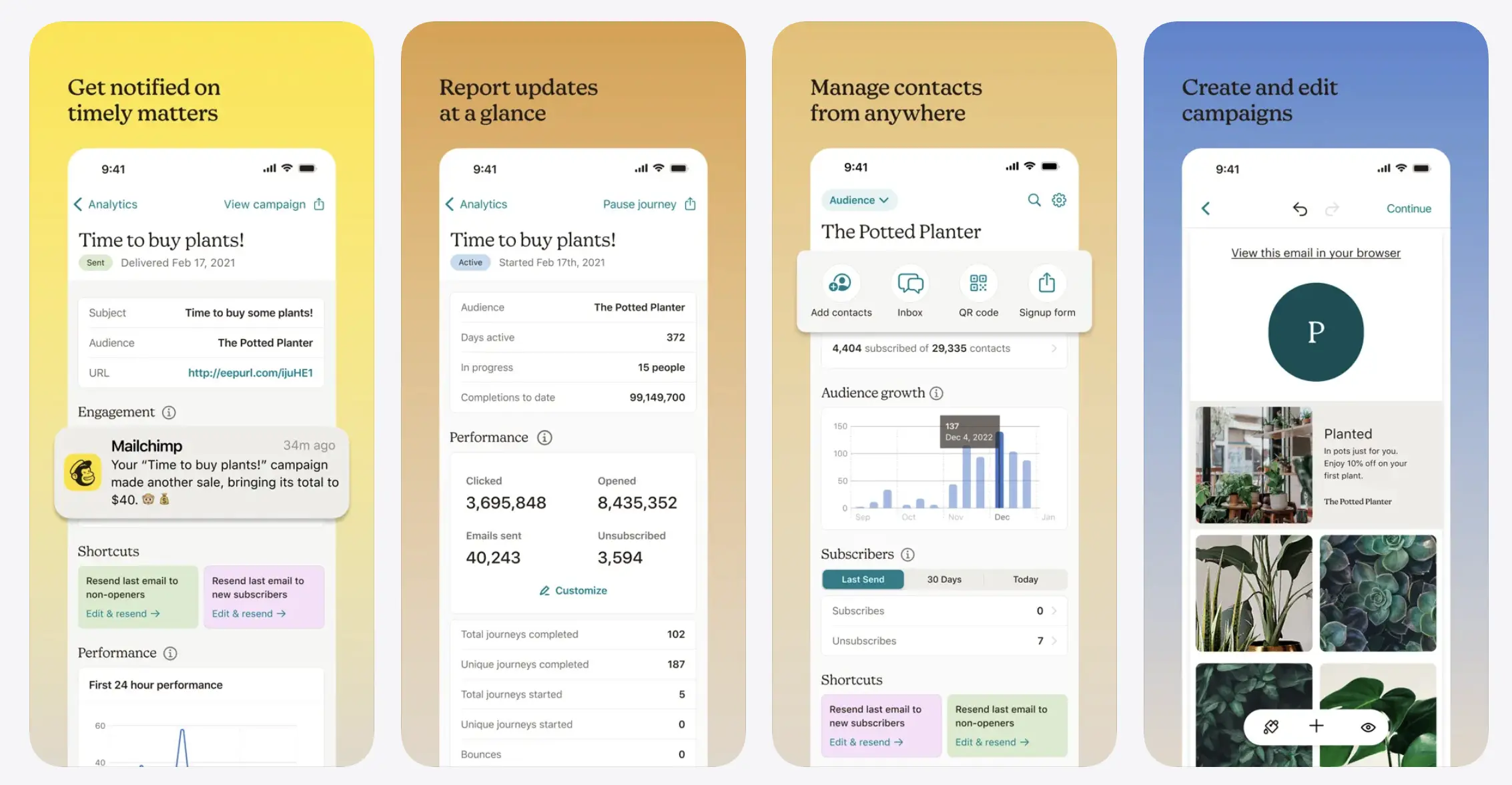
For seasonal reminders and upsells to clients you already have (spring cleanups, fall leaf removal, snow contracts), a basic email tool does the job. It is not landscaping-specific, but a simple "time to schedule your spring service" email pays for itself.
Platform: Web, iOS, Android. Price: free tier; paid plans scale with list size.
What users say:
“I especially appreciate having email marketing and automation capabilities in one platform as our business continues to grow.” – Sheriff Durosinmi, Trustpilot, Aug 24, 2026
“Mailchimp can switch off your sending at any time, including just before a weekend, and you may be left waiting days for a reply.” – Adam, Trustpilot, Oct 5, 2026
Quick field utilities (plant ID and measurement)
- LeafSnap or PictureThis, plant identification. For when you are blanking on a species standing right in front of a client. Point, shoot, name it.
- Planimeter, measurement. Measure area and dimensions from satellite imagery for quick takeoffs without walking the whole property with a wheel.
Best apps for landscapers, compared
| App | Category | Platform | Price | Best for |
|---|---|---|---|---|
| Tofu | Field service management | Web, iOS, Android | From $29/mo ($15/mo annual) | Solo landscapers and small crews |
| Jobber | Field service management | Web, iOS, Android | $39–$199/mo (solo); teams higher | Growing landscaping contractors |
| ServiceTitan / Aspire | Field service management | Web, iOS, Android | Custom (per user) | Large operations ($1M+ revenue) |
| iScape | Yard design | iOS, Android | Free tier; Pro $29.99/mo or $299/yr | AR client presentations |
| Neighborbrite | Yard design | Web | Free tier; paid upgrades | Instant AI design concepts |
| LMN / SingleOps | Estimating / job costing | Web, iOS, Android | ~$129–$300/mo+ | Heavy design-build takeoffs |
| Workyard | Time tracking / job costing | Web, iOS, Android | $6/user/mo + $50/mo base | GPS-verified crew time |
| Yardbook | Marketing / CRM | Web, Android | Free; paid from ~$15/mo | A free start for new operators |
| GreenPal | Client acquisition | Web, iOS, Android | Free to list; % per job | Filling the schedule with leads |
| Mailchimp | Marketing / email | Web, iOS, Android | Free tier; scales with list | Seasonal reminders and upsells |
How to choose the right apps for your landscaping business
Start with crew size. Up to 10 people? A lightweight FSM like Tofu costs less and, more importantly, actually gets used. Growing toward ten or more with structured dispatch? Step up to Jobber, and only look at ServiceTitan or Aspire when you genuinely have the scale to use them.
Do not hunt for one app that does everything. Most landscapers need a business app plus one or two specialised tools, a design app, say, or a time tracker. One app rarely does both jobs well, and the all-in-one that claims to usually does several of them badly.
Check offline functionality before you build your workflow around a tool. Job sites lose signal, and an app that freezes the moment you lose bars is worse than a paper notepad.
On cost, spend on what you use. The best stack for most small crews is not the most expensive one. A cheap or free FSM plus a free design or plant-ID app covers most of what a small business actually needs. Add the paid tools when a specific pain (labor leakage, slow bids) is costing you more than the subscription.
Landscaping paperwork should not follow you home.
Tofu handles scheduling, estimates, invoicing, and payments from your phone, so your evenings are yours again.




