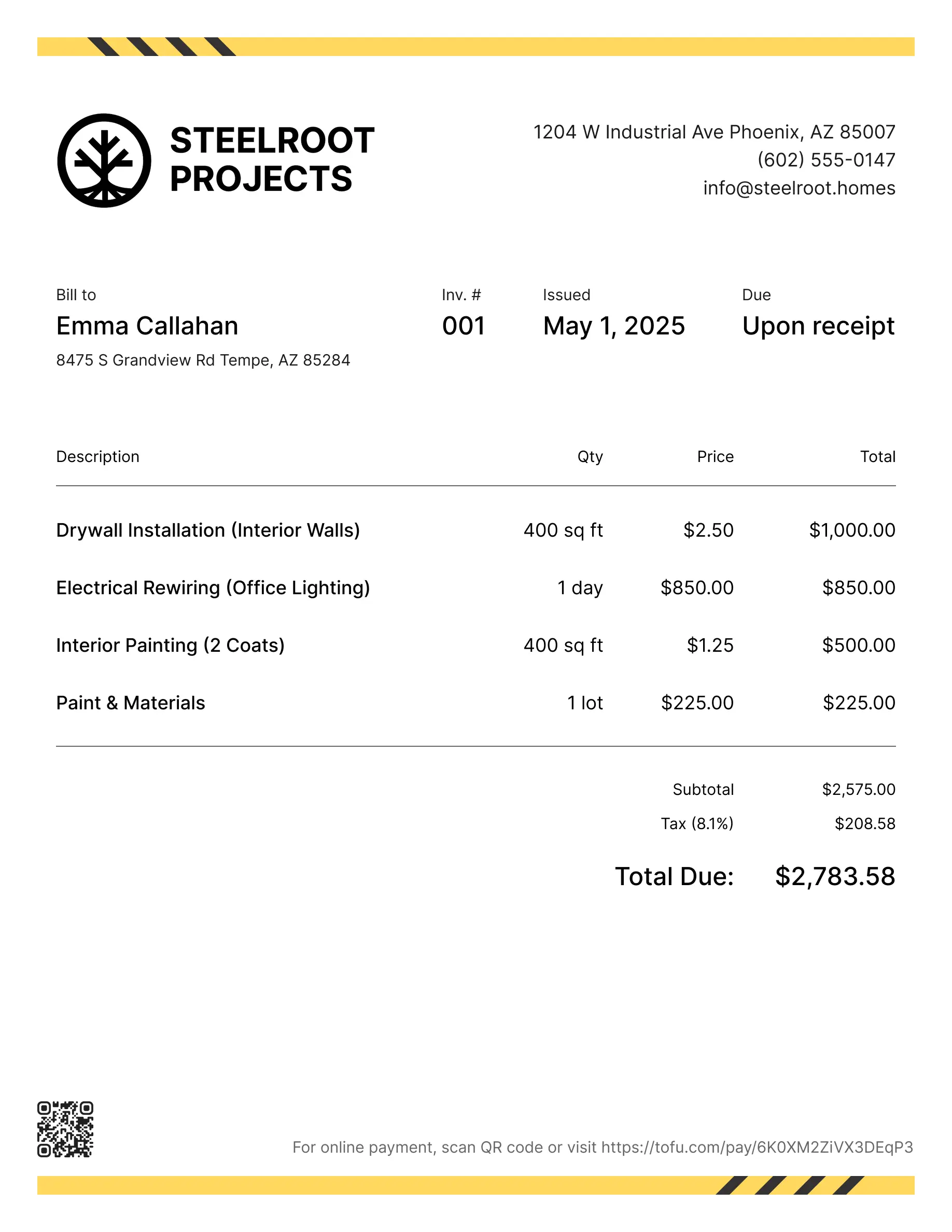
Handyman invoice templates
Bill clients for repairs, odd jobs, hourly work, or a mix of small tasks in one visit. Tofu's ready-to-use invoice templates make it simple. Choose your format, add a personal touch, and download.
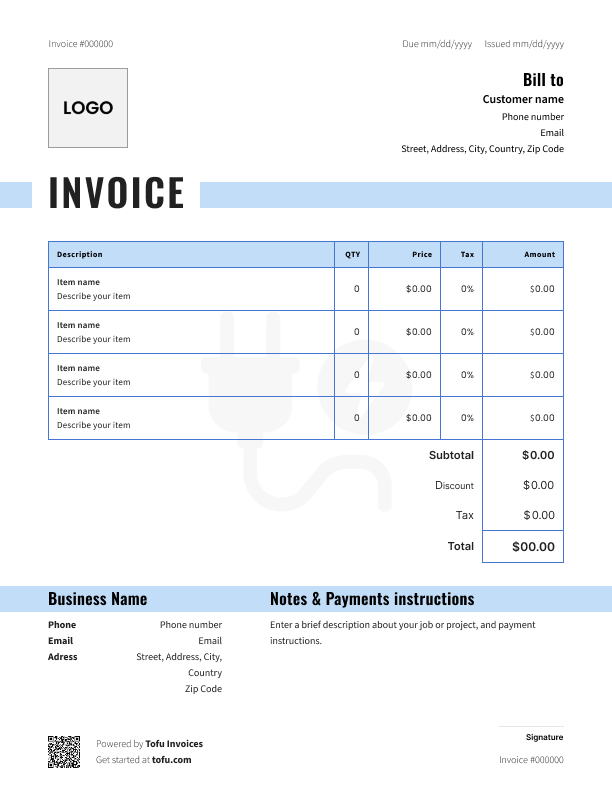
Free templates designed for handymen
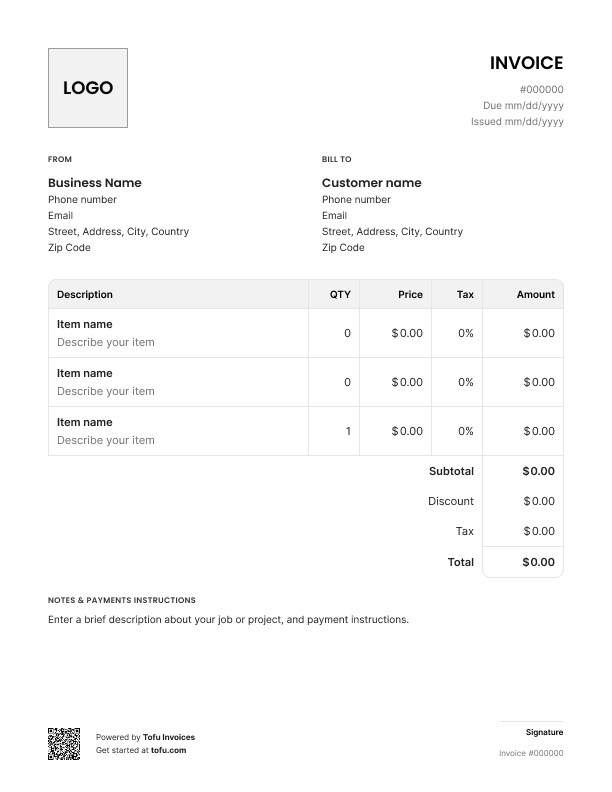
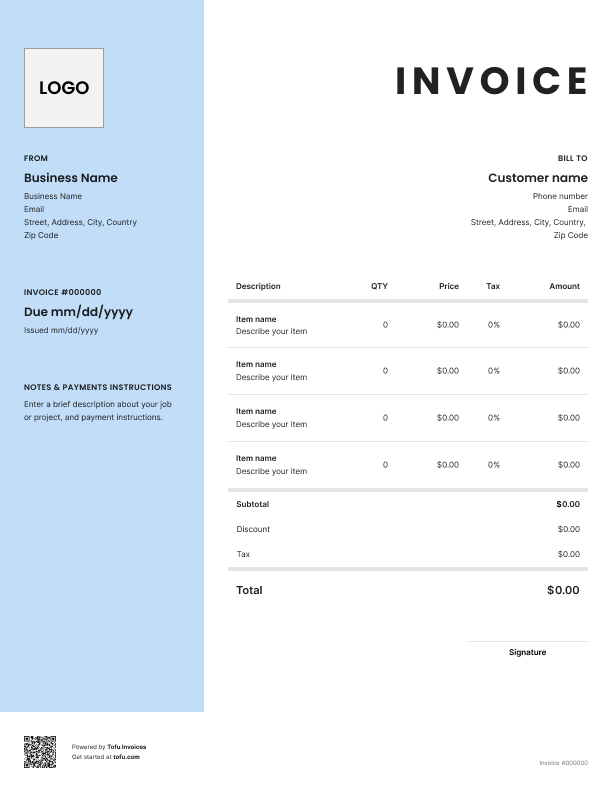
Handyman work doesn't fit neatly into a single category. One job you're fixing a leaky faucet. The next you're patching drywall, replacing a light fixture, and re-hanging a door – all in the same visit. Home repair professionals who use a proper handyman invoice template spend less time chasing payments and more time getting paid.
Grab a free handyman invoice template below, or read on for what to include and how to use it. Keeps your invoicing organized, shows clients what they're paying for, helps your cash flow stay predictable.
What to include in a handyman invoice template
Miss one field and you're either chasing clients or leaving yourself open to a dispute.
Here's what every invoice template should have:
- Business name – who the invoice is from
- Contact information – phone, email, address
- Invoice number – keeps records organized and searchable
- Invoice date – when the work was billed
- Due date – when you expect to get paid
- Client details – name, address, contact
- Services provided – what you did, described clearly
- Labor costs – hours and rate, broken out
- Materials used – every part and supply you bought
- Payment terms – how and when you get paid
- Payment methods – bank transfer, PayPal, card
Break it into clear line items and clients know what they're paying for. Skip the invoice number and bookkeeping gets messy. Leave off the due date and clients pay whenever they feel like it.
Separating labor from materials on a handyman invoice
You're often buying materials on the spot – running to the hardware store mid-job, picking up parts your client didn't have. Lump everything into one total and clients don't know what they're paying for. Disputes follow.
Handyman invoices should always list hourly rates and hours worked separately from every material you bought. Use a clear description for each line item – not just "supplies," but "1x 1/2" ball valve, $18.50." Flat rate job? Still break out materials as a separate section.
⚠️ Clear itemization stops price shock and protects you. Every services rendered gets documented. Client questions the bill – you have proof. They don't – they pay faster.
How to create a handyman invoice using a template
Download a free handyman invoice template and you're most of the way there. To create a handyman invoice that's ready to send, follow these steps:
- Pick your format. PDF, Microsoft Excel, Google Docs – your call. PDF is usually best: professional, can't be accidentally edited.
- Add your business details. Name, logo, contact information at the top.
- Enter the client's information. Name, address, phone, email.
- Assign an invoice number. Start at 001.
- List your services. Clear description for each task – what you did, how long, what it cost. Labor and materials in separate sections.
- Add your payment terms. Include payment instructions – due date, how they pay, late fee if applicable.
- Send the final invoice promptly. Same day you finish – ideally before you leave the driveway.
When you create an invoice this way every time, it's a two-minute habit.
How to customize your handyman invoice template
A free template is a starting point, not a finished product. Most templates are fully customizable – here's where to start:
- Company logo – drop it into the header
- Colors and fonts – match your branding or keep it simple
- Service description fields – adjust for your typical jobs: plumbing, carpentry, painting
- Terms and conditions – deposit policy, warranty, disclaimers
- A thank-you note – one line at the bottom costs nothing
A customizable invoice gives you control over the invoice design – layout, branding, what it says about your business. A branded invoice signals you run a real operation. Clients who see professional invoices pay faster and come back.
Your next invoice is 60 seconds away
Open Tofu, add the details, send a pay link. Your client gets it while the work is still fresh.
Rated excellent on review platforms

Absolutely amazing! It’s saves so much time and it gives you the professional touch needed to make you look good!
★ ★ ★ ★ ★
Tony W., TrustpilotTofu works with Stripe for on-site card payments, lets me turn estimates into invoices, and instantly syncs jobs, photos, and client notes offline.
★ ★ ★ ★ ★
Tofu user, G2
I use Tofu for my cleaning business, and it solves so many problems for me. I consider it a complete success for myself and my employees.
★ ★ ★ ★ ★
Marjorie N., G2Easy to use and straightforward! Been using it for over a year now!
★ ★ ★ ★ ★
Manuela M., TrustpilotI need some basic features like send estimate, invoice, track my jobs and get money. Tofu is good for that.
★ ★ ★ ★ ★
Tofu user, G2I love it 10 out of 10 would highly recommend to anyone
★ ★ ★ ★ ★
David M., CapterraHandyman invoice template formats: PDF, Excel, and more
- PDF – Best for sending to clients. Professional, non-editable, opens on any device.
- Microsoft Excel – Good for automatic calculations. Invoice templates in Excel are easy to adapt. Export to PDF before sending.
- Google Sheets – Same as Excel, lives in the cloud. Easy on-site access from your phone.
- Microsoft Word / Google Docs – Simple to edit, no formulas needed.
- Online invoice generator – Handles numbering, calculations, storage. Better workflow at higher volume.
PDF works for most handymen. High volume? An invoice generator and handyman estimate templates save real time.
Benefits of using handyman invoice templates
A free invoice template beats writing from scratch. Here's why:
- Save time – Fill in the job details, done in minutes
- Consistent, professional invoices – Every client gets the same clean format
- Fewer errors – Formulas do the math for you
- Faster payment – Clear bills get paid quicker
- Organized financial records – Every invoice has a number and a date
- Track payments easily – See what's paid, outstanding, overdue
- Room to grow – Templates work fine for most handyman business owners. When you're ready, invoicing software can automate the invoicing process from there.
Payment terms for handyman invoices
Clear payment terms set expectations up front and give you something to point to if payment is late.
📌 Common payment term options:
- Due upon receipt – small jobs, first-time clients
- Net 7 – repeat clients, slightly larger jobs
- Net 15 – bigger projects, more processing time needed
- 50% deposit upfront – significant material costs involved
- Late fee (e.g. 1.5%/month) – built-in incentive to pay on time
For bigger billing, offer bank transfer, credit card, and PayPal. Some clients won't carry cash – don't give them a reason to delay. Put terms on every invoice and the follow-up calls drop off.
Common handyman invoicing mistakes to avoid
Small errors in your handyman invoices slow down your invoicing process. Here's what to watch for:
- Vague service descriptions – "Labor" means nothing. Write a clear description of the services for every line item.
- Bundling labor and materials – Separate them into two distinct sections.
- Missing payment terms – Always include a due date and accepted payment methods.
- No contact details – Put your phone and email on every invoice.
- Inconsistent invoice numbering – Number sequentially, every time.
- Sending invoices late – Don't wait days to bill clients. Send the same day you finish.
- Only accepting one payment method – Offer two or three ways to pay.
Invoices are just the start
Every client, job, estimate, and payment lives in Tofu – ready to pull up in seconds, wherever you are.
FAQs
Everything you need to know about the product and billing

Still have questions?



Create the perfect invoice for your business
Get started for free